Top LinkedIn Updates: Platform Changes & Marketing Trends
Over 1 billion interactions happen on LinkedIn every month, which is a lot of noise for marketers and brands trying to stand out. The challenge isn’t posting more, it’s knowing what’s changing on the platform and how to actually use it.
Over the past months, LinkedIn rolled out updates that shaped how content performs, how audiences engage, and how businesses grow.
Here’s your digest of the most important changes. Read on!
Latest LinkedIn Updates 2025
Here are the key LinkedIn updates of 2025 –
LinkedIn Updates (August 2025)
LinkedIn just rolled out a big one in August 2025: newsletters for everyone. Earlier, only a few creators had this feature; now it’s open for all users. It means you can build your own audience, share updates directly, and keep connections engaged without leaving the platform.
LinkedIn Updates (July 2025)
There was nothing new this month from the LinkedIn algorithm.
LinkedIn Updates (June 2025)
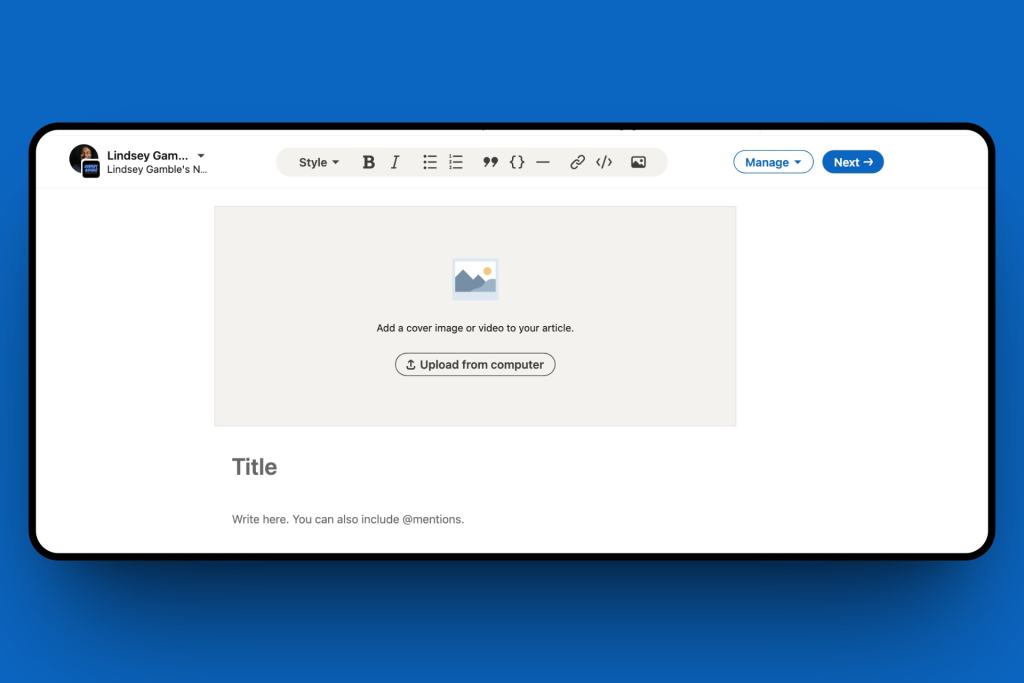
Last month, LinkedIn quietly pushed a nice update. Some users started seeing the option to upload a LinkedIn video as the cover for their articles or newsletters. It gave content a more dynamic entry point and helped creators stand out instead of sticking to static thumbnails.
LinkedIn Updates (May 2025)
In May, LinkedIn published a detailed article listing all its technical video requirements. It was meant to help creators avoid issues with uploads and make sure videos run smoothly across the platform.

LinkedIn also expanded its creator monetization program, now called BrandLink (earlier Wire). Creators were given the chance to place their video ads next to premium publisher content, a big step towards turning LinkedIn into a real revenue stream.
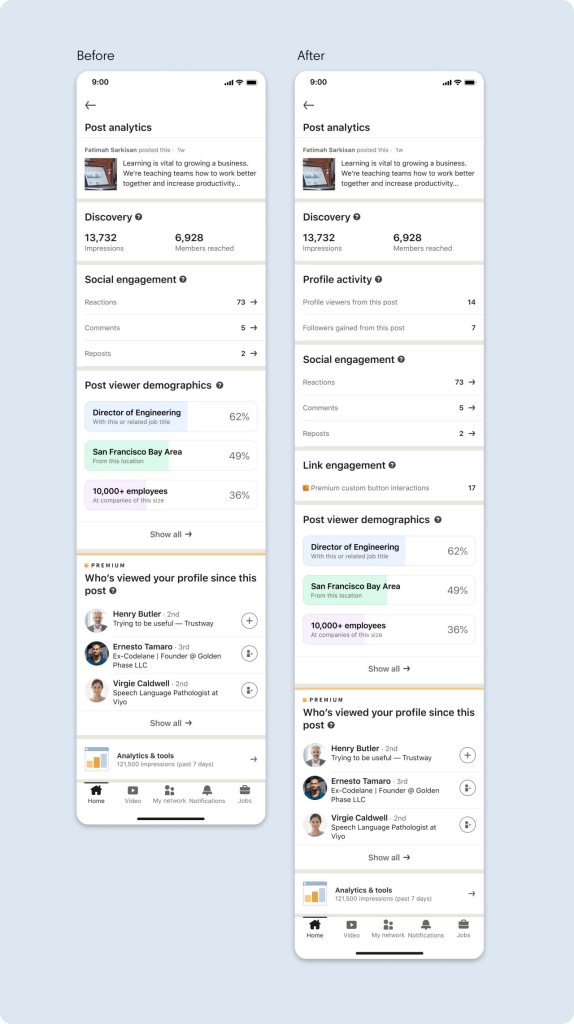
Another solid update came with fresh post analytics. Users could now see how many profile views and even new followers each post brought. Small change, but super useful for tracking what’s actually working.
LinkedIn Updates (April 2025)
- New features in Premium Company Pages
LinkedIn had been testing Premium Company Pages for almost a year, and in April, they rolled out more features. One big addition was the ability to invite followers of a similar Page to check out yours first, a pretty smart way to capture attention. - Verified identity across platforms
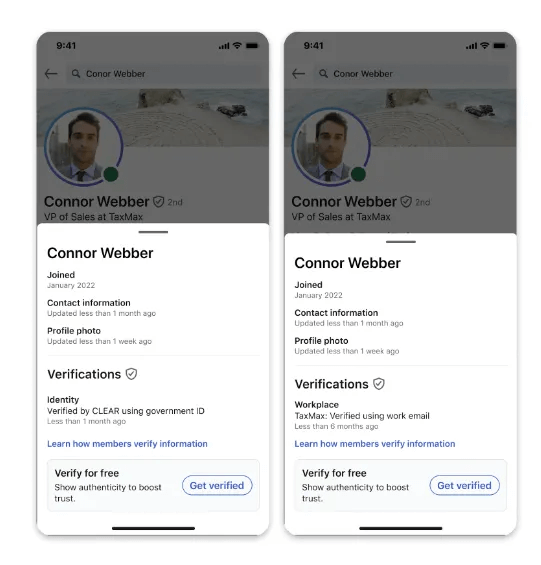
Users who verified their identity on LinkedIn could now extend that verification to external platforms like Adobe. It was a step towards making LinkedIn’s verification more valuable outside the app itself. - News banner on top of feed
Another test popped up, a rotating news banner pinned to the top of feeds. It showed different headlines and was available only in the US, Canada, India, the UK, and Australia for now.
LinkedIn Updates (March 2025)
In March, LinkedIn dropped a guide showing exactly how to run live events through Zoom. By linking accounts directly, it made hosting way smoother for creators and brands jumping on the live trend.
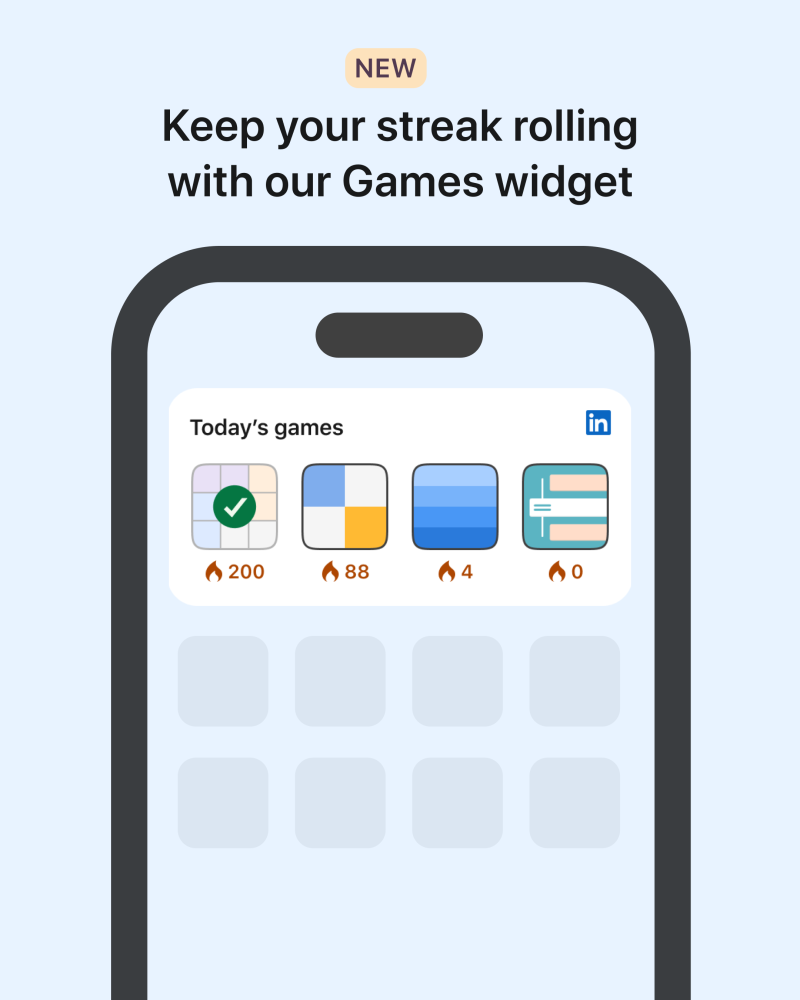
LinkedIn also surprised users with Zip, a puzzle-style game designed to test problem-solving skills. It was a fun twist, making the platform feel less stiff and a bit more interactive.
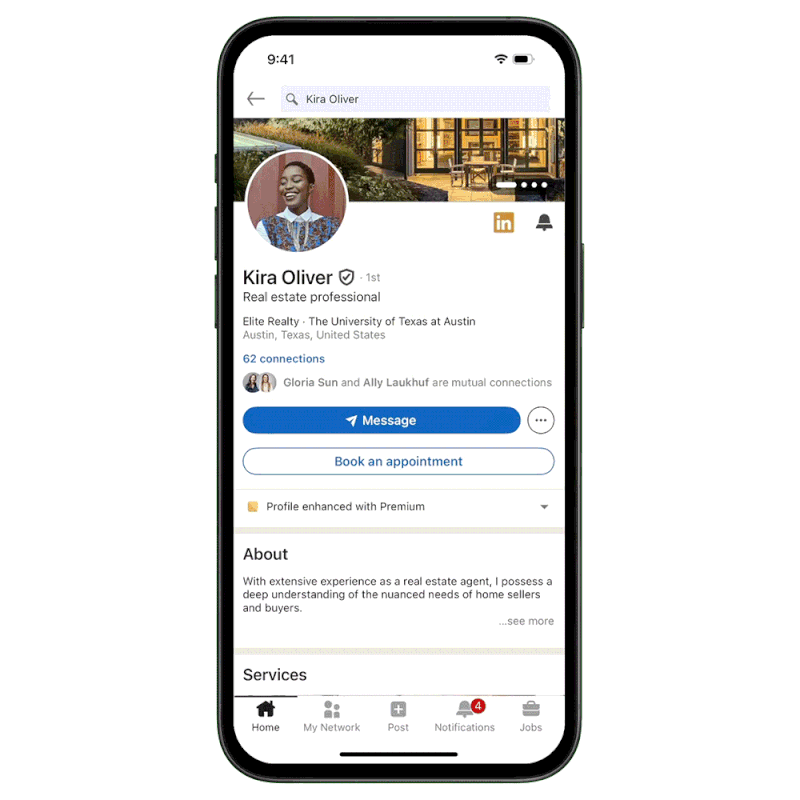
Premium users got a handy upgrade, too. LinkedIn added the option to place a Calendly link straight on profiles, making it easier for others to book meetings without endless back-and-forth.
Another experiment rolled out with a My Network tab. This view only showed updates from connections and followed pages, giving users more control over what actually showed up in their feeds.
LinkedIn Updates (February 2025)
February brought a neat change; you could finally see how many impressions your comments got. Whether it was on your own post or someone else’s, it gave a clear idea of how far your thoughts were actually reaching.
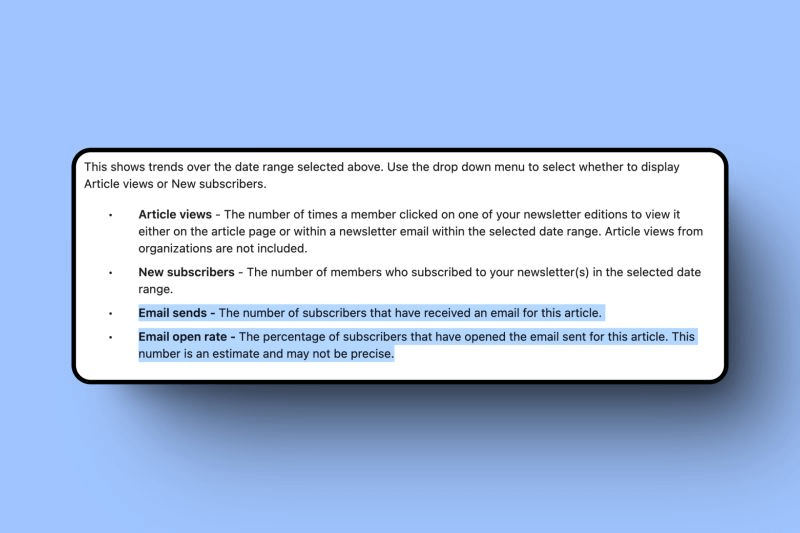
LinkedIn also added fresh newsletter analytics: email sends and open rates. For anyone serious about newsletters, these numbers made it easier to measure if the content was really landing or just floating around unread.
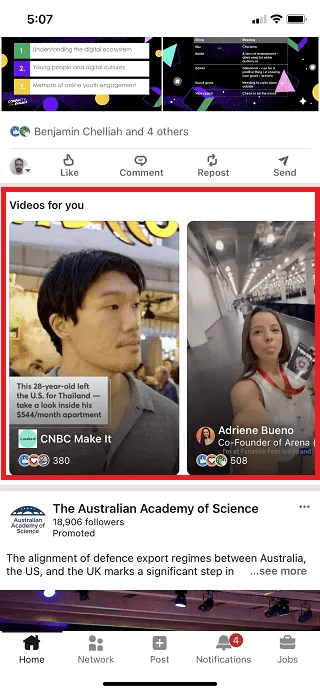
With video views climbing 36%, LinkedIn doubled down. They rolled out a dedicated video tab, a “videos for you” feed on desktop, and even profile snapshots inside the full-screen player. It made the whole video experience feel more connected and worth experimenting with.
LinkedIn Updates (January 2025)
- Updated Top Voice badge rules
In January, LinkedIn tweaked how the Top Voice badge works. Instead of being permanent, it now lasted for six months by default. Creators had to keep sharing useful insights and knowledge to extend it, making the badge feel more earned and current, not just a one-time win.
Latest LinkedIn 2024 Updates
Let’s talk about the key LinkedIn updates in 2024 –
LinkedIn Updates (December 2024)
- Revolving slideshow for profile banners
Another update was the option to add a revolving slideshow as your profile banner. It gave users a chance to showcase multiple images instead of being stuck with just one static shot. - Testing a larger video display
LinkedIn also started testing bigger video previews in the feed. Videos appeared larger than other post types, with rounded corners, making them harder to scroll past without watching.
LinkedIn Updates (November 2024)
- Live audio events removed
In November, LinkedIn shut down dedicated audio events. Users could still host audio-only sessions, but now it had to be done through live-streaming tools with just a static image in place. - Goodbye celebration post templates
The platform also retired those illustrated templates for Appreciation, Welcome, and Skill Badge posts. A small change, but it meant celebrations had to be shared in a more custom way. - Tips for short-form videos
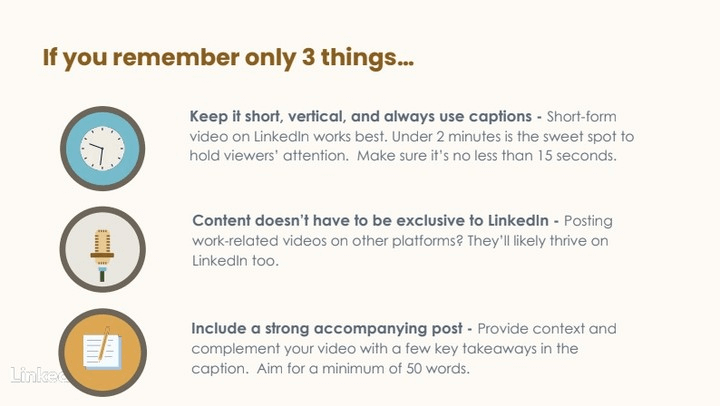
With video on the rise, LinkedIn shared fresh advice: keep videos short, always add captions, and pair them with strong post text. Simple tweaks, but ones that could boost engagement fast.
LinkedIn Updates (October 2024)
In October, LinkedIn started testing a refreshed navigation bar. All the in-app options moved up to the very top of the screen, making the UI feel cleaner but also a little different to get used to.
LinkedIn’s ID confirmation feature kept gaining traction, crossing 55 million verified users. It showed that trust and authenticity were becoming a bigger deal on the platform.
Another puzzle game landed on LinkedIn—this one called Tango. It joined the growing lineup of casual in-app games aimed at giving users a quick mental break.
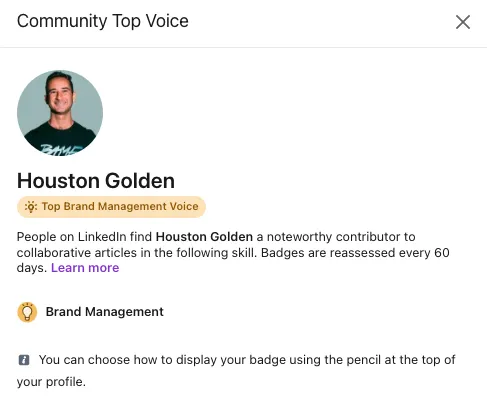
The platform also announced the removal of its gold Community Top Voice badge from October 8 onward. Anyone who earned it through collaborative articles saw their badge expire after 60 days.
LinkedIn Updates (September 2024)
- Top Voice badges on the way out
Back in September 2024, LinkedIn confirmed that the gold Community Top Voice badge would be retired starting October 8. Anyone who had earned one for contributing to collaborative articles saw it expire after 60 days. - Option to opt out of AI training
LinkedIn also updated its User Agreement and Privacy Policy. The big part? Users could now choose to opt out of having their data used to train LinkedIn’s AI features. A small switch, but an important one for privacy-minded folks.
LinkedIn Updates (August 2024)
In August 2024, LinkedIn began rolling out in-feed carousels that included short video clips. It was a new way to package content inside the feed, making posts more interactive and harder to scroll past without at least swiping through.
LinkedIn Updates (July 2024)
In July 2024, LinkedIn introduced sponsored newsletters. With newsletters already gaining popularity, this update gave brands and creators a way to push their content to a wider audience and grow reach beyond just their subscriber base.
LinkedIn Updates (June 2024)
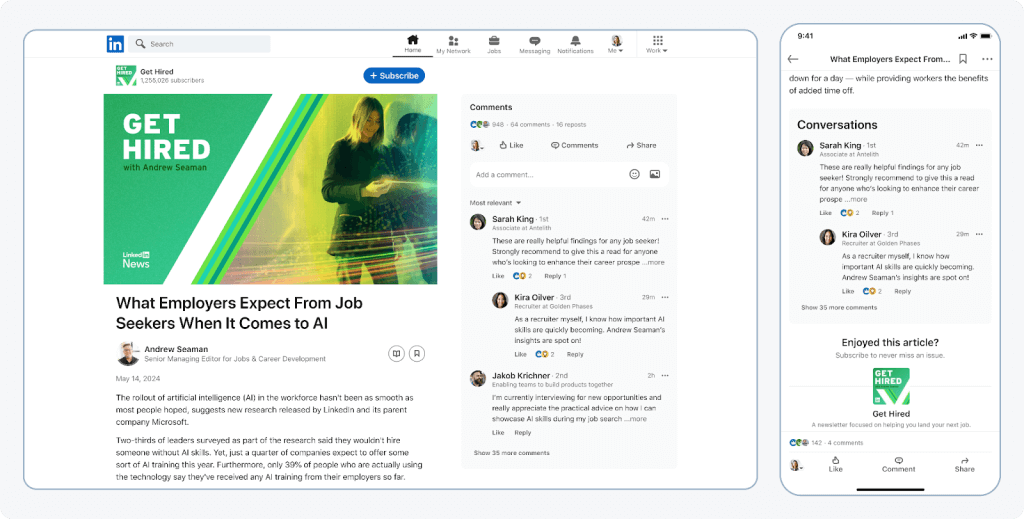
June came with a big refresh for LinkedIn newsletters. The update included a redesigned UI, better subscriber notifications, and even a Microsoft Designer integration for creating cover images. It made newsletters look cleaner and easier to manage.
LinkedIn also tweaked how posts with links show up. Any organic post that had a link attached appeared smaller in the feed compared to posts without links. The move was clearly aimed at pushing creators to share more native content instead of just link drops.
LinkedIn Updates (May 2024)
- Record engagement continues
In May 2024, Microsoft’s report showed LinkedIn sessions jumped 11%, hitting record levels of engagement once again. The platform kept proving it wasn’t slowing down anytime soon. - Three new in-app games
The rumors turned out to be true, LinkedIn officially launched three games: Crossclimb, Pinpoint, and Queens. They could be found inside the News module on the homepage, giving users a quick break from networking.
LinkedIn Updates (April 2024)
In April 2024, LinkedIn started testing a Premium Company Page subscription priced at $99/month. The package included AI tools for writing posts, boosting follower growth, and more, clearly aimed at brands wanting extra reach.
A surprising twist, Meta announced that Instagram influencers could create AI versions of themselves. Not exactly LinkedIn, but still shook up the creator space. Honestly, mixed feelings on this one.
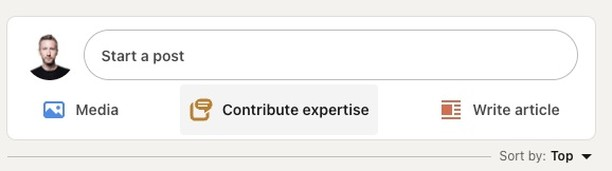
With collaborative articles booming, LinkedIn added a quicker way to join in. Some users spotted a new “contribute expertise” button right inside the post composer.
LinkedIn also began testing a video-only tab. With so many platforms going video-first, this was LinkedIn’s way of keeping pace.
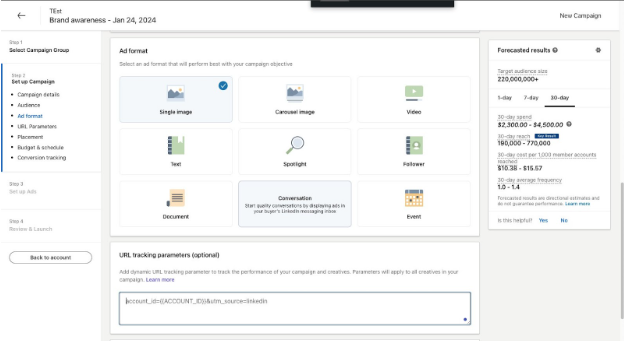
Another update was dynamic UTMs. Marketers could automatically attach UTMs to campaigns without setting them up manually every single time.
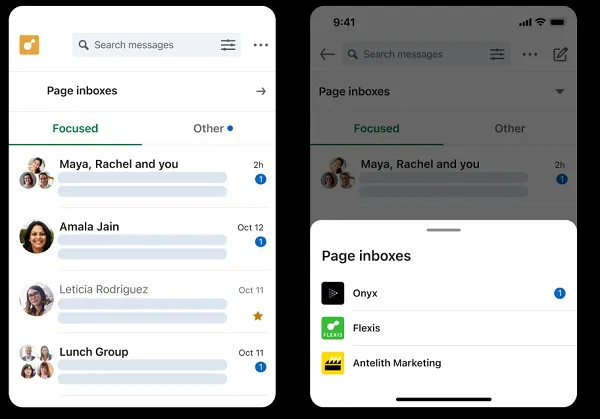
After slowly rolling out since June last year, LinkedIn finally gave all brands access to company page messaging. It opened the door for more direct conversations between businesses and users.
LinkedIn Updates (March 2024)
- Gaming on LinkedIn?
Back in March, LinkedIn was reported to be working on in-app games. The wild part is that companies could actually be ranked based on their employees’ scores. Not sure if anyone expected gaming to show up on LinkedIn, but here we are. - Expansion of thought-leader ads
Another update was the expansion of thought-leader ads. Brands could now sponsor posts from any member on the platform, not just their own employees. It gave companies more flexibility to amplify trusted voices.
LinkedIn Updates (February 2024)
- Creator Mode goes away
LinkedIn also began phasing out Creator Mode. But don’t panic—most of the features were still there, just tucked inside profile settings instead of under a separate toggle. - Algorithm changes with suggested posts.
The algorithm got another shake-up, too. Posts could keep circulating for months through a new “suggested posts” feature, pushing older content to targeted users long after it was published.
LinkedIn Updates (January 2024)
In January, LinkedIn introduced the option to sponsor articles. It was a smart way to breathe new life into older content that had already performed well—repurposing without the guilt.
Another big change was the removal of lookalike audiences, effective February 29. Marketers had mixed feelings, since it meant rethinking targeting strategies that relied heavily on this feature.
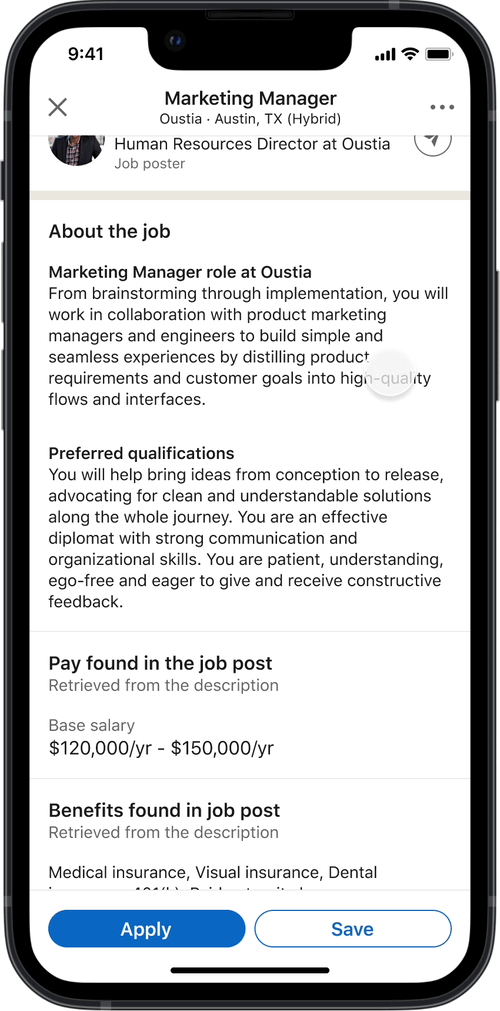
Job hunters got some love, too. LinkedIn rolled out updated job search tools with better categories, preference highlights, and even an AI-powered job application assistant. A handy upgrade for anyone actively applying.
Conclusion
LinkedIn didn’t sit still this past year; the updates came one after another, changing how we create, engage, and even get discovered. If you missed a few, don’t worry, you’re not alone. The key is adapting fast so your brand doesn’t get left behind.
And if you really want to extend LinkedIn’s reach beyond the platform? Try embedding your LinkedIn feed on your website with Tagembed, easy, clean, and it actually works.
Embed social feed from Facebook, YouTube, Instagram, Twitter on your website, like a PRO
Invalid Email Address Multiple Themes
