

Skip to content
Tagembed
Try For Free Try Free

AI Moderation | Official API | No Coding

Create Slack Widget To Showcase Your Community To People

Turn Slack chat conversations, community updates, announcements, and shared knowledge into an engaging website experience with a customizable Slack Widget.

Start For Free
  • Multiple themes
  • Free forever plan
  • Go live in minutes

G2 4.7/5 Rating by 95+ Verified G2 Users

More than 50K+ organizations worldwide rely on Tagembed.

  • Boston University
  • Audi
  • Feather & Black
  • Bose
  • Havas
  • Facebook
  • OPPO
  • CEAT
  • Boston University
  • Audi
  • Feather & Black
  • Bose
  • Havas
  • Facebook
  • OPPO
  • CEAT
  • Boston University
  • Audi
  • Feather & Black
  • Bose
  • Havas
  • Facebook
  • OPPO
  • CEAT

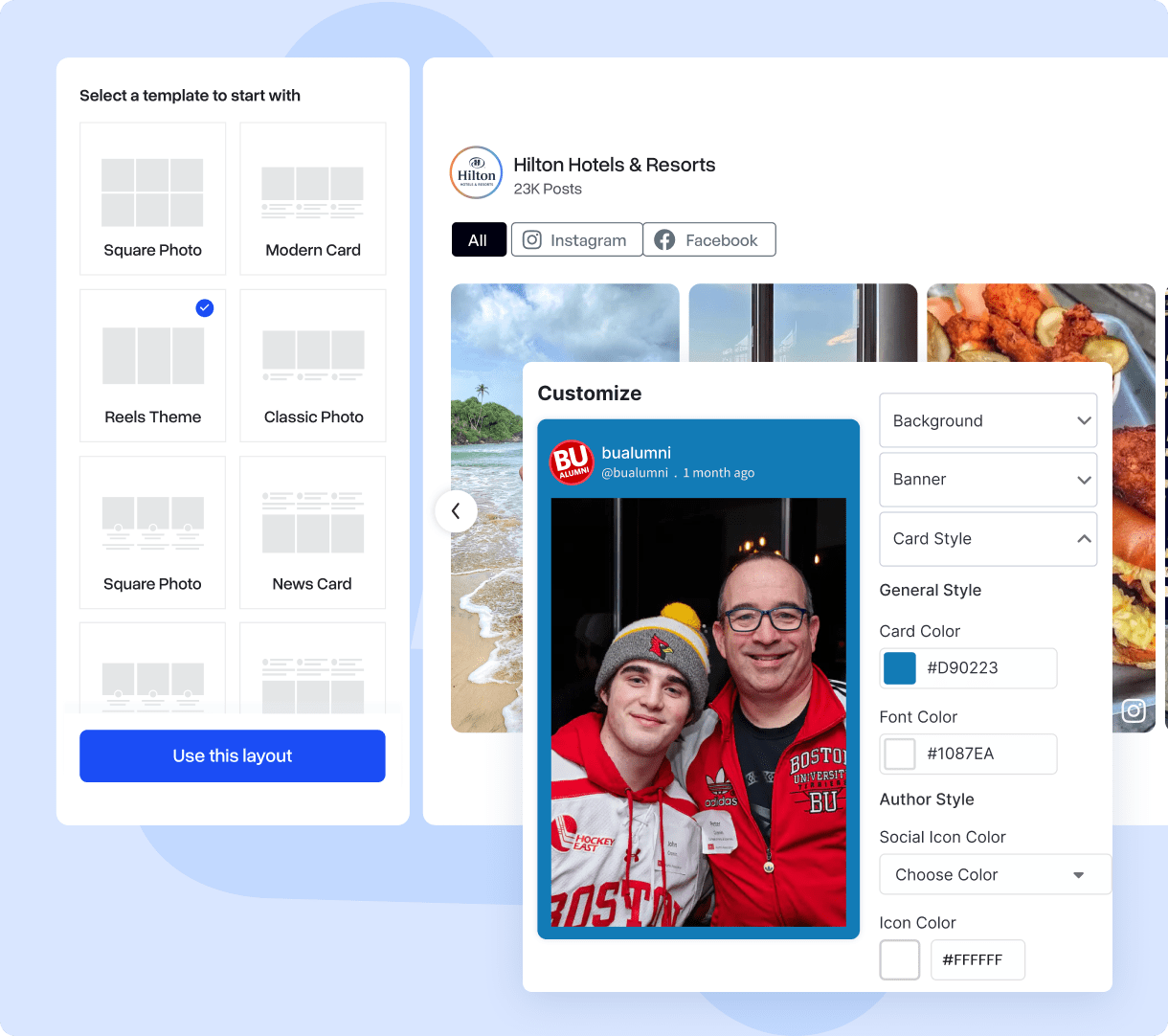
Slack Widget Layouts That Bring Your Community To Life

Choose a Slack widget layout that shows your community conversations on your website in a clean, on-brand design.

Select a template to start with

Why Need Tagembed Slack Widget?

The Tagembed Slack Widget helps you collect, curate & publish Slack chat widget in real-time via channels and keywords on your website.

  • Show The People Behind Your Brand

    Give visitors a glimpse of the conversations happening around your business. A visible community can make your digital presence feel more human and connected.

  • Give Prospects A Window Into Your Community

    Help potential customers understand what people are talking about, asking, and learning within your community. It can give them a stronger sense of the ecosystem surrounding your brand.

  • Keep Important Conversations Discoverable

    Great discussions can quickly get buried as new messages arrive. Feature relevant content on your website so useful conversations live longer and stay more visible.

  • 5X Increase time on site
  • +25% Increase conversion rate
  • +30% Increase AOV
  • Zero Impact on site speed

Trusted by 3,00,000+ Businesses Worldwide

Now it’s your turn. Launch your Slack Feed Widget today.

Get Started Now

Bring Slack Content To Your Website In 4 Simple Steps

Display a Slack chat widget on website in minutes to showcase live content.

Features to Highlight Tagembed Slack Widget For Website

Take advantage of the incredible features that comes by embedding Slack channel widget on website.

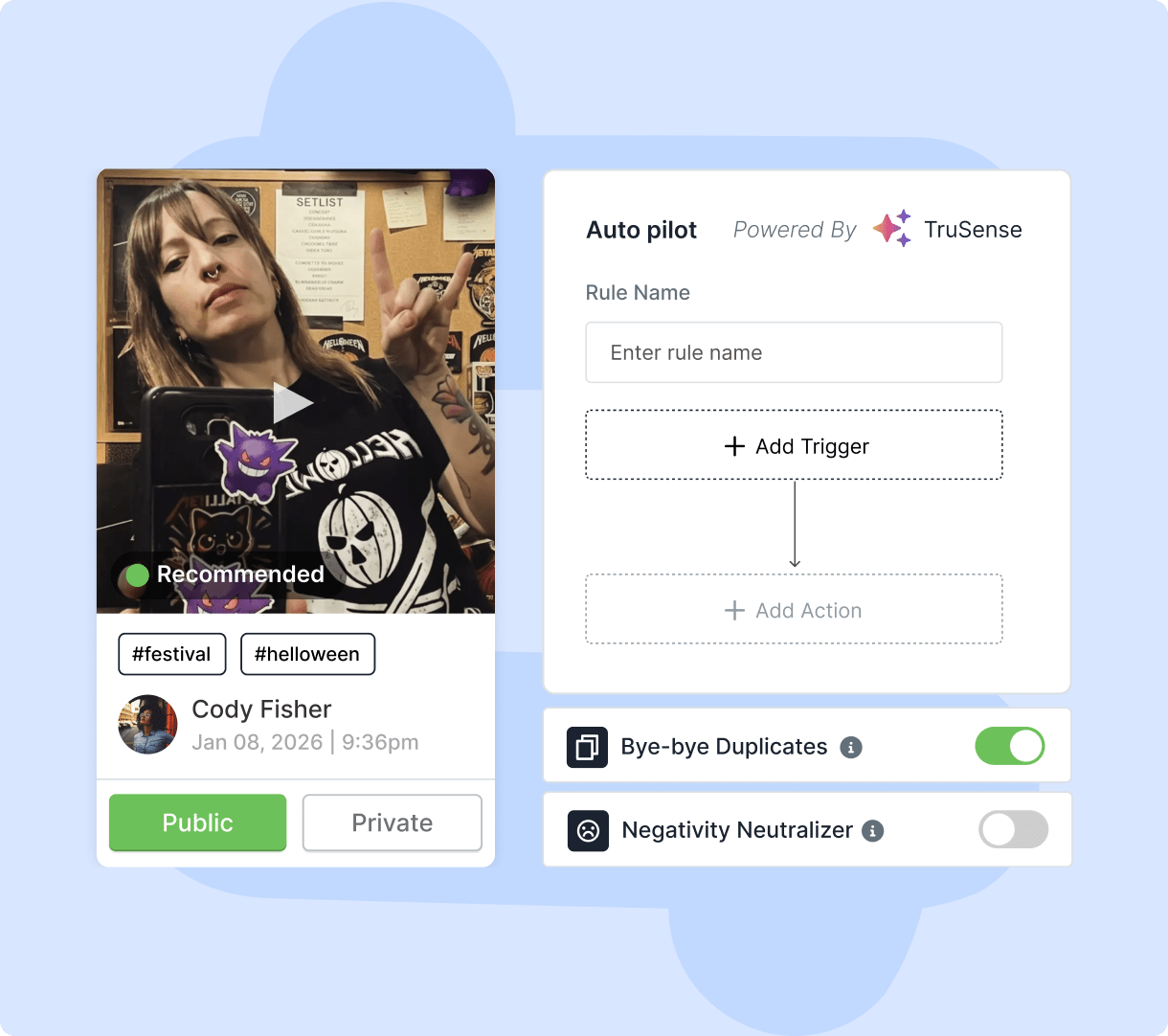
Content Filtering

Focus your Slack Widget on specific conversations, topics, or types of content that are relevant to the page and its audience. Highlight discussions that provide useful information, answer common questions, or share important updates. Keep the displayed content aligned with your page’s purpose so visitors can find relevant conversations and explore what your community has to offer.
Content Filtering

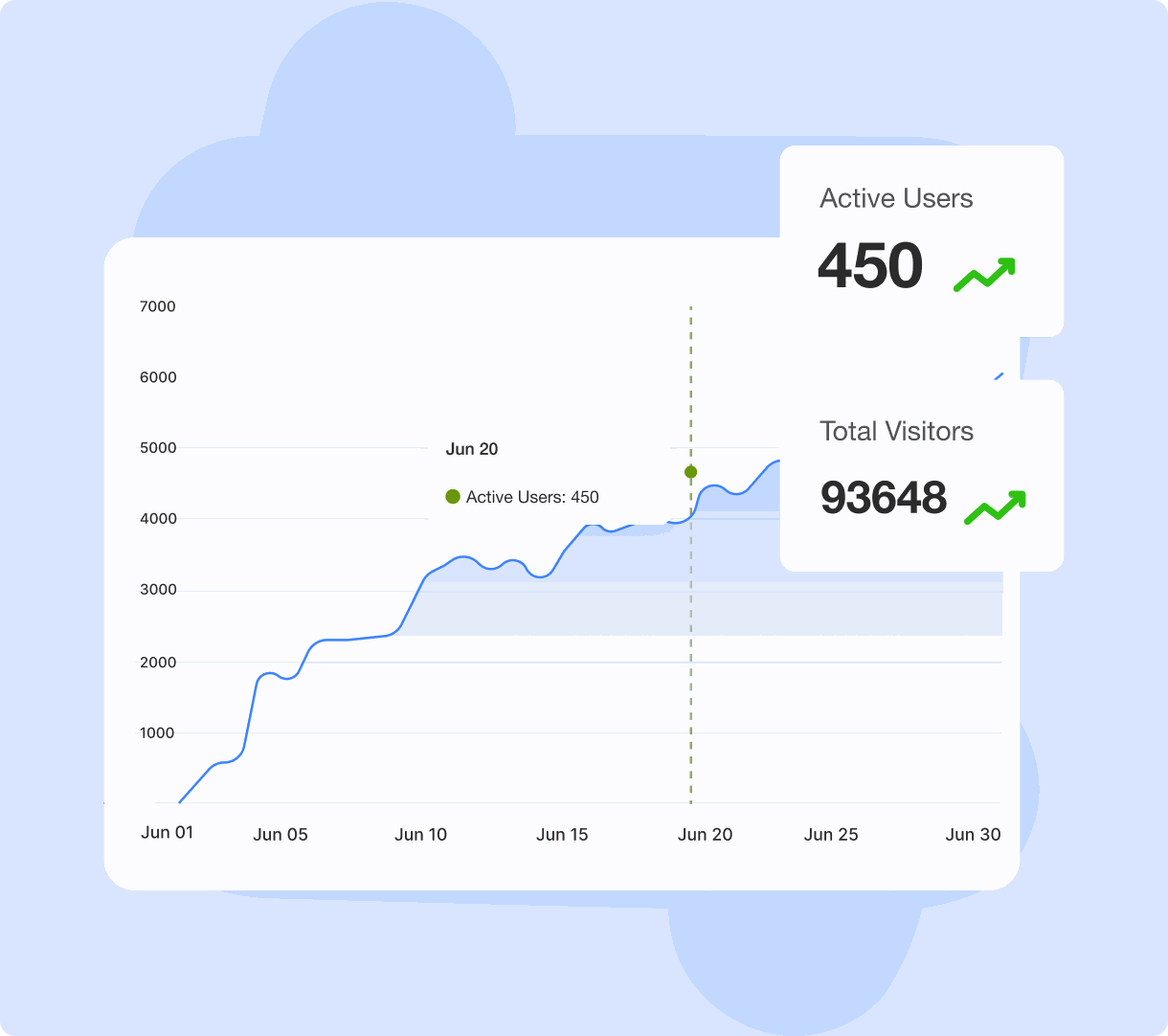
Detailed Analytics

Understand how visitors interact with your Slack content and identify the conversations or content areas that attract attention. Use these insights to see what interests your audience and which discussions encourage further exploration. Refine your content display based on visitor engagement to make your Slack Widget more relevant and useful for your website visitors.

Detailed Analytics

Custom Themes & Layouts

Choose a presentation that works with your website instead of forcing your community content into a fixed design. Customize the layout and visual style to match your website’s look and feel. Present Slack conversations in a clear, organized format that complements your existing pages and helps visitors explore discussions without disrupting their browsing experience.

Custom Themes & Layouts

Custom CSS

Take more control of your Slack Widget's look with custom CSS when standard styling options aren't enough. Adjust colors, fonts, spacing, and other visual elements to match your website's design. Fine-tune the widget's appearance to maintain brand consistency and create a seamless experience for visitors as they browse your website and explore your Slack conversations.

Custom CSS

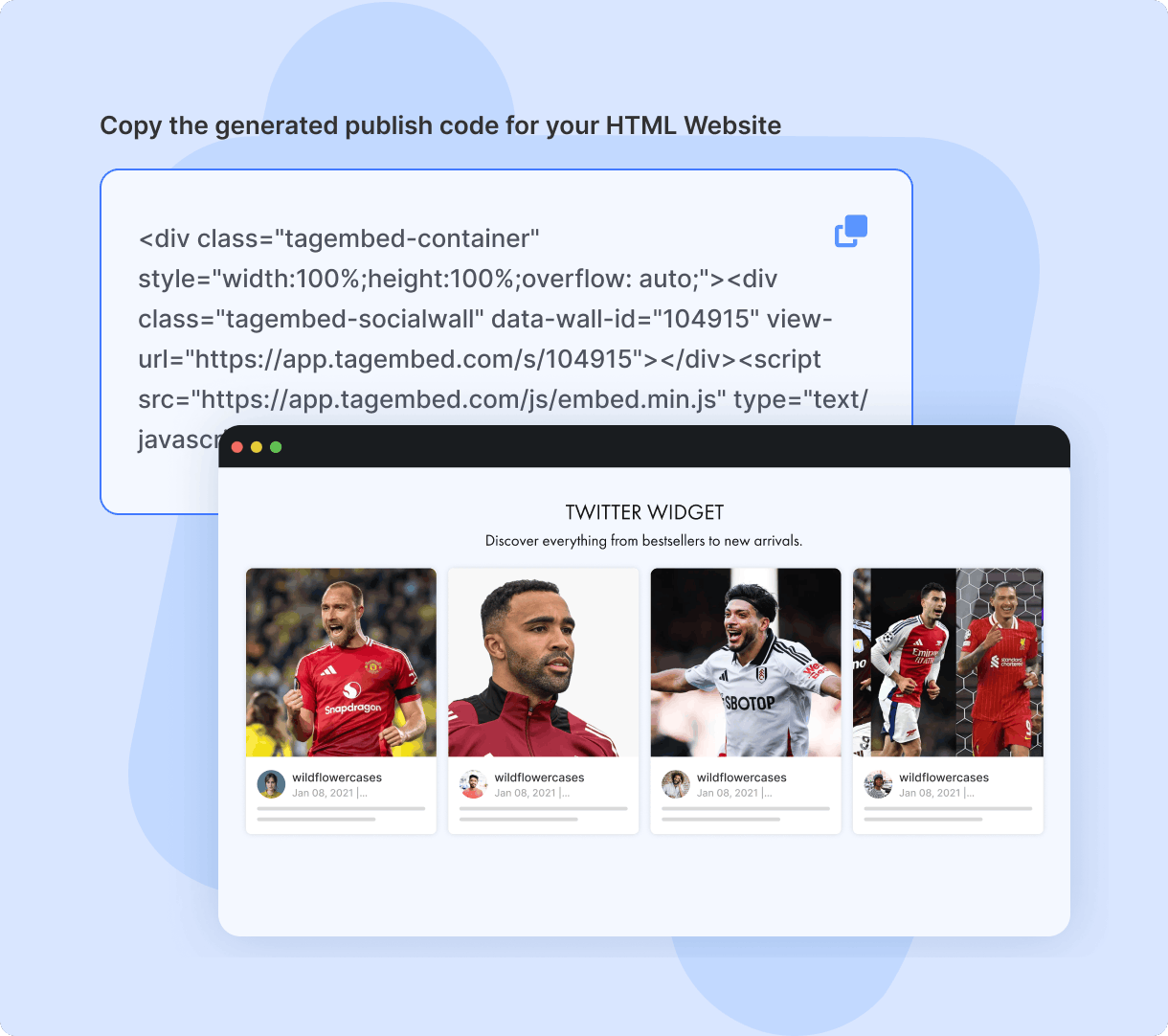
Code-Free Embedding

Add the Slack widget to your website without having to develop a custom content display from the ground up. Simply generate the embed code and paste it into your website's HTML or supported editor. Publish your widget with minimal technical effort and display relevant Slack conversations on your website without building a separate integration.

Code-Free Embedding

Turn Everyday Slack Activity Into A Website Experience

Give your community conversations a presentation that fits your website instead of leaving them confined to a messaging interface.

Collect the content - Amplify the impact

One Slack Widget. More Layouts To Bring Your Community To Life.

Bring your professional content to life using ready-to-go Slack widget themes on your website.

  • Widget

    Display Slack conversations in a clean, compact widget that fits naturally into your website layout.

    Widget Slack widget theme
  • Slider

    Let visitors slide through Slack conversations to discover updates without scrolling through a long feed.

    Slider Slack widget theme
  • Square Photo

    Present Slack content in a square image layout that gives visual posts a neat, balanced appearance.

    Square Photo Slack widget theme
  • Single Post

    Highlight one Slack post at a time to draw attention to key updates, announcements, or discussions.

    Single Post Slack widget theme
  • Classic Photo

    Showcase Slack posts with a classic photo layout that keeps images prominent and content easy to browse.

    Classic Photo Slack widget theme
  • Social Card

    Give Slack posts a familiar social media look with card-style designs that emphasize each update.

    Social Card Slack widget theme

What Sets Tagembed Apart From Other Slack Widgets?

Discover the differences in features, design flexibility, and content integration that matter when choosing a Slack feed widget.

Other Platforms

  • Other platforms: Limited control over Slack widget layouts and styling
  • Other platforms: Complex setup that may require technical knowledge
  • Other platforms: Manual updates that can leave displayed content outdated
  • Other platforms: Limited tools to filter and moderate Slack content
  • Other platforms: Basic analytics with limited engagement insights
Versus comparison icon
Tagembed
  • Custom themes, layouts, and CSS for your Slack widget.
  • No-code setup to embed Slack content on your website.
  • Automatic updates to keep displayed conversations current.
  • Content filtering and AI moderation for a cleaner widget.
  • Analytics to understand visitor interactions with Slack content.

Affordable Plans For Your Slack Widget

Explore pricing plans with the features and flexibility you need to embed and customize Slack content on your website.

Save up to 25%
  • Free

    Best for testing on a small site

    0 /mo

    Free forever

    • Feeds 1
    • Views / month 300
    • Posts 100
    • Updates Manual,
      Once / day
    • Instagram & Facebook Pages
    • Google, Facebook, Yelp & Amazon reviews
    • Basic customization
    • Embed on unlimited websites
    • Basic Analytics
    • Tagembed Branding on Widget

    Unlock on higher plans

    • Moderation & Auto Pilot
    • Automatic updates every 2 hours
    • 15+ Social Platforms & 10+ Review Platforms
    • No Tagembed branding
    • Shoppable Feeds
    • CDN Delivery
    • Premium Themes and Customizations
  • Starter

    Best for small businesses

    19 /mo

    Billed monthly · cancel anytime

    • Feeds 2
    • Views / month 10K
    • Posts 5,000
    • Updates Every 2 hrs

    Everything in FREE +

    • All review sources & 15+ social platforms
    • 1 X feed1 LinkedIn feedfeed
    • Moderation & Auto Pilot
    • CDN delivery for fast widget loading
    • Review Collection via form and QR
    • AI Review Writer
    • CTA buttons
    • Premium themes and customizations
    • 20 Social Post Scheduling
    • 1 collaborator
    • No Tagembed branding
    • Email Support
  • MOST POPULAR

    Growth

    Best for growing brands

    29 /mo

    Billed $348 yearly

    • Feeds 4
    • Views / month 50K
    • Posts 30,000
    • Updates Every 30 min

    Everything in STARTER +

    • Shoppable feeds
    • Product Tagging
    • Hotspots
    • Shopon Bio
    • 2 collaborators
    • 50 Social Post Scheduling
    • Google merchant center sync
    • Faster Loading
    • Priority support via live chat
  • Powered by TruSense AI

    Advanced

    Best for large brands

    79 /mo

    Billed $948 yearly

    • Feeds 10
    • Views / month 1M
    • Posts 100,000
    • Updates Every 15 min

    Everything in GROWTH +

    • 2 X feeds2 LinkedIn feedsfeeds
    • AI-powered moderation
    • AI sentiment analysis & recommendation score
    • AI summarizer
    • 150 social posts scheduling
    • 4 collaborators
    • Fastest loading
    • Dedicated account manager
    • Live chat and call support

Why Customers Love Tagembed?

Empowered thousands of brands worldwide to collect and display content effortlessly.

Björn Barkhoff

Easy setup, superb customer service

It's very easy to setup and looks appealing. The customer support is superb since i always got an answer within minutes. All my problems are always solved to my pleasure. 10/10 would recommend!
Björn Barkhoff Björn Barkhoff -Software developer
Lucas Hanyok

tagembed had fantastic quick support!

Easy to use platform and it just works. Easily customizable for my Wordpress sites.
Lucas Hanyok Lucas Hanyok -Front End Developer
Hayden Brown

Great support for product review

I'm testing out the service to see if its suitable for my requirements, the support ive received so far has been really helpful. Setting up feeds has been very easy and support is always quick to respond. I highly recommend so far.
Hayden Brown Hayden Brown -Creative and UI Designer
Devon Hoffman

Great Social Widget Tool

Made it easy to embed social media posts from LinkedIn onto our website with a nice UX on the backend! Chat support has been quick and very helpful.
Devon Hoffman Devon Hoffman -Digital Marketing Specialist
Marie Alhomme

Did what I needed

It's easy to use and easy to implement, I liked being able to customize it, and the support was excellent, from unboarding to issue resolution.
Marie Alhomme Marie Alhomme -Artisane Textile d'Excellence

FAQs

  • A Slack widget is a website feature that displays Slack messages or conversations on a webpage. It lets visitors view relevant discussions and community updates without leaving your website. The content displayed depends on the integration and its access permissions.

  • Yes, you can display Slack messages on your website using a compatible integration or custom development. A Slack feed shows selected conversations or updates, while live chat requires a separate implementation that supports real-time messaging.

  • Yes, you can filter Slack content by selecting specific channels or using keywords. This helps you display relevant conversations on your website, keep the feed focused on specific topics, and give visitors a more relevant browsing experience.

  • Yes, the Slack widget automatically updates your website feed with new content as it becomes available. Although, the refresh frequency depends on your chosen plan, helping you keep displayed Slack conversations fresh without manual updates.

  • Yes, the Slack widget is responsive and adapts to different screen sizes, including smartphones, tablets, and desktops. This helps visitors browse Slack conversations comfortably across devices.

  • Yes, you can remove the Slack widget whenever you no longer need it. Simply delete its embed code from your webpage or remove it through your website editor. This does not necessarily disconnect the Slack integration.

  • Yes, you can control which Slack content appears on your website through the integration’s access and display settings. Check the permissions before publishing to ensure private conversations and sensitive information are not exposed.

Contact Us

Add Slack to Your Preferred Website Platform

Whether you use a CMS, website builder, ecommerce platform, or custom website, add your Slack content without rebuilding your existing pages.

  • Slack WordPress Widget
  • Slack Shopify Widget
  • Slack Elementor Widget
  • Slack Squarespace Widget
  • Slack Wix Widget
  • Slack Webflow Widget
  • Slack HTML Widget
  • Slack Weebly Widget
  • Slack BigCommerce Widget