How To Add Facebook Feed To Shopify Store for FREE in 2026?
Here is an interesting fact about one of the biggest social media networks in the world – Did you know there are about 350 million posts uploaded daily on Facebook?
Well, this fact reflects the tremendous amount of potential that this platform holds for offering marketing benefits to its users. With a user base of over 2.9 billion monthly active users, it would not be incorrect to say that Facebook is the most highly leveraged social media platform globally.
With a shift in marketing trends and strategies, budding brands and marketers have begun to include social media as a part of their marketing efforts to reap benefits like more engagement, brand awareness, build trust, boost social reach, showcase social proof, increase sales & conversions.
Continue reading this post as we will cover the process and benefits to seamlessly add Facebook feed to Shopify website.
Without any further ado, let’s get started!


2 Methods To Add Facebook Feed to Shopify Website
Let’s go back in time and revise a little about Shopify. Undeniably, Shopify has emerged as a blessing for E-Commerce brands. The platform allows brands to create a Shopify store to promote and sell their products. Moreover, the users also enjoy customizing and designing the store as per their personal preferences.
Moreover, the affordable pricing of the platform is like a cherry on the top as it enables all brands, be it new or established, to make the most of the platform. Overall, Shopify has managed to become every E-Commerce brand’s most favorite platform.
Continue reading as you will get an insight into a step-by-step guide to add Facebook feed to Shopify using 2 methods.
Method 1 – Using Social Media Aggregator Tool
If you do not want to get into the nitty-gritty of downloading the app, then the best option is to add Facebook feeds on Shopify, then another alternative would be to use the Tagembed Social media aggregator tool.
Before we get into the process, here is a little brief about the tool. Tagembed is a social media aggregation tool that allows brands and their users to collect, curate, and embed social media feeds effortlessly on the website.
Overall, Tagembed is an extremely responsive tool that needs a few clicks and minutes.
Have a look at the steps below :-
- Log into your existing Tagembed account. If you are new to the platform, you can create a free account.

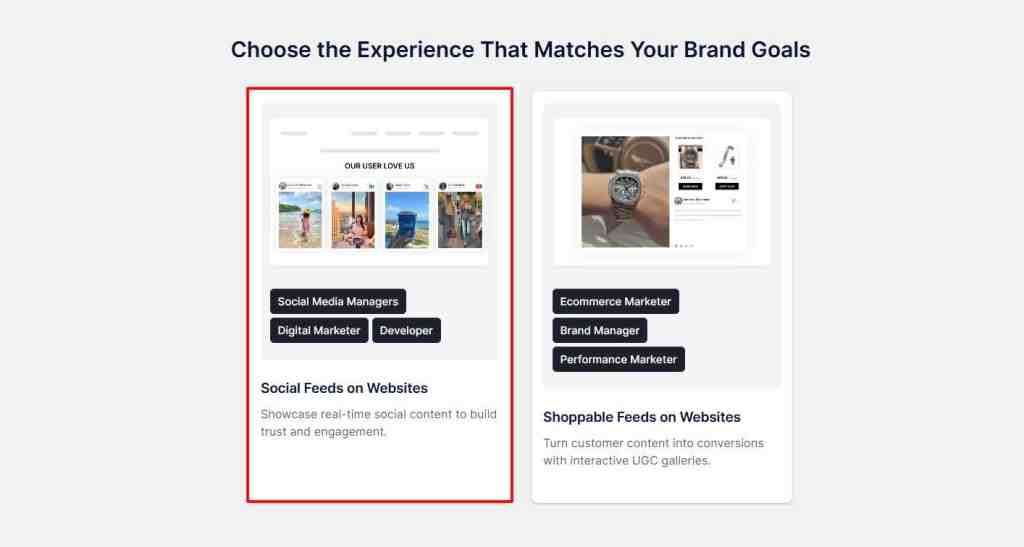
- A window will appear, please choose “Social Feeds On websites“
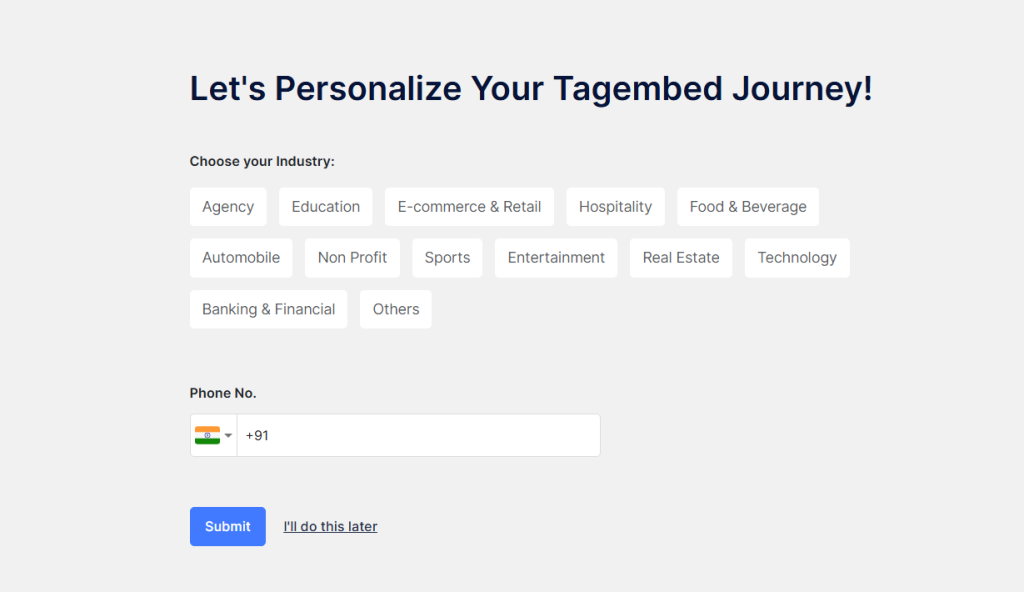
- Select your industry type and submit it.
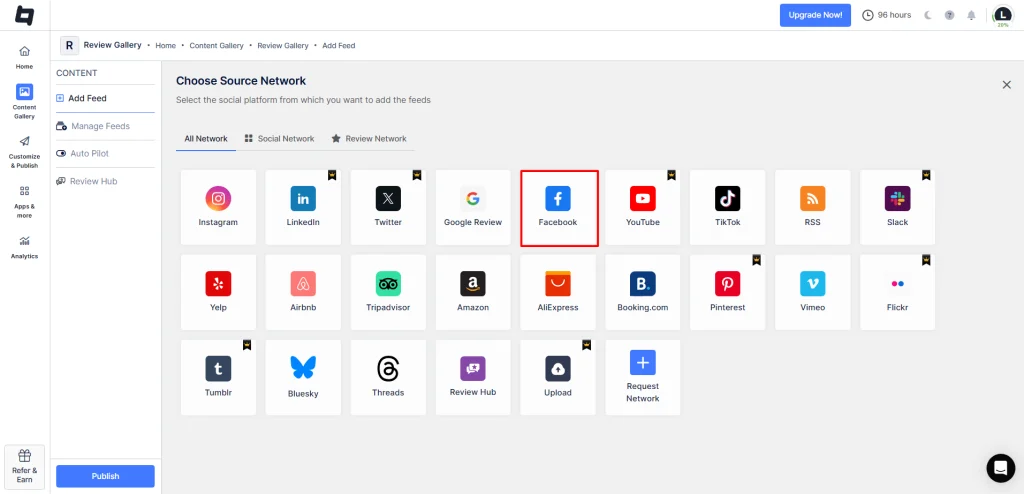
- Choose “Facebook” as your source network.
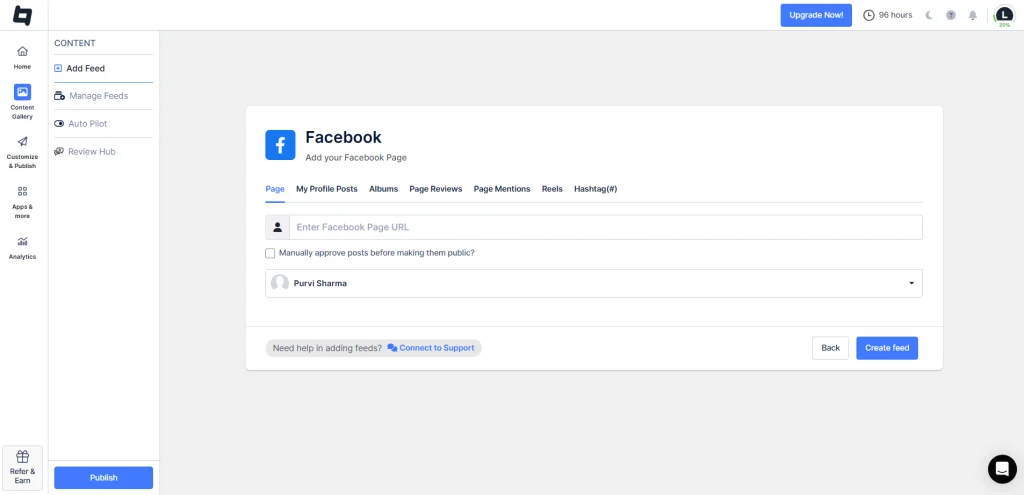
- Choose from connection type options like Page URL, profile, albums, page mentions, Facebook Reel, etc.
- For Example: You Choose “Page”. Enter the Facebook page URL and click on “Create Feed.“
- Your Facebook feed gallery is created. Now, moderate your feed by removing the irrelevant content from your feed. You can do it either manually or using the autopilot feature.
- Click on “Customize & Publish” and select website as your channel.
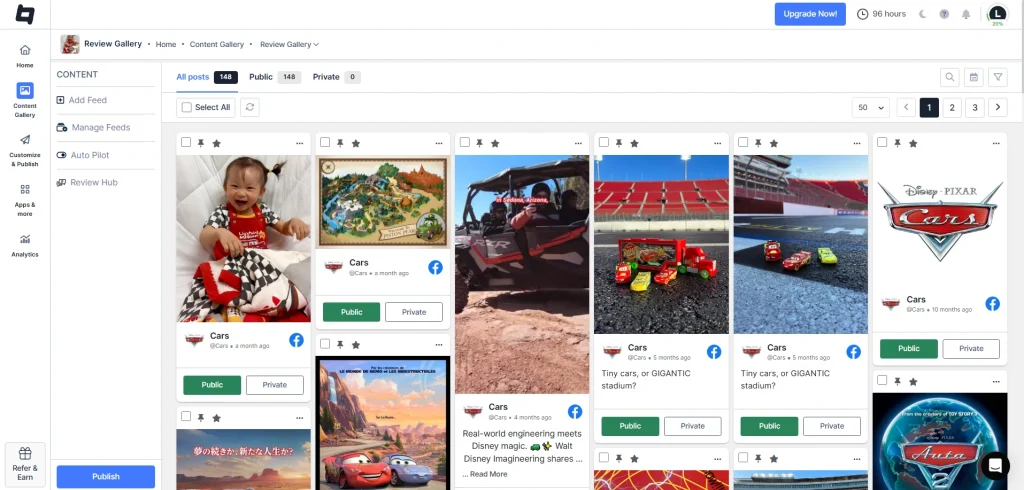
- Next, customize your Facebook gallery by choosing from various themes, layouts, CTAs, colors, fonts, and more.
- after completing your customization, click on “Generate Code.“
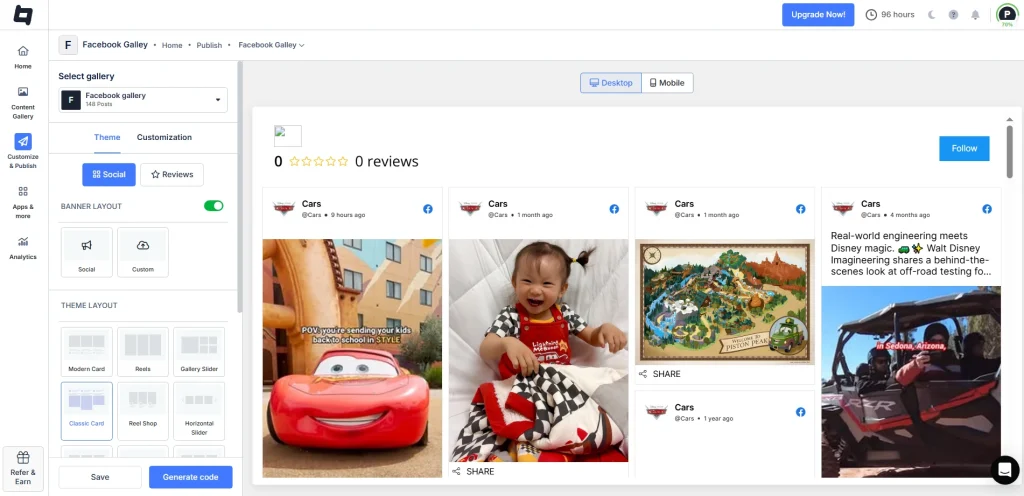
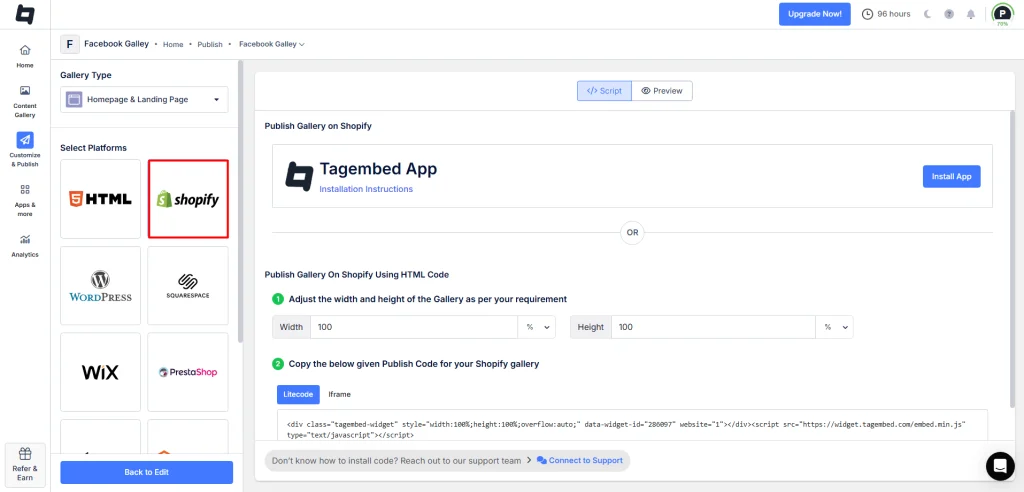
- Choose “Shopify” as your CMS platform. Adjust the width and height of your Facebook gallery and copy the embed code.
- Log in to your Shopify account and click on the Online Store option under the sales section.
- Select Themes from the drop-down section and click on the Customize button.
- Go through the left menu panel and select Custom content.
- Select Custom HTML and paste the embed code in the section.
- Save the changes to complete the process.
Kudos! You will have successfully embedded the Facebook gallery on the website.
Note: You can also turn your Facebook gallery into a shoppable one by syncing your products from sources like Shopify, BigCommerce, etc., or manually uploading the catalog.
Connect your Facebook content to your Shopify store to keep customers engaged with posts, reels, and videos.


Method 2 – Using the Tagembed Shopify app
Tagembed Shopify app – The most effective robust yet simple Shopify app to add Facebook Feed to Shopify store.
Step 1 – Download The Tagembed Shopify App
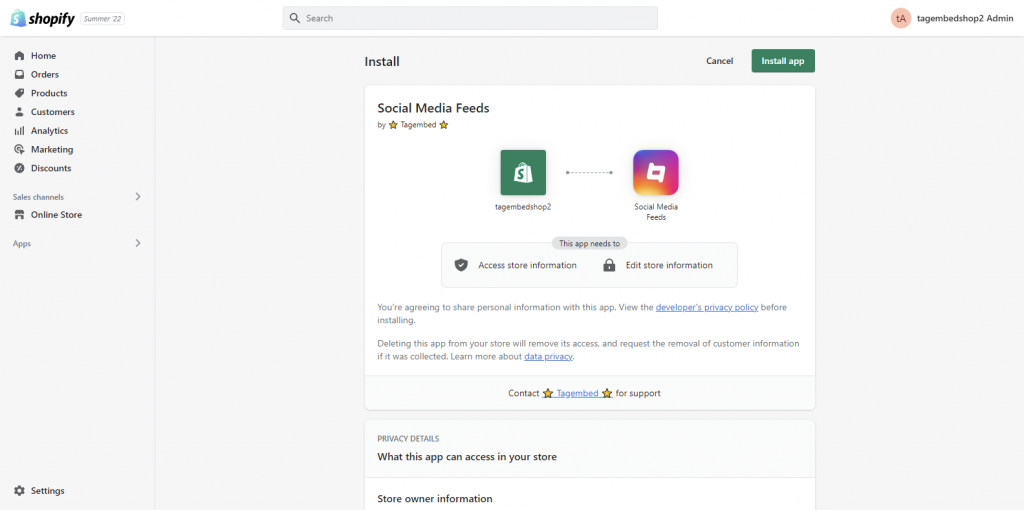
1. Start the process by navigating to the Shopify app store. In the search bar, type Tagembed and install the Tagembed Shopify app.
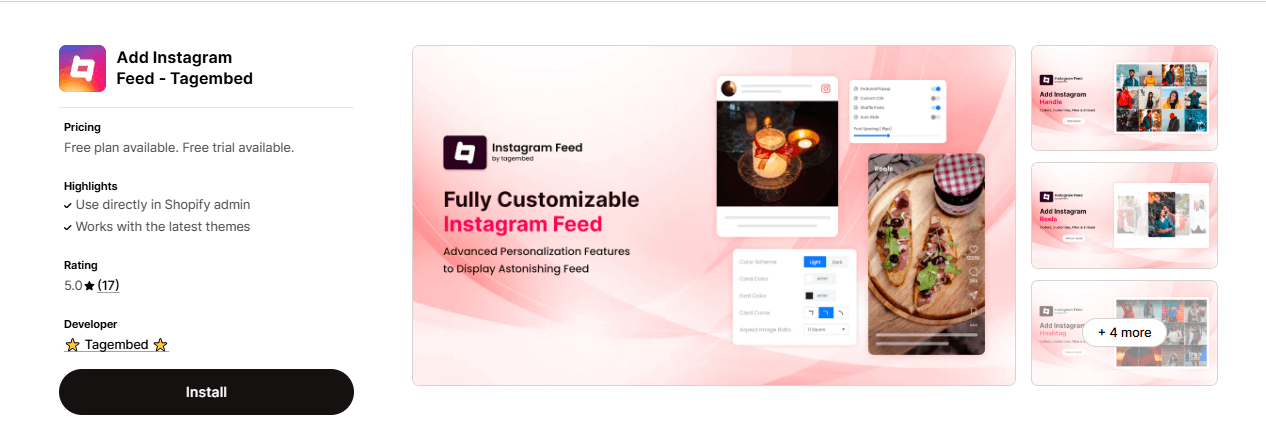
2. Open it and click on the Install button to install it.
Step 2 – Aggregate & Embed Facebook Feeds on Shopify
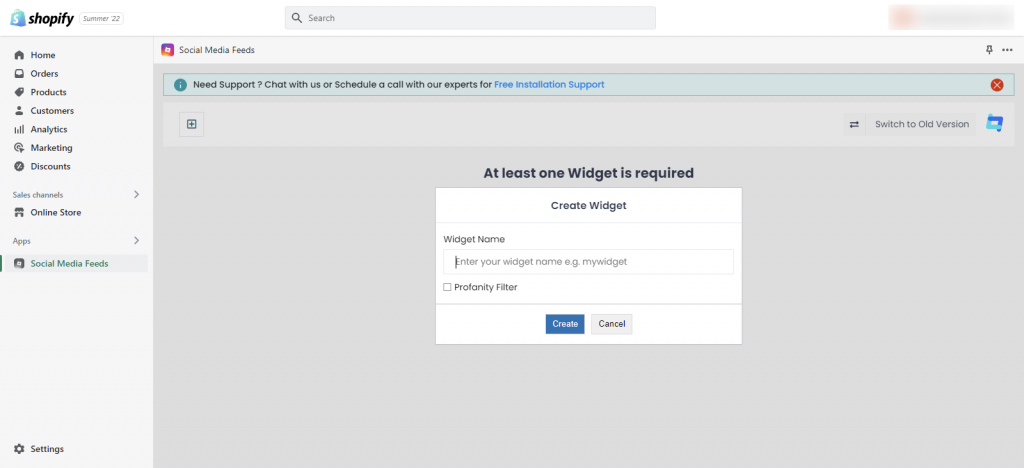
1. Click on the app to start collecting social feeds using Tagembed Shopify app, Click on the Create widget button. Name the widget and click on the Create button.
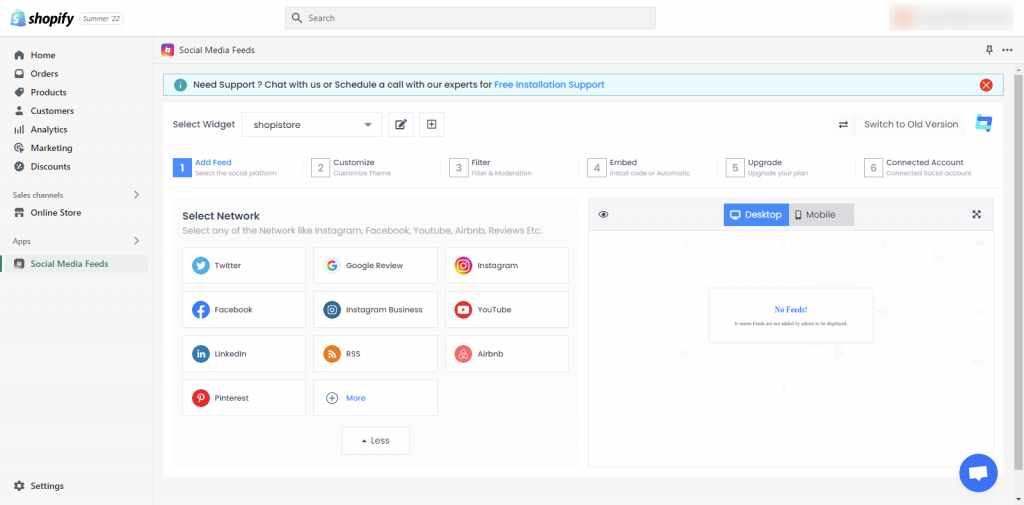
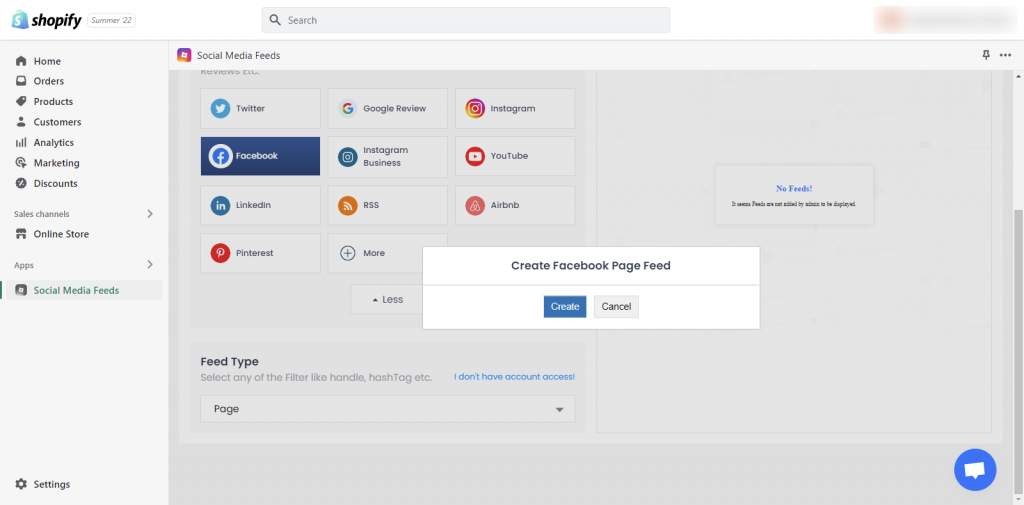
2. A pop-up “Pick a source” will appear. Select Facebook as your source to collect feeds.
3. Next, choose your feeds collecting method type, i.e., from Page, My Profile Posts, Albums, Page Reviews, etc.
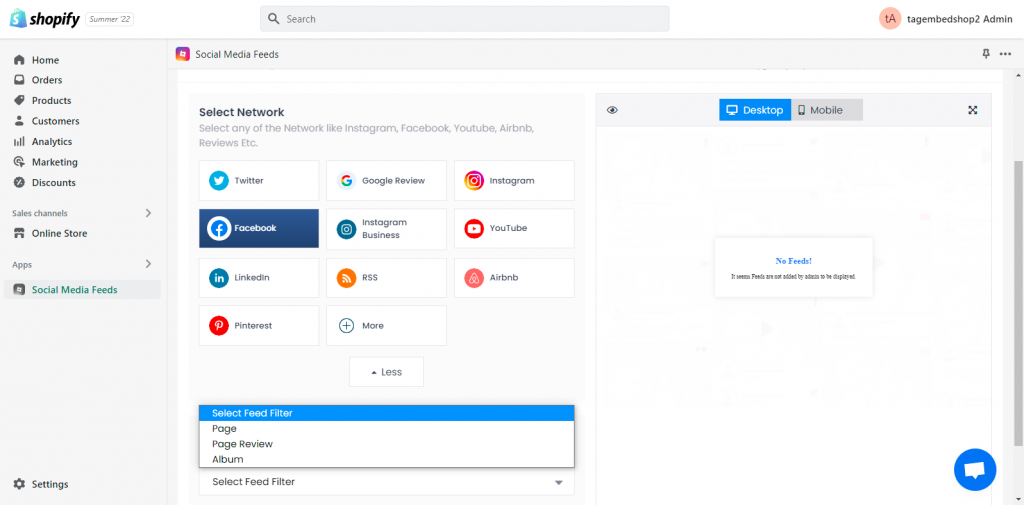
4. Choose the method, then enter the input accordingly and click on Create feed.
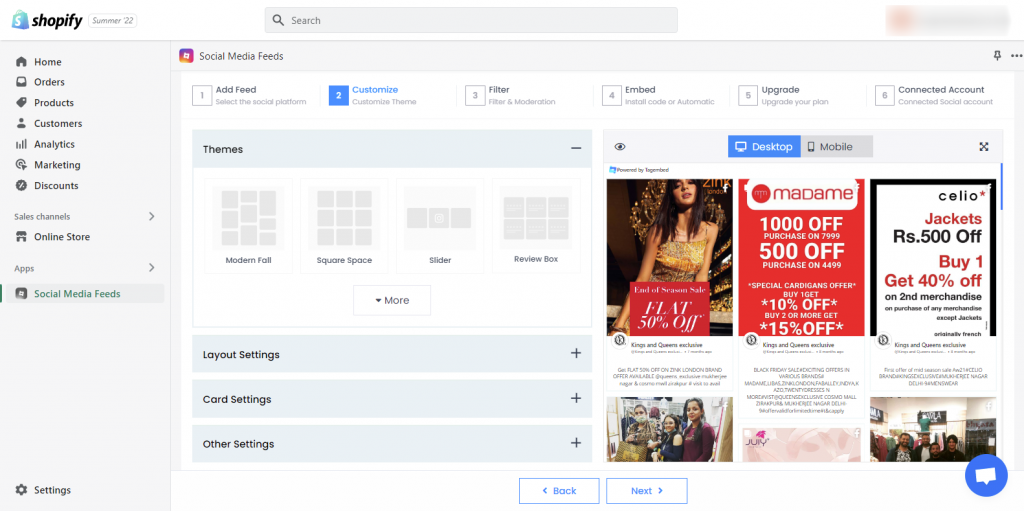
5. Visit the Personalization & Layouts panel to customize the Facebook widget exactly how you want. You can select from a wide range of options like themes, card styles, banners, backgrounds and various more styling options.
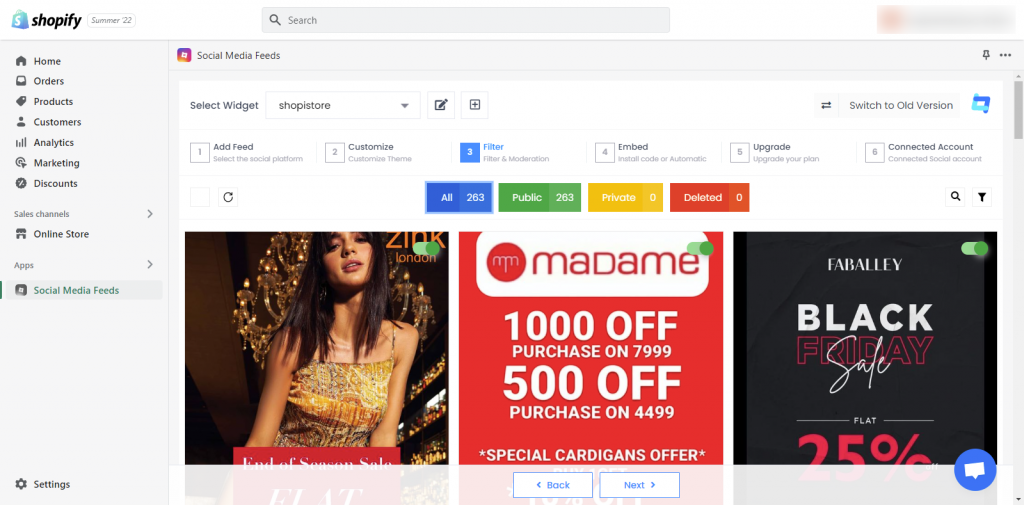
6. You can also moderate the content and filter out any unwanted content from the Facebook widget.
7. Now choose the Embed option from the three below and select the page where you want to add Instagram reels to Shopify and the widget’s location.
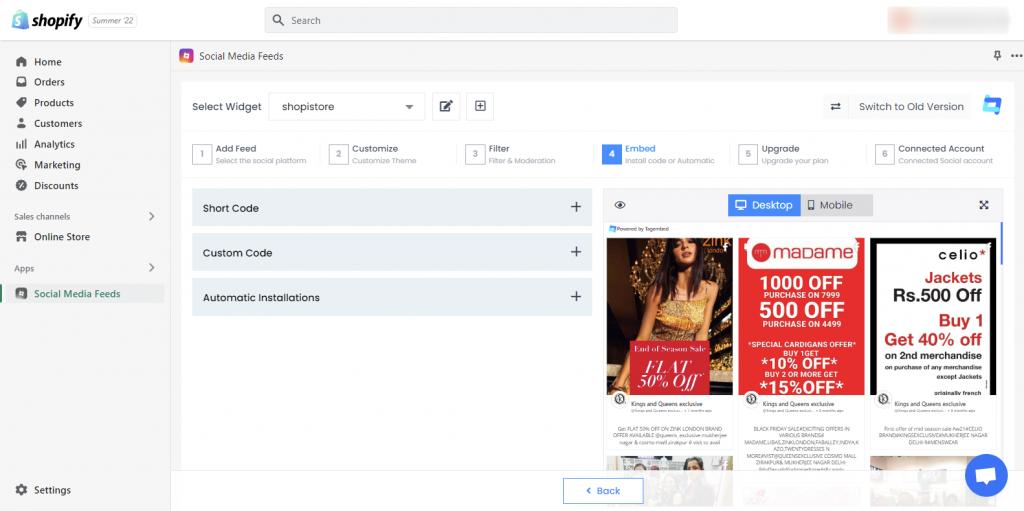
Voila! You have successfully integrated Facebook feeds on Shopify website.
This is how how our client Tazloma has embedded Facebook feed on shopify using Horizontal Theme.
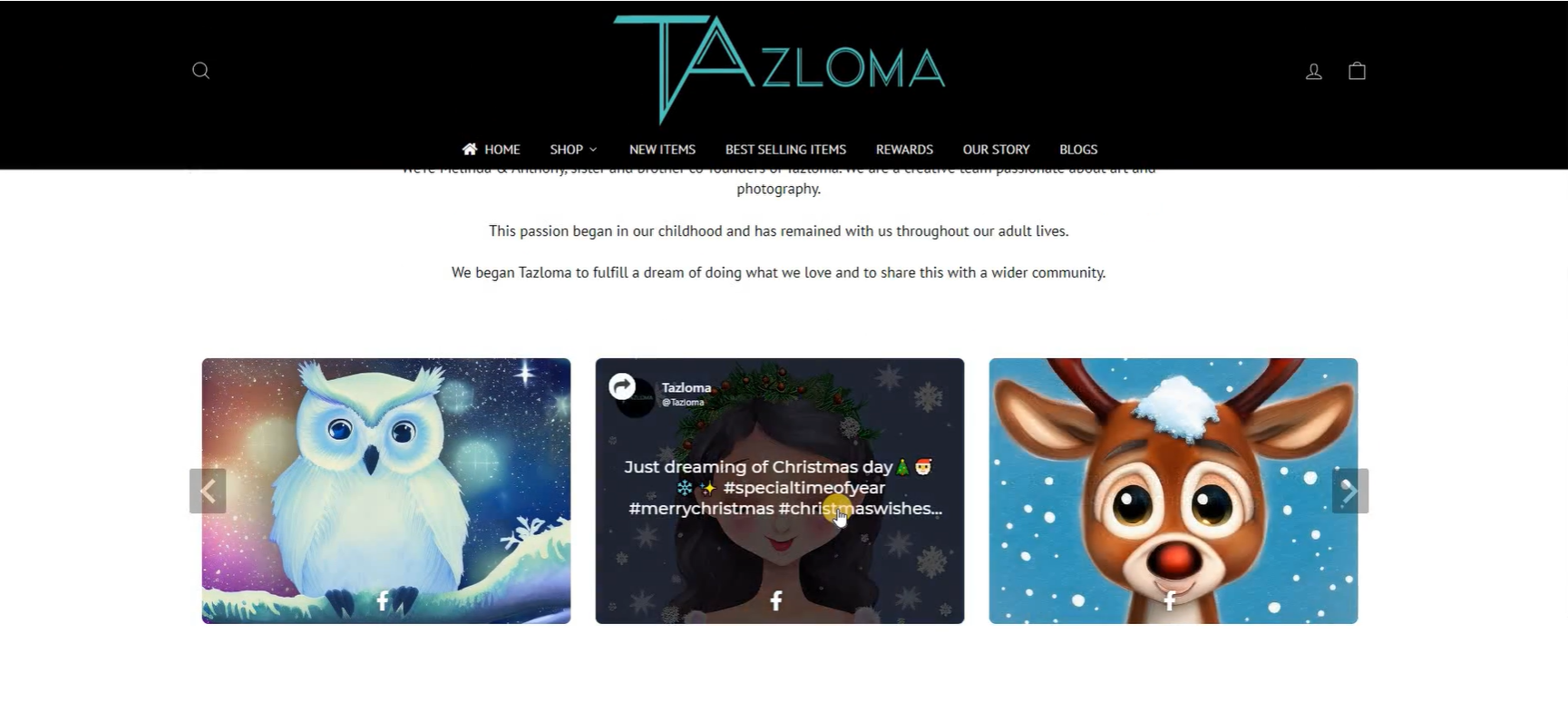
Bring your latest Facebook posts, reels, and videos to your Shopify store to keep customers engaged.
Key Advantages Of Adding Facebook Feed On Shopify
#1 Display A Social Proof Of Your Brand
The massive user base of Facebook generates massive amounts of content that can effortlessly convert potential customers. Conversions require a lot of hard work, and hence, it is important to display social proof.
Social proof refers to the content that showcases how satisfied your customers are with your brand and its products. When you add Facebook feeds on a Shopify website, you display your customers’ opinions that work to build social proof of your brand, leading to more confidence in them.
#2 More Engagement On Your Website
The engagement rate of the website displays how interested your potential customers are in your products. Additionally, it also determines how likely they are to purchase your products. Hence, it is crucial to display engaging content on your website.
People love scrolling through Facebook feeds since it is a mix of content. It comprises pictures, videos, GIFs, etc., that can keep the users engaged on the website for a long duration.
#3 Escalated Sales & Conversions
Driving more sales is the ultimate goal for every brand. However, attaining it is not that easy. Embedding Facebook feeds on the website opens new doors for brands to bring in more revenue.
Moreover, people trust other customers’ recommendations much more than the brand’s promotional content, which would ultimately lead to more sales.
Final Thoughts
We are calling it a wrap, and you are now fully acquainted with the process of embedding Facebook feeds on the website and the benefits of this strategy.
If you are a brand and are struggling to increase your marketing efforts, then we are certain that you would be compelled to add Facebook feeds to Shopify website and reap the incredible benefits to take your brand to the next level!
Embed social feed from Facebook, YouTube, Instagram, Twitter on your website, like a PRO
Invalid Email Address Multiple Themes
