As customers are getting more and more choosy, creating shoppable content isn’t enough anymore. You need to put it where it matters, on your website, where decisions are made.
That’s where Shoppable Instagram Stories steps in – Bring Instagram Stories directly into your site experience, turning views into action and content into sales.
Read on to understand how Shoppable Instagram Stories work and why they’re changing the game for modern brands.


| Multiple Themes |
What are Shoppable Instagram Stories?
Shoppable Instagram Stories are interactive story feeds embedded on your website, where each story is linked to real products visible on that story, letting users browse and buy directly from the content they’re already engaged with.
Social aggregator tools such as Tagembed make this possible. They help you pull Instagram Stories from your account, create a live story feed on your website, and tag products within each story, just like Shoppable video platforms that let you tag products within video content, creating a frictionless shopping experience.
Moreover, you can turn your Instagram Stories into a fully shoppable UGC feed that you can embed right on your website. You can pull in Stories automatically, tag multiple products in one post, and sync your product catalog in just one click. Everything stays connected, from social content to the storefront.
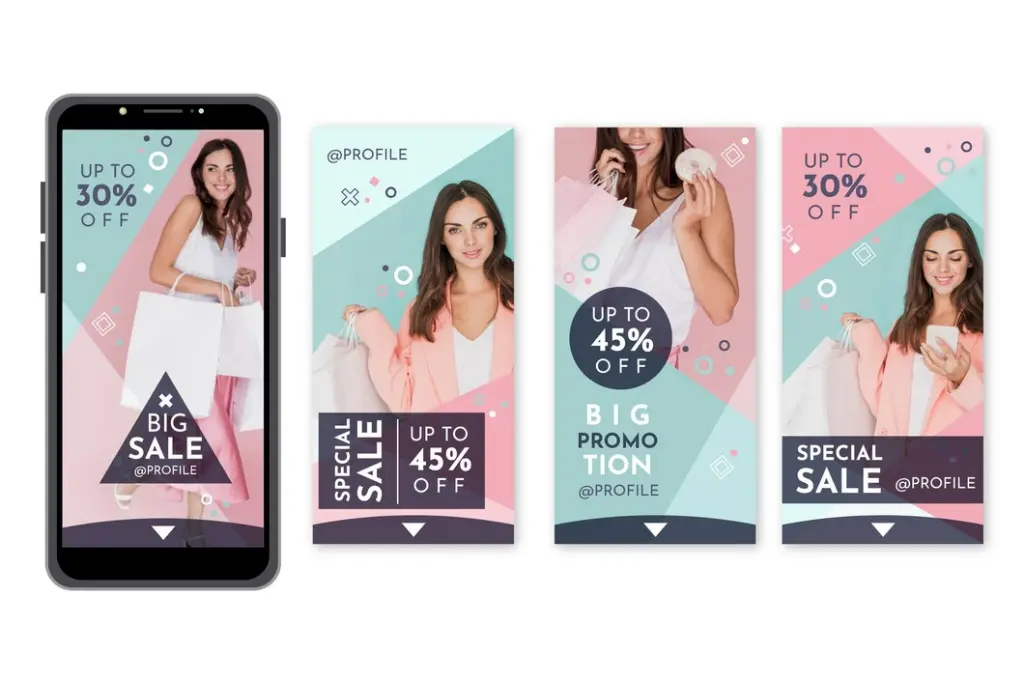
The result? A smooth shopping experience that meets customers right when they’re most interested.
And here’s the kicker: 58% of users say Stories made them more interested in a brand. So why let that interest fade? These tools help you create a direct path from story to sale.
How to Make Your Instagram Stories Shoppable in 4 Simple Steps
Let’s understand how you can use social aggregator tools such as Tagembed to create an engaging display of your Insta Stories on your website.
1: Log In or Sign Up on Tagembed
- Create or log in to your free Tagembed account.
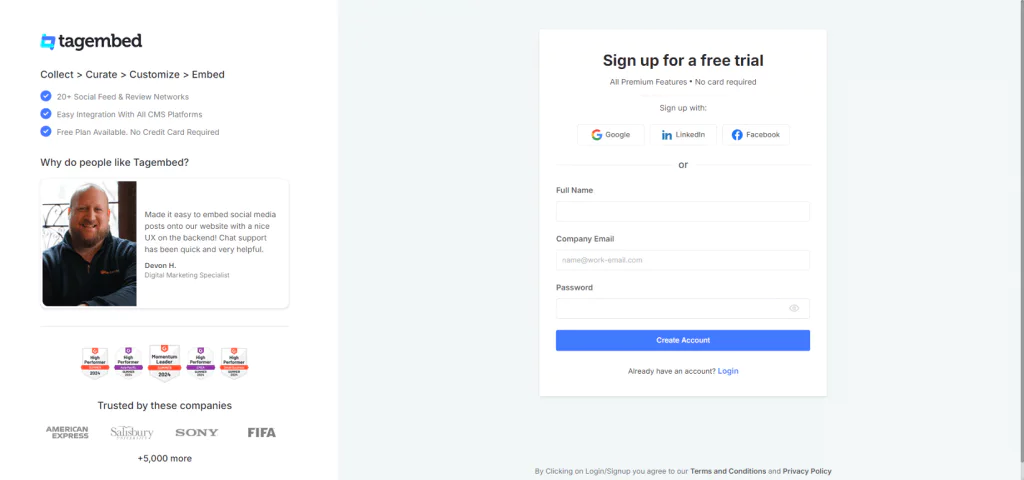
- On your window, you will now see a dialog box; click on “Shoppable feed on Websites.”

2: Set Up Your Content Gallery
- Select Instagram as your source.
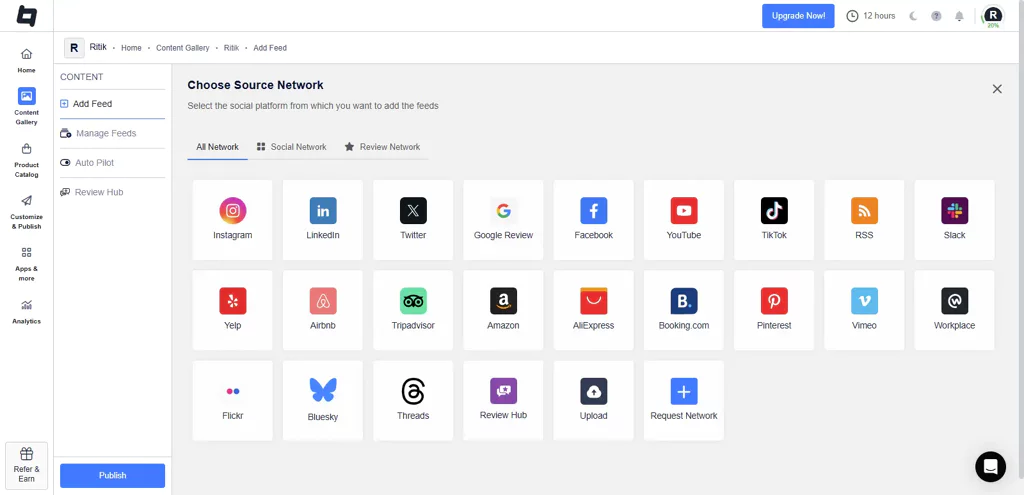
- Choose Stories as the connection type from the following options
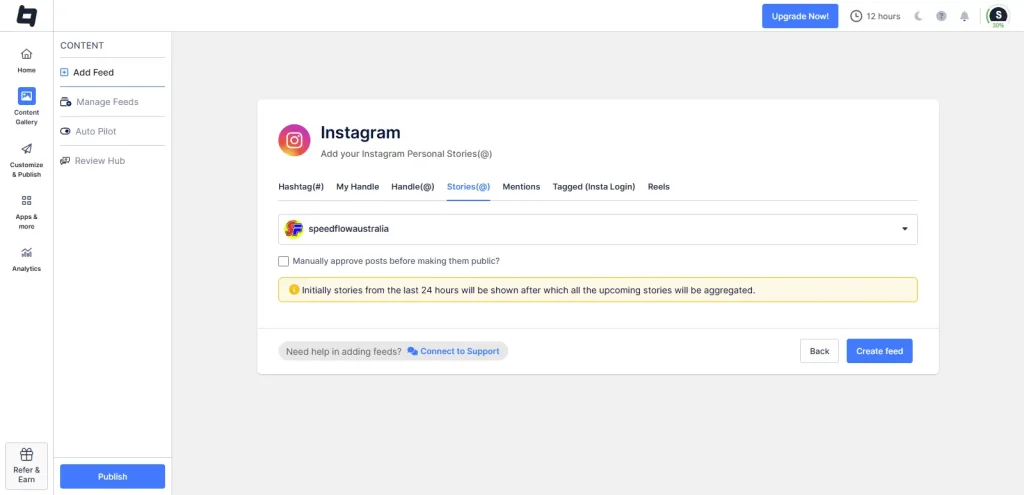
- Pick the Instagram account you want to pull content from.
- Hit Create Feed, and Tagembed will fetch your Stories.
- You’ll see your content gallery, where you can moderate your content.
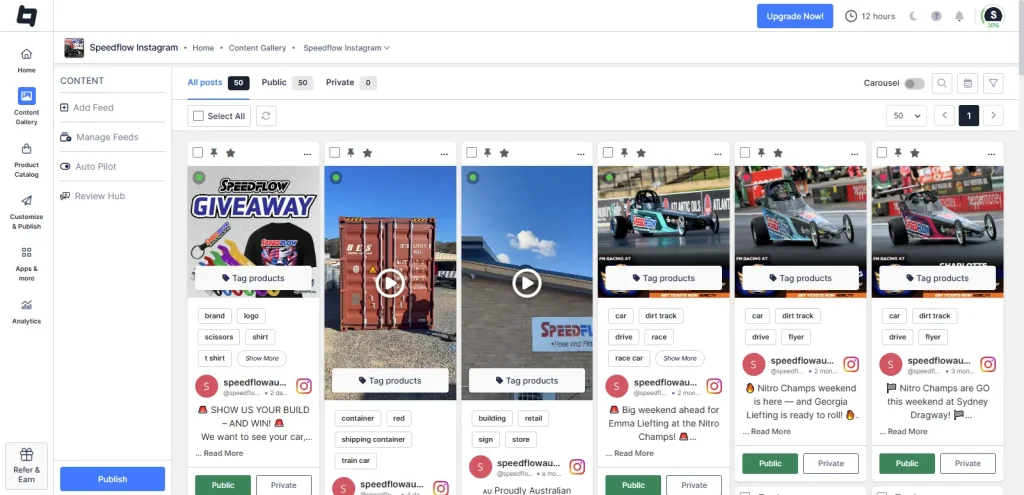
3: Moderate Your Content
- Moderate your content, set it as public or private, pin it, highlight it, or request rights.
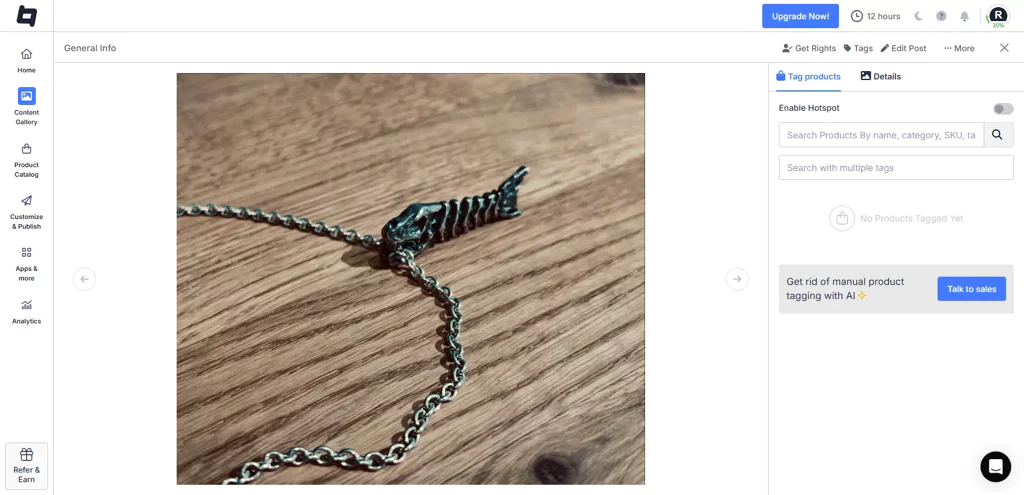
- Once done, click on ‘Tag Products’. Now tag your products in your Instagram stories by searching for them by name, category, SKU, and more.
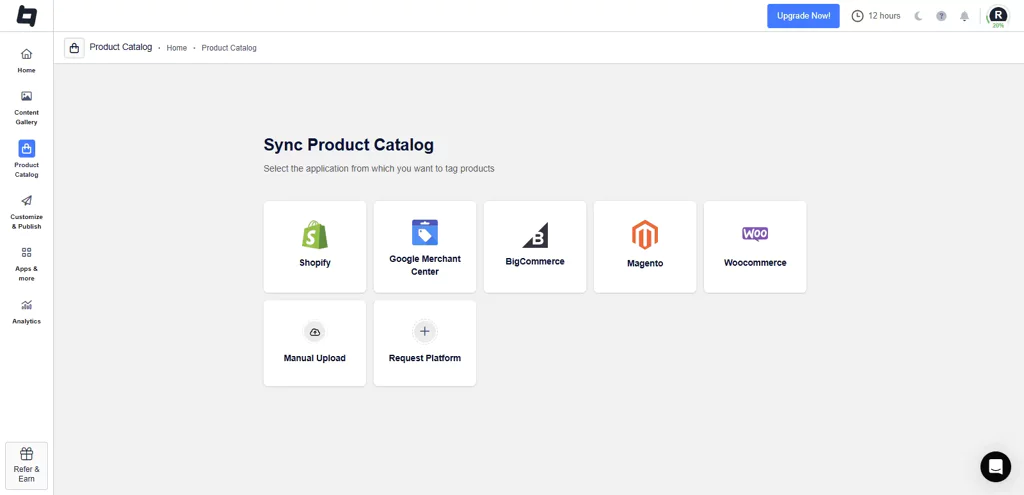
- From the sidebar, go to ‘Product Catalog’. Sync your product catalog from the available options, such as Google Merchant, Shopify, BigCommerce, etc. You can also import the product list manually.
4. Add The Feed On Your Website
- Click on the “Customize & Publish” button present on the left sidebar.
- On the pop-up that appears, select “Website” from the drop-down menu and give your feed a name.
- Click on the “Theme” tab to pick a layout, and the “Customization” tab to improve the look and feel of your feed. Use the “Product CTA” tab to add a CTA.
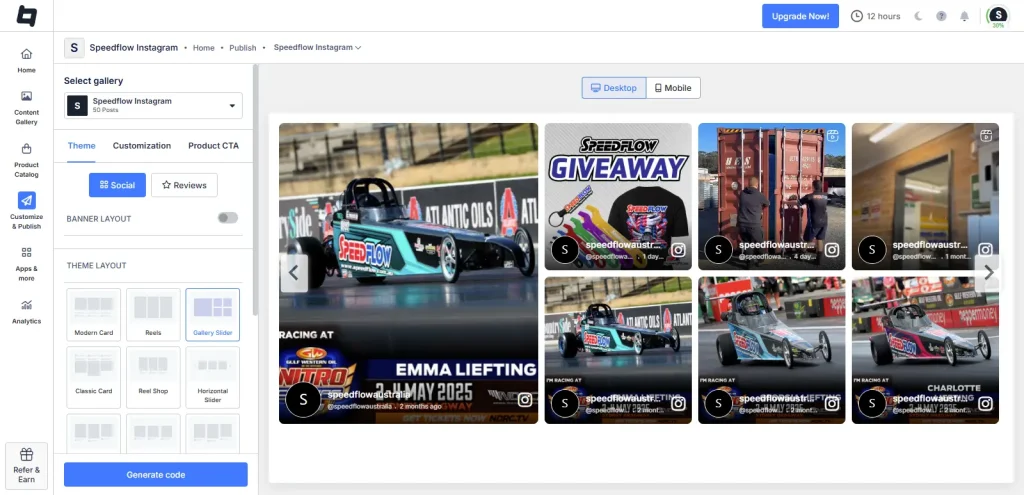
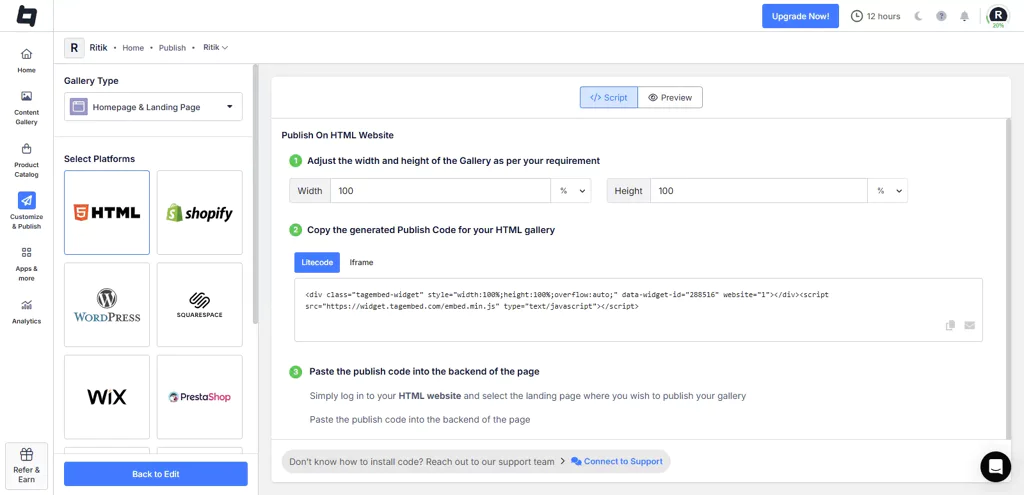
- Now hit Generate Code, copy it, and embed it on your site.
Your website will now have a Shoppable Instagram Stories, making your website more functional and making it easy for visitors to make a purchase.
Why Instagram Shoppable Stories Matter?
In 2025, no one bookmarks a product to “come back later.” Shopping is instant, and decisions are made at the moment. That’s where Shoppable Stories bring Instagram stories to life right where customers are already paying attention: your website.
By adding Instagram Stories as a shoppable feed, you can connect your social content to your website storefront. No new tabs, no distractions, just a direct, smooth path from curiosity to checkout.With Shoppable Instagram Posts, you can also enhance the shopping experience across all your Instagram content.
Benefits of Instagram Shoppable Stories
Faster Conversions
No more redirect chains. Viewers see a product, tap a tag, and buy, all without leaving your site. Fewer clicks lead to more sales,much like the streamlined process found on social selling platforms.
Real-Time Product Discovery
Highlight new drops, flash sales, or trending items in Stories that feel fresh and timely. Your latest offer is always front and center.
Built-In Trust with UGC
Showcase real customer stories, not just branded content. When viewers see products used and loved by others, they’re more likely to buy. Social proof becomes sales power.
| Multiple Themes |
How To Perfectly Use Instagram Stories Shopping Tags?
Shopping tags work best when they feel natural, not forced. With tools such as Tagembed, you can easily add shoppable tags to your Instagram Stories and showcase them directly on your website, where the real buying decisions happen.
Once your Stories are collected, you can tag multiple products within a single story, be it a lookbook, an unboxing, or a user review. These tags aren’t just floating buttons; they’re context-driven cues placed where they make sense, right when user interest is highest.
The result? Your Stories become more than just content; they become a dynamic, visual storefront. Embedded on your homepage, product pages, or even landing pages, they help bridge the gap between social proof and purchase.

All in all, you’re creating shoppable moments that feel natural, timely, and conversion-ready. With the right Instagram Story hacks, you can enhance user engagement and maximize the potential of each story, driving more sales effortlessly.
Future Trends in Shoppable Instagram Stories
The way people shop is changing fast, and social aggregator tools are evolving with it. As Stories continue to grow into one of the most engaging content formats, you can see a future where they become the core of how brands connect, convert, and sell.
Soon, tagging products in Stories won’t be manual. With smarter AI integrations, brands will be able to auto-tag content and push it live in minutes, not hours. And personalization? That’s the next big leap. Imagine a Story feed on your website that updates in real-time based on what your visitors have viewed or added to their cart, all while tracking performance through Instagram story analytics to refine your approach.
Checkout may become even more embedded. No jumping between pages, just a tap inside the Story, and the purchase is done.
Most importantly, the future is not limited to Instagram. Brands will be able to showcase shoppable Stories across websites, emails, microsites, and more, meeting customers wherever they are, not just on social.
Conclusion
Shoppable Instagram Stories have changed the way people discover and buy, but the real impact happens when you bring those Stories beyond Instagram. That’s exactly what Tagembed makes possible.
With Tagembed, you can bring your Shoppable Stories to your website, turning every page into a dynamic storefront powered by real content and real people.
Because in 2025, social proof isn’t optional.
If your Stories are already driving clicks, Tagembed helps turn them into revenue.
Frequently Asked Questions
To create shoppable posts on Instagram, connect your Instagram account to a business profile, set up a product catalog, and tag products in your posts using the shopping feature.
To add a shop to an Instagram Story, use the “Product Sticker” feature. Select the product from your catalog, place the sticker on your story, and share it with your audience.
The Instagram Story option to buy a product is the Product Sticker. This feature allows businesses to tag products directly within their Stories, enabling viewers to tap and shop seamlessly. To use it, create a Story, tap the sticker icon, select the Product Sticker, choose the product from your catalog, and share it with your audience.
Embed social feed from Facebook, YouTube, Instagram, Twitter on your website, like a PRO
Invalid Email Address Multiple Themes
