If there are two identical Reels. One is posted on Facebook and the other on Instagram. Same apparel brand, Same video, Same hook. Which one will perform better?
The debate between Facebook Reels and Instagram Reels has persisted for half a decade. Most people answer this instantly, and most people are wrong.
Want to know why?
Read till the end because this blog isn’t just about Facebook Reels vs Instagram Reels. It’s about how algorithms push content differently, how audiences behave on each platform, and why the same Reel can win on one app and flop on the other.
We break down reach vs. engagement, the tools and metrics that matter, platform-specific strategies, and how to turn Reels into multi-platform assets rather than one-time posts.
What Are Facebook Reels?
Facebook Reels are short, vertical videos designed for quick discovery inside the Facebook app. They appear in the Reels tab, News Feed, and sometimes in Groups. The goal is reach. Plain and simple. Facebook pushes Reels to people who don’t follow you yet, making them useful for brands looking to be discovered quickly.
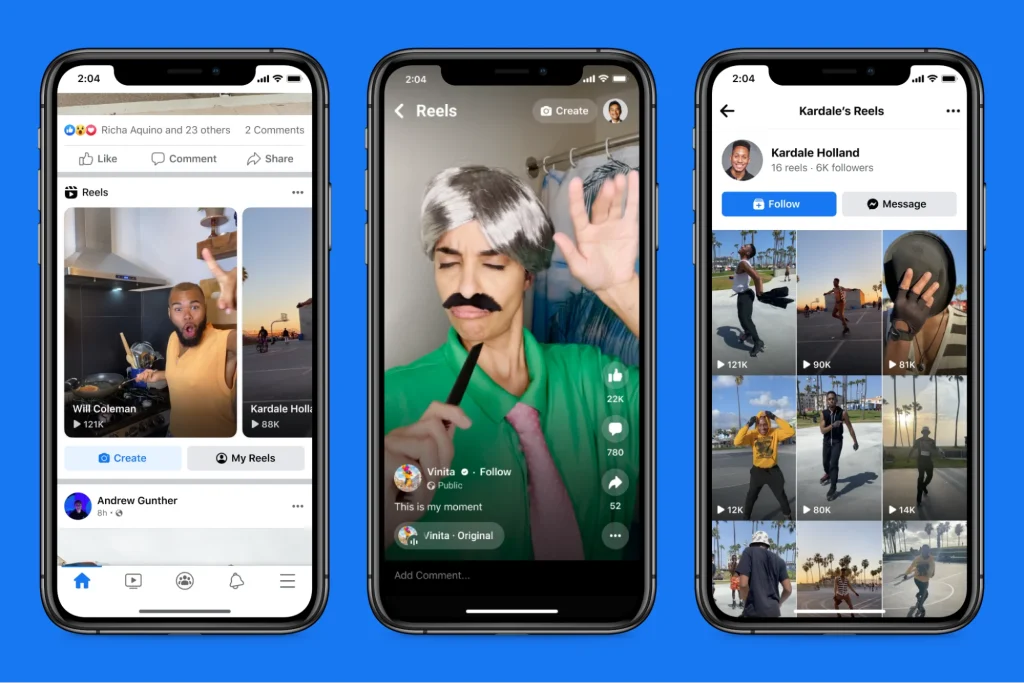
Facebook Reels can be up to 90 seconds long. You can add music, text, basic effects, and captions. Nothing fancy, but enough to tell a story. The algorithm favors content that keeps people watching, even if they don’t interact much. That’s why Facebook Reels often perform well in terms of visibility, especially among users aged 25 to 44. If you want scale without relying heavily on trends, this is where Facebook Reels fit in.


What Are Instagram Reels?
Instagram Reels are short-form videos built for engagement first. Likes, saves, shares, comments. That’s the game here. Reels live inside the Reels tab, Explore page, and user feeds. Instagram uses Reels to compete directly with TikTok, and it shows.
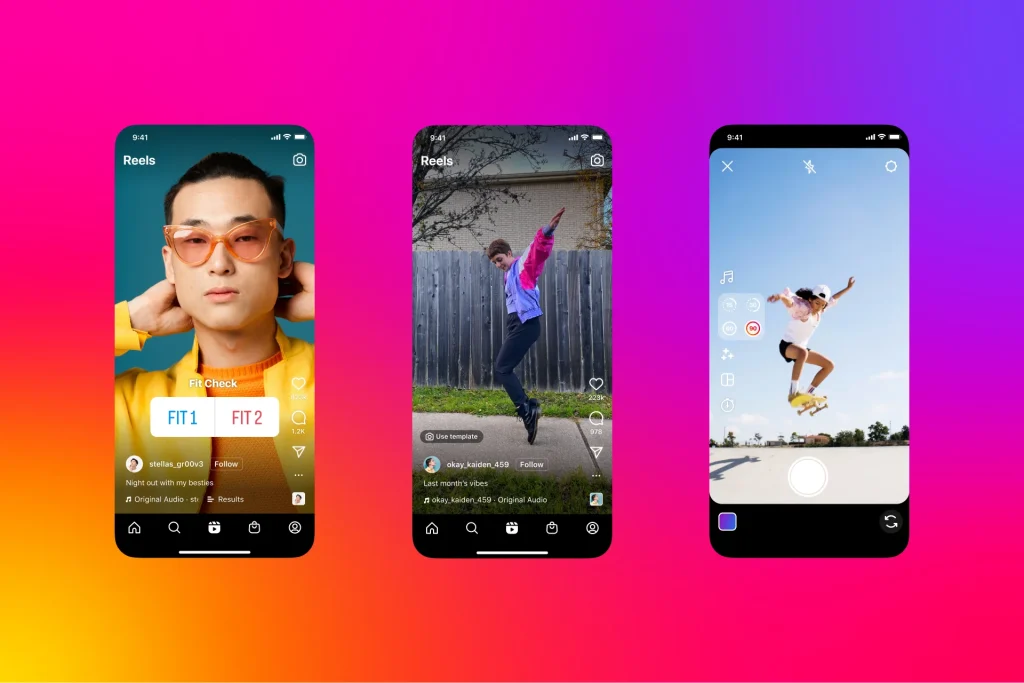
Reels can run up to 90 seconds and include a richer set of creative tools. Transitions, templates, trending audio, AR filters, and interactive stickers. All of it. The Instagram algorithm rewards content that sparks interaction, not just views. This makes Instagram Reels especially strong for creators, brands, and businesses targeting Gen Z and Millennials. If your content taps into trends or invites reactions, Instagram Reels usually deliver better engagement.


| Multiple Themes |
Facebook Reels or Instagram Reels: What’s the Real Gap?
Before the table, here’s the quick snapshot around Facebook Reels vs Instagram Reels.
- Facebook Reels prioritize reach over interaction.
- Instagram Reels prioritize engagement over reaction.h
- Facebook Reels work well for a broader, older audience.s
- Instagram Reels lean younger and trend-heavy
- Instagram offers stronger creative and editing tools.
- Facebook focuses more on distribution than polish
Now, the clear side-by-side view of Facebook Reels vs Instagram Reels.
| Feature | Facebook Reels | Instagram Reels |
| Primary Audience | Broader, slightly older audience; strong in the 25–44 age range. | Younger, trend-driven users; strong creative and niche communities. |
| Discovery | High potential reach via Feed and Watch, even beyond followers. | Discovery via Reels tab and Explore, focused on engagement-based recommendations. |
| Engagement Style | Great for mass reach, shares, and awareness campaigns. | Better for deep engagement, saves, comments, and community-building. |
| Monetization & Shopping | Ads and monetization options evolving; good for traffic and link clicks. | Stronger tools with branded content, Reels ads, and shoppable tags. |
| Editing Tools | Ads and monetization options are evolving; good for traffic and link clicks. | Richer AR effects, filters, and creative tools inside the app. |
| Best Use Case | Brands wanting wide reach, older demographics, and link-friendly campaigns. | Brands focused on aesthetics, trends, UGC, and social commerce. |
The quick comparison is done. Now it’s time to go deeper and clearly understand the real differences between Facebook Reels vs Instagram Reels.
Key Differences Between Facebook and Instagram Reels
Before we get into the points below, remember: Facebook Reels and Instagram Reels both offer short-form video, but they behave differently. The way each platform treats these videos affects reach, engagement, tools, and how you share them.
1. Algorithm & feed placement
Facebook and Instagram both use their own recommendation systems, but they’re tuned differently.
Instagram’s algorithm pushes Reels more aggressively into Explore and the dedicated Reels feed, making them easy to discover even by users who don’t follow you. That’s part of why Instagram Reels tallies roughly 30–35% of total screen time on the app.
Meanwhile, Facebook’s algorithm still weighs community relevance, local interactions, and meaningful responses, not just watch time and trends. That means Facebook Reels might show your video to niche groups or local followers first.
2. Engagement rates & audience demographics
Instagram tends to win in pure engagement metrics. Reels on Instagram have notably higher engagement rates than many other post types, averaging around 1.23%, and often outperform photo and static video posts in likes, shares, and saves. Additionally, Instagram’s audience skews younger (18–34), which increases engagement with trend-based content.
On Facebook, engagement per view may be lower, but you often reach a broader audience (18–55+). That plays differently for brands: more eyes vs more active reactions.
3. Editing tools & music libraries
Instagram still has the edge in creative tools. There’s a richer set of built-in effects, transitions, templates, and an extensive music library tied directly to trends and social culture.
Facebook offers basic editing, trimming, speed, and text, but pushes less on creative polish. Instagram also lets you slap dynamic stickers and interactive overlays on videos to encourage engagement.
The creative gap matters if you want content that feels native to social, not just broadcast.
4. Sharing & cross-platform integration
Both platforms let you cross-post Reels to save time, but the process is somewhat cumbersome. Instagram Reels can be automatically recommended on Facebook, and sometimes view counts aggregate across platforms, which can slightly inflate total metrics.
That said, features like direct product tagging and streamlined shopping are more seamless on Instagram. Facebook’s commerce tools exist, but they’re not as tightly integrated or as intuitive for discovery within Reels.
| Metric / Feature | Facebook Reels | Instagram Reels |
|---|---|---|
| Average Reach Potential | Strong reach via Feed, Groups, and Watch tab; performs well with broad audiences. | High reach in Reels tab and Explore, especially for trendy visual content. |
| Engagement Patterns | Good for shares and views across mixed age groups. | Often higher likes, comments, and saves among younger audiences. |
| Analytics Depth | Plays, reach, engagement, and audience data inside Meta analytics. | Detailed insights on plays, reach, watch time, and interactions. |
| Best Objective | Brand awareness and broad distribution. | Community building and aesthetic brand growth. |
| Ad & Boost Options | Promotable via Ads Manager and campaign integration. | Supports Reels ads, branded content, and shoppable formats. |
| Content Style Fit | Great for informative, broad-appeal clips. | Ideal for trend-based and highly visual content. |
Facebook Reels and Instagram Reels: Platform-Specific Benefits
Before we break down platform-specific perks, let’s be honest. Reels aren’t the same everywhere. On Facebook, they play one game. On Instagram, it’s another. Each platform has its sweet spot. Knowing that helps you choose which one to lean into.
1) Facebook Reels: Reach older audiences, discoverability, cross-posting
- Facebook’s demographic leans older. A lot older. It’s where people ages 25–44+ spend most of their time. That means your Reels can reach audiences beyond TikTok trends.
- Discovery on Facebook is less about likes and more about reaching the right people. The algorithm will surface Reels to users who might be interested, even if they don’t follow you.
- There’s cross-posting magic, too. A Reel posted once can live on both Facebook and Instagram (if you toggle that on), expanding reach beyond a single audience. That means more play counts without more work.
- Meta reported that short-form is now the top video format in India, with heavy daily usage and preference over other formats, a good sign if you’re targeting broad discovery.
2) Instagram Reels: Younger audience, higher engagement, trends & challenges
- Instagram’s Reels are built for eyeballs that engage. Reels get way more shares, saves, likes, and comments than static posts. Instagram Reels outperforms other platforms, delivering nearly 33% higher engagement for creators.
- A huge chunk of Instagram’s active users interact with Reels monthly, over 2 billion, and billions of views happen every day. That’s a massive scale for visibility and brand recall.
- Younger audiences dominate here. Gen Z and Millennials love trends, challenges, viral sounds, and new effects. If your content leans into cultural moments, Instagram’s algorithm rewards it.
- Instagram drives discovery through multiple places: the Reels tab, Explore, and even suggestions in feeds. That gives your videos more chances to be seen beyond your followers.
How to Optimize Reels for Maximum Engagement
Getting engagement isn’t luck. It’s a strategy. The platforms reward content that keeps people watching, interacting, and coming back for more. Here’s how smart creators do it.
a. Upload Best Practices
Short and crisp wins. Aim for about 7–15 seconds when you can. That grabs attention and boosts completion rates, a key signal to the algorithm. The first 2–3 seconds are make-or-break. Hook people fast, a question, a surprising fact, or a bold move. Then keep the pace tight so viewers stay until the end. Reels that retain attention are more likely to get recommended to new audiences.
Also:
- Use clear captions that add context and help accessibility, especially for viewers who scroll without sound.
- Include 3–5 relevant hashtags mixing trending, niche, and branded tags to broaden discovery. Yes, hashtags haven’t gone anywhere!
b. Posting Frequency & Timing Tips
Consistency matters. Try posting 3–5 Reels per week to stay visible and signal to the algorithm that you’re active. But don’t post just for the sake of it. Quality still rules.
The best times to post are when people are most likely to scroll: mornings (10–12) and evenings (7–9). Use your own audience data to refine this; every niche behaves a little differently.
c. Thumbnail & Title Optimization
Your thumbnail is the first thing people see. Make it pop. Use bright contrast, a face or clear action shot, and bold, readable text. This makes your Reel look clickable in the feed or Explore.
The title (when Instagram lets you edit it) should tease value: a bold phrase, a benefit, or a question that encourages tapping.
d. Cross-Posting Strategy
Don’t leave potential reach on the table.
- Share your Reels to Stories right after posting to get an early engagement boost.
- If you’re on both platforms, cross-post to Facebook (without TikTok watermarks) to reach a broader audience.
- Reels shared to Stories often get extra views and profile clicks.
e. Encourage interaction
Prompt comments, saves, or shares with a quick call-to-action in your caption or on-screen text. Asking a simple question at the end can spike replies.
f. Collaborate & repurpose
Partner with other creators or brands in your niche. Their audience becomes your audience. If you have high-quality TikTok or YouTube Shorts content, repurpose it by removing watermarks for IG Reels.
Tools & Analytics for Facebook & Instagram Reels
Data without context is noise. If you want your Reels to actually work for you, not just sit there pretty, you need tools that tell you what’s happening and why. Here’s a breakdown of the platforms and tools that help you do exactly that.
Platform-Native Insights Dashboards Tools
These are built by Meta itself. No integrations, no setup friction. Just straight data from the source.
1. Meta Business Suite
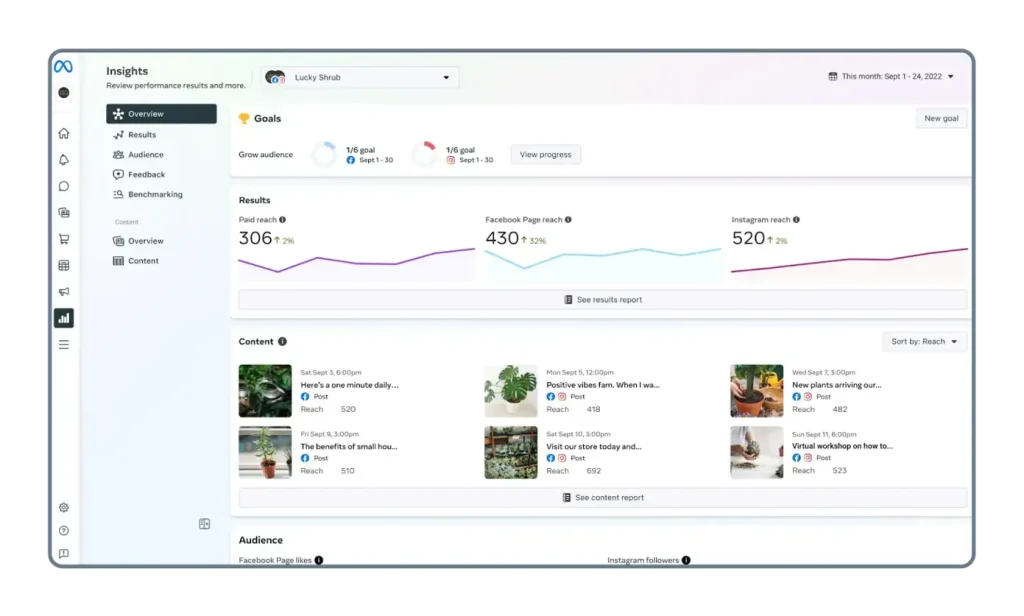
Meta Business Suite is Meta’s official analytics and management dashboard for Facebook and Instagram. It brings engagement, reach, impressions, audience demographics, and content performance into one place so you’re not jumping between apps. You can schedule posts, view insights for Reels and Stories, and even manage ads all from this dashboard. It’s free and built for business accounts that want a clear, platform-centric view of performance.
Key Features
- Combined insights for Facebook and Instagram
- Engagement and reach metrics for organic and paid posts
- Audience demographics (age, gender, location)
- Content performance breakdown (posts, reels, stories)
- Scheduling social media posts & publishing calendar
- Unified inbox for comments and messages
Best for: Businesses and creators who want native, cross-platform insights.
2. Instagram Professional Dashboard
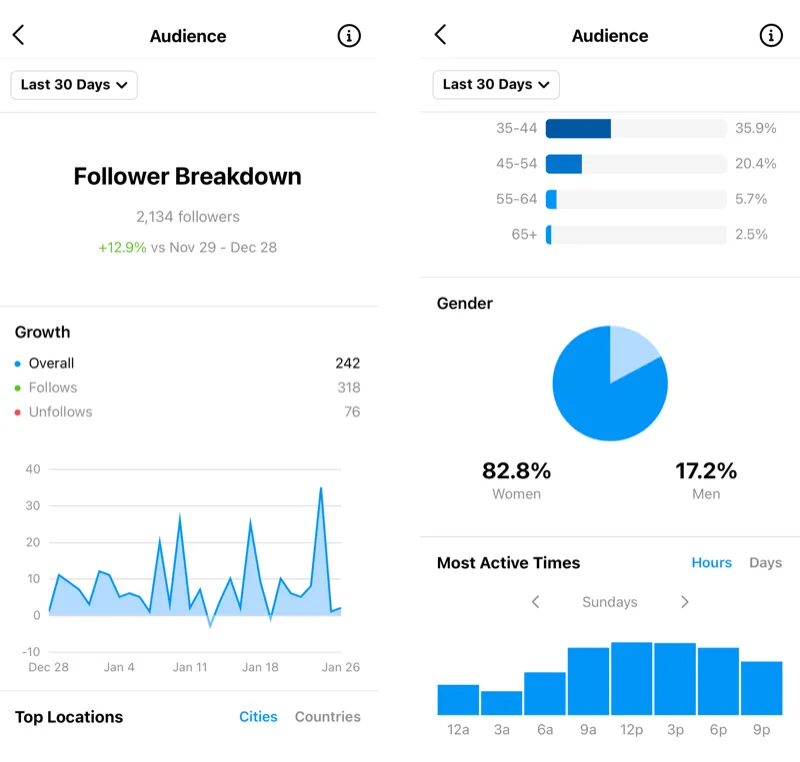
Built within the Instagram app for business and creator accounts, this dashboard provides immediate access to performance data for your Reels, Instagram feed, Stories, and audience behavior. It’s simpler than Meta Business Suite, but more focused on the Instagram experience itself. You can check views, likes, comments, saves, and shares for individual Reels without leaving the app.
Key Features
- Real-time engagement metrics
- Reel-specific insights (plays, interactions)
- Follower growth stats
- Audience activity graphs
- Content reach and impressions
- On-app performance snapshots
Best for: Quick, on-the-go performance checks for Instagram content.
Tracking Engagement, Reach, and Retention
These tools help you understand how content performs beyond likes and views.
1. Tagembed
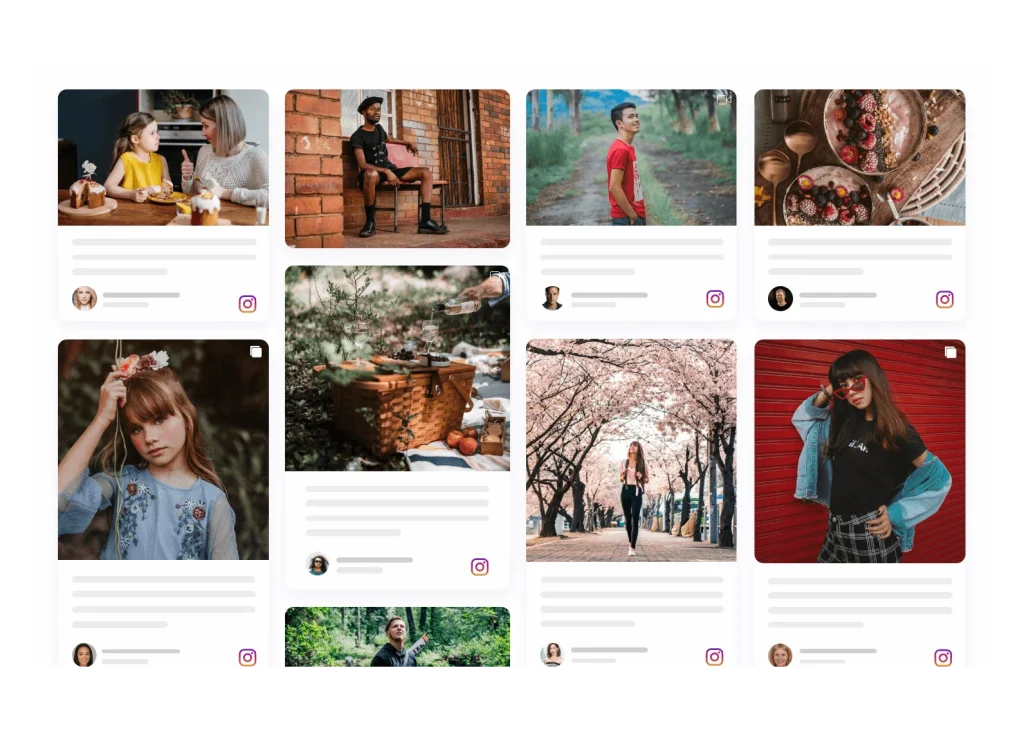
Tagembed is a content aggregation platform that helps you collect social media posts (including brand Reels and user-generated content) and display them on websites, dashboards, or feeds. It supports tracking engagement across embeds and gives insight into how your aggregated social content performs off-platform.
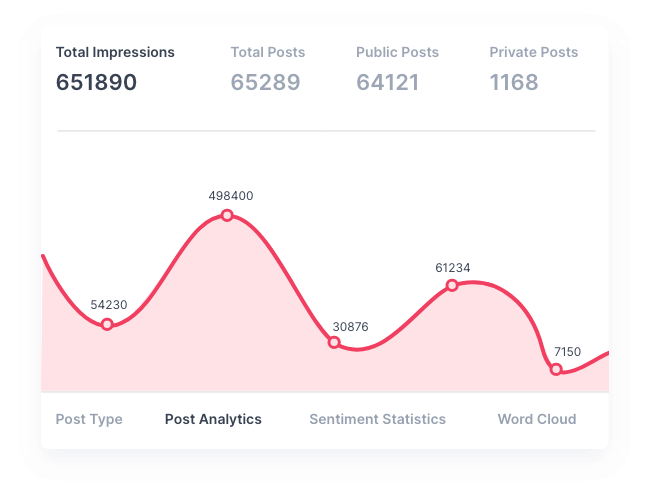
Key Features
- Social media content aggregation
- Engagement tracking for embedded content
- Customizable widgets
- Analytics on display performance
- Supports Facebook, Instagram, YouTube, and more
- Easy embed options for websites
Best for: Brands that display UGC or social content and track audience interactions outside social platforms.
Boost Engagagement, Traffic & Conversion For Your Website
Try For Free2. Sprout Social
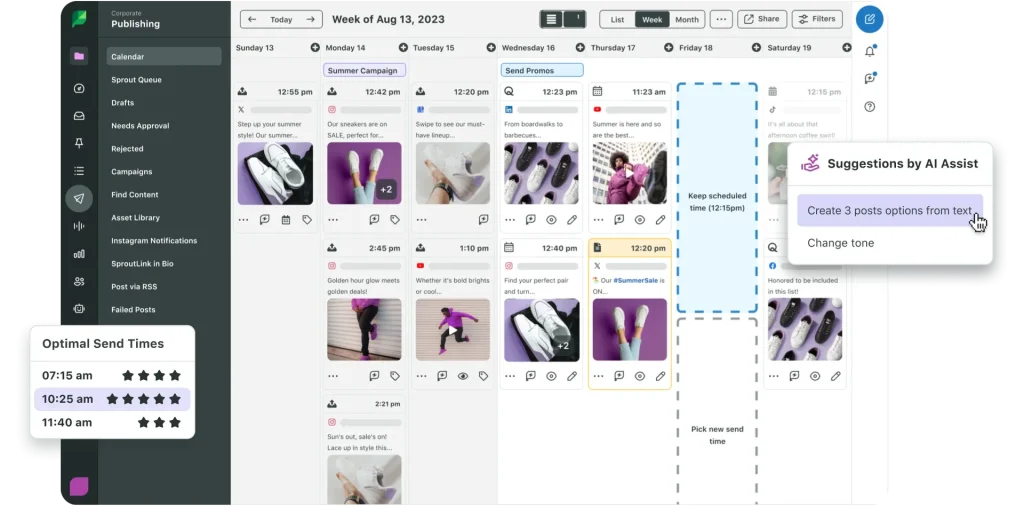
Sprout Social is a robust enterprise-level analytics and social CRM platform. It gives deep performance data, audience insights, social listening, and benchmarking. It’s one of the pricier options, but it’s worth it if you need advanced reporting and CRM features alongside your analytics.
Key Features
- In-depth engagement analytics
- Social listening & sentiment tracking
- Audience demographics and behavior
- CRM integrations
- Advanced reporting dashboards
- Team workflows and collaboration
Best for: Medium and large teams needing detailed insights and workflows.
3. RivalIQ
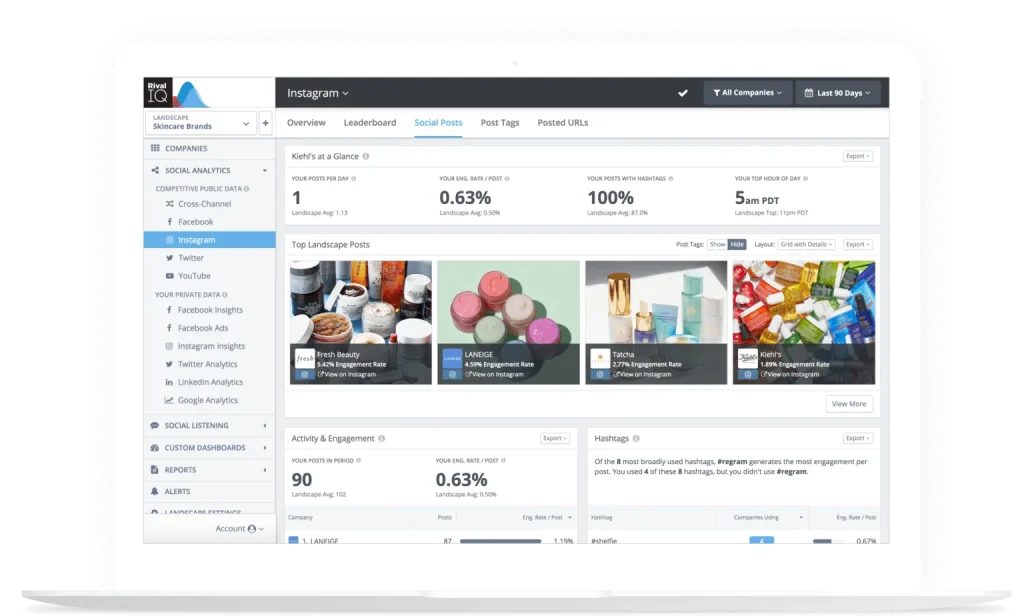
RivalIQ focuses on analytics and benchmarking. It pulls data from Facebook, Instagram, and other platforms, then shows you how you stack up against competitors. It’s especially good for hashtag and post-type analysis and offers insights into industry trends.
Key Features
- Competitive benchmarking
- Engagement and reach trends
- Hashtag performance insights
- Content type analytics
- Alerts and custom dashboards
- Comparative reports
Best for: Analysts and marketers focused on competition and industry context.
Third-Party Tools
These tools go beyond basic metrics. They add comparison, reporting, and cross-platform clarity.
1. Metricool
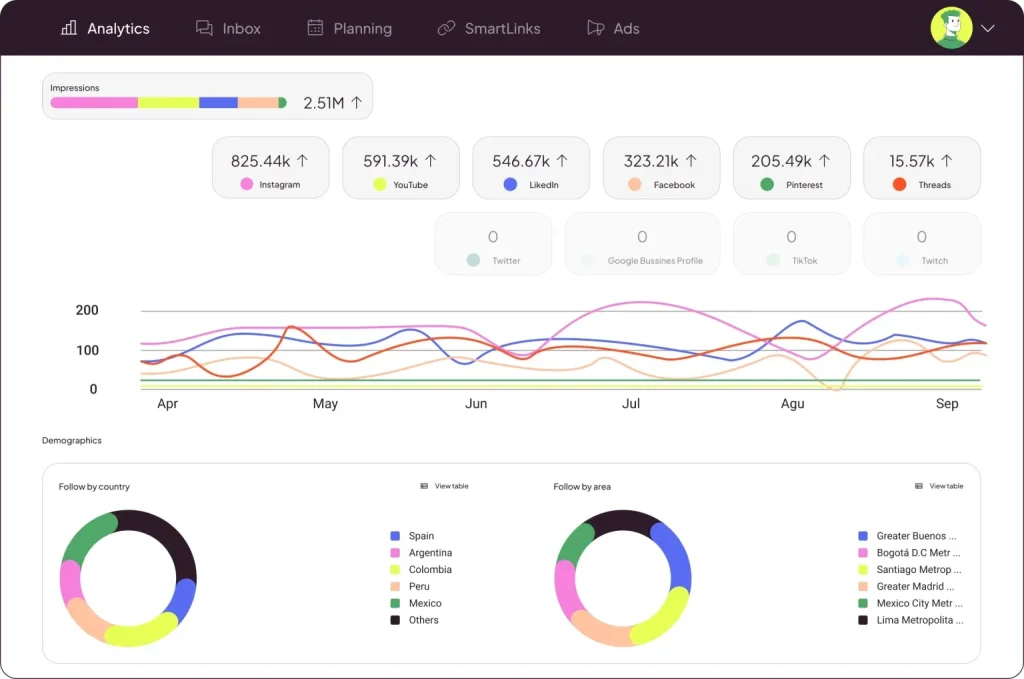
Metricool integrates Facebook and Instagram analytics into a single unified dashboard, alongside other platforms. It tracks engagement, reach, impressions, follower growth, and competitor activity, and lets you schedule content from the same interface. It’s especially handy if you manage multiple clients or platforms.
Key Features
- Multi-platform analytics (FB, IG, TikTok, YouTube)
- Reels performance and interactions breakdown
- Audience demographics and growth tracking
- Competitor benchmarking
- Customizable reports
- Content scheduling calendar
Best for: Agencies and cross-platform marketers.
2. Socialinsider
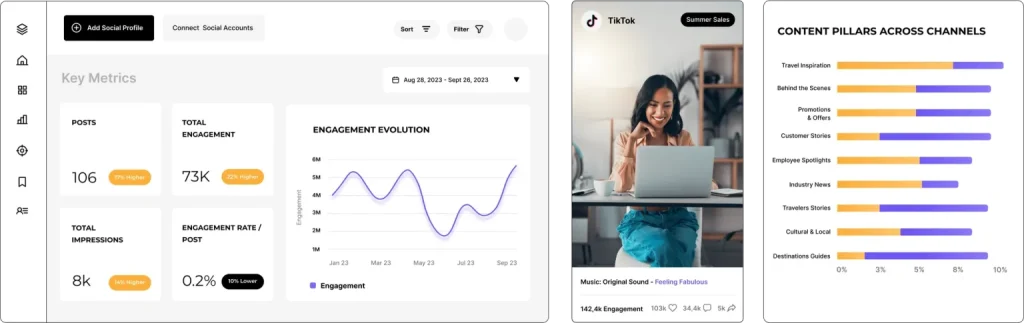
Socialinsider is an analytics and benchmarking tool for comparing performance across social accounts. It goes beyond basic metrics: you can track engagement trends over time, competitor analytics, content breakdowns, and industry benchmarks, which is useful when you’re trying to outperform others.
Key Features
- Competitor performance tracking
- Engagement and reach analytics
- Cross-platform reporting
- Content performance analysis
- Benchmarking against industry standards
- Exportable reports
Best for: Brands and agencies that want a competitive context.
3. VistaSocial
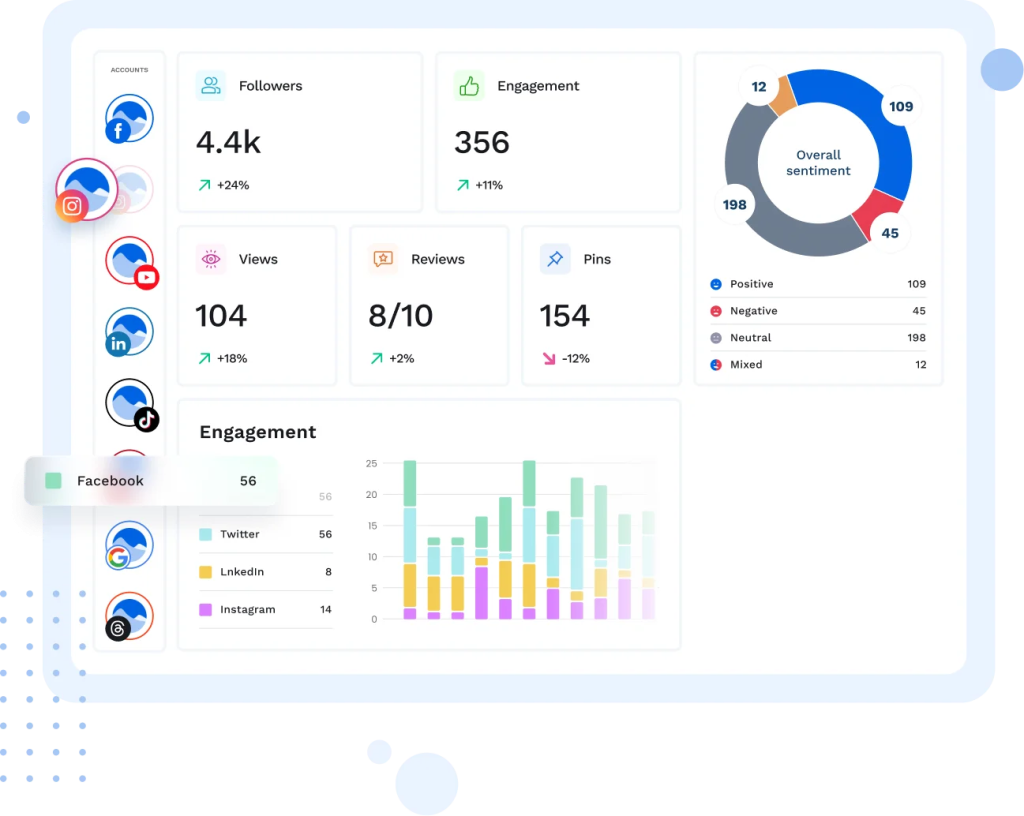
VistaSocial is a unified social media management tool that combines publishing, analytics, and engagement tracking. It’s ideal if you want the whole package—planning Reels, posting them, and measuring performance — all in one place. Analytics cover multiple platforms and provide performance metrics and trend insights.
Key Features
- Unified analytics for multiple networks
- Scheduling and publishing tools
- Engagement monitoring
- Social listening features
- Custom reports
- Team collaboration tools
Best for: Small to mid-size teams handling multi-platform content.
Measuring Performance: KPIs & Metrics
When comparing Facebook Reels vs Instagram Reels, performance isn’t about gut feeling. It’s about metrics that show what’s working and where each platform differs. These metrics help you track reach, engagement, and long-term growth without overthinking it.
| Metric | What It Measures | Why It Matters |
|---|---|---|
| Plays / Views | How many times your Reel was played, including repeat views. | Shows top-of-funnel reach and exposure. |
| Reach | Number of unique accounts that saw your Reel. | Shows how widely your content is distributed. |
| Watch Time / Avg. View Duration | Total and average time viewers spent watching. | Signals engagement and retention strength. |
| Engagements | Total likes, comments, shares, and saves. | Higher engagement boosts algorithm distribution. |
| Saves | How many users saved the Reel. | Indicates strong value and future intent. |
| Shares | Times the Reel was shared via DMs or stories. | Expands reach through word-of-mouth. |
| Click-Throughs / Link Taps | Profile visits or link clicks after viewing. | Measures action-driven performance. |
Using Facebook & Instagram Reels Together with Tagembed for Multi-Platform Amplification
Most brands stop at posting Reels. That’s where momentum dies. The real lift happens when those Reels travel beyond the app. This is where Tagembed quietly does the heavy work.
a. Aggregate Reels to extend visibility beyond social
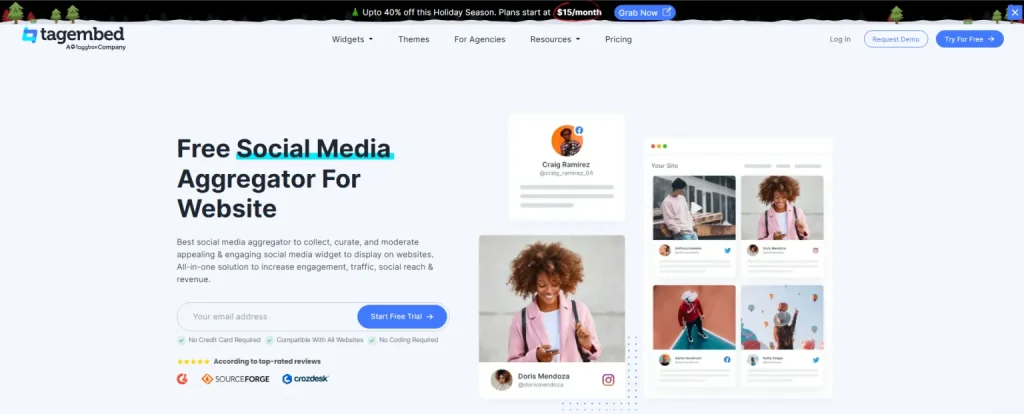
Tagembed lets you pull Facebook and Instagram Reels into a single, live feed and display them on websites, landing pages, campaign hubs, or event screens. Instead of letting high-performing Reels disappear in the feed, you turn them into always-on social proof.
What this unlocks:
- More eyeballs on content you already created
- Longer content lifespan outside social platforms
- Stronger trust through real, visible UGC
- Higher engagement on product and campaign pages
Your Reels stop being scroll content. They become brand assets.
b. Cross-platform promotion and smart repurposing
When you aggregate Reels using Tagembed, cross-posting becomes strategic, not messy.
- One Reel fuels Instagram, Facebook, and your website
- Campaign pages stay fresh without manual updates
- High-performing Reels get reused across touchpoints
- Consistent brand narrative across platforms
This is especially useful when comparing the performance of Facebook Reels and Instagram Reels. You can surface the best content from both, side by side, without picking favorites.
c. Use Tagembed analytics to track ROI, not just likes
Likes don’t pay bills. Behavior does. Tagembed analytics help you see how embedded Reels perform on social.
You can track:
- Views and interactions on embedded feeds
- Click behavior and engagement patterns
- Which Reels drive time spent or conversions
This closes the loop. You’re no longer guessing if Reels helped your campaign. You can prove it.
d. Why this matters
Most competitors stop at comparisons, features, and stats. They don’t show how Reels plug into real, multi-platform growth.
Aggregating Reels with Tagembed turns short-form video into a distribution engine. Less posting. More impact.
Conclusion
Coming back to the first question.
Which platform wins?
The honest answer: it depends.
The same Reel performs differently depending on audience, platform behavior, and the algorithm’s current preferences. Instagram Reels usually deliver higher engagement. Facebook Reels often offer broader reach and discovery. Neither is better by default. They serve different goals.
The real win comes when Reels stop being one-off posts and become brand assets. Tools like Tagembed help you aggregate Facebook and Instagram Reels, showcase them across websites and campaigns, extend their lifespan, and track real engagement.
Frequently Asked Questions
Facebook Reels prioritize reach and discoverability. Instagram Reels prioritize engagement, trends, and active interactions.
Instagram Reels usually see higher engagement rates. Facebook Reels often deliver wider reach with fewer interactions.
Yes. Meta allows you to cross-post Reels to Facebook and Instagram, helping you expand reach with minimal effort.
Algorithms reward watch time, engagement, and relevance. Instagram favors interactions, while Facebook leans toward distribution.
Embed social feed from Facebook, YouTube, Instagram, Twitter on your website, like a PRO
Invalid Email Address Multiple Themes
