Google Reputation Management Tools: How to Build Trust and Credibility Online
Your Google search results are your new storefront window. One bad review can quietly push customers away before you even know it.
Today, 9 out of 10 people trust Google reviews as much as personal recommendations. Your reputation isn’t just what people say, it’s what Google shows. Fake reviews, angry customers, or outdated info can wreck your reputation overnight.
That’s why managing your Google reputation isn’t optional anymore; it’s survival.
This blog shows you how to fix, protect, and polish your online image. Let’s get into the whys, hows, and learn about the top Google Reputation Management tools in 2025. Read on!
What Is Google Reputation Management?
Google Reputation Management is basically the art (and a bit of science) of shaping what people find when they Google your business name. It’s about controlling the narrative, managing reviews, fixing inaccurate listings, and making sure your brand looks trustworthy on the world’s biggest search engine.
In simple terms, it’s about owning your Google story before someone else writes it for you. Using a Google reputation management tool helps a brand have better control over its online narrative and reputation.
That’s why understanding and using Google Reputation Management tools in 2025 has become quite essential. Tools help you monitor reviews, track mentions, and manage feedback across different Google touchpoints, so you can respond fast, improve visibility, and maintain brand credibility.
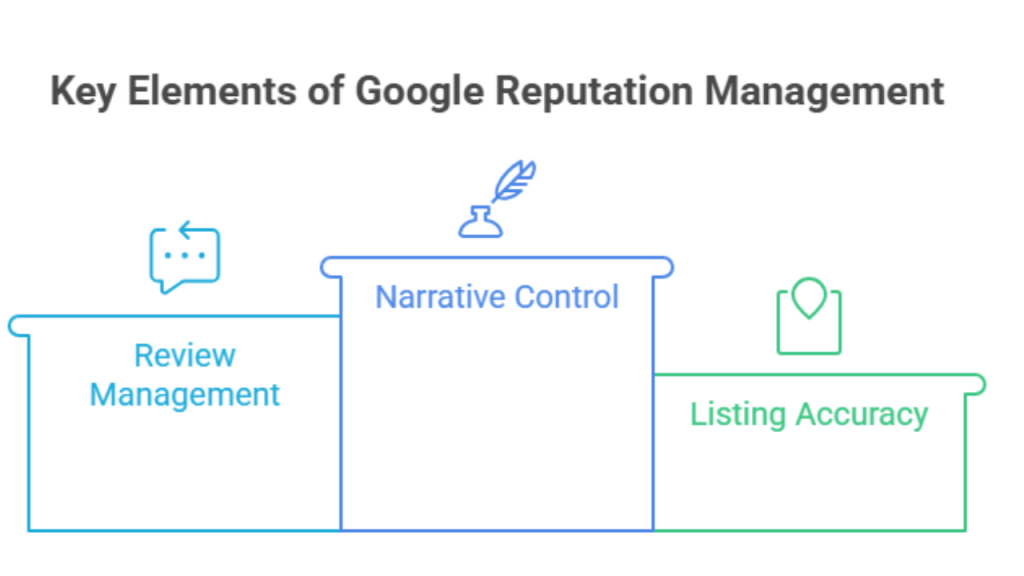
Here are a few key elements of Google online reputation management every brand should focus on:
- Google My Business: Keep your profile updated with photos, hours, and posts; it’s basically your business’s homepage on Google.
- Reviews & Ratings: Encourage happy customers to share experiences and respond professionally to bad ones.
- Local Listings: Consistency across citations improves local SEO and builds trust.
- Search Results: Optimize what shows up first; a single negative link can drown out a dozen positives.
Your online reputation on Google is your first impression. Effective Google reputation management tools not only protect that impression but also turn it into a growth driver. Because when you control your narrative, you control your customers’ confidence.
Why Google Reputation Matters for Businesses?
Let’s understand why Google reputation matters for your business:
1. First impressions online vs. in-store
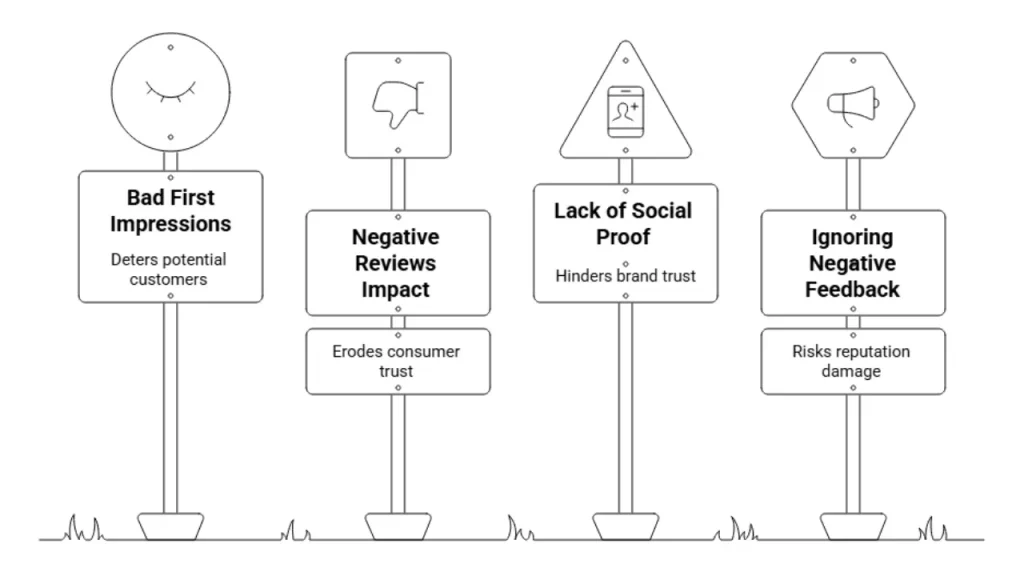
Most customers check a business’s online presence before visiting. Around 88% use Google to research legitimacy, making your online reputation crucial. If your Google reviews look good, more likely they’ll visit; bad reviews put off 94% of potential buyers.
2. Impact of Google reviews and ratings on consumer decisions
93% of consumers say reviews affect whether they trust a brand. Managing these reviews with Google reputation management tools sets you apart.
3. “Social proof” and brand trust
Positive reviews act as “social proof” that builds trust. Businesses with great reviews see 25% more website traffic. Ignoring bad reviews risks your reputation; using Google My Business reputation management tools to respond is key.
4. Negative reviews cost, positive reviews drive growth
Negative reviews hurt, but quick responses via Google reputation management tools can mend trust. Positive reviews fuel growth and customer loyalty, making review management essential.
It’s not just us saying this, here are stats to back it up:
- 74% won’t buy if negative content shows on the first page of Google results.
- 27.6% of clicks go to the first Google search result.
- 73% of people only trust reviews from the last 30 days.
- Businesses can see 15-20% higher conversions by managing reviews actively.
- Google hosts 57-58% of all online reviews worldwide.
How Google Reputation Is Built and Damaged
Key things that build your Google reputation:
- Honest customer reviews, especially fresh ones, are pure gold. They shape what people think about your brand before you even say a word.
- Keeping your business details updated (address, phone, hours, all that stuff) with Google Reputation Management tools makes it easier for people to find and trust you.
- And good photos? They speak louder than ads. Sharp, real images show you care and give your brand that extra shine.
Moments that can hurt your reputation:
- Wrong info or mixed-up listings confuse customers, and Google doesn’t like that either.
- Pretending bad reviews don’t exist? They notice, and so do your customers.
- Letting your profile collect dust with no updates makes you look out of touch.
Tools and Solutions for Google Reputation Management
Let’s talk tools, because handling your Google reputation without them is like trying to catch fish with your bare hands. Here are some top players in Google online reputation management for 2025.
1) Tagembed
Tagembed is a crowd favorite. This Google reputation management tool automates review collection, lays out clear analytics, and lets you showcase reviews with badges and widgets that actually look good. Plus, it hooks up with Shopify, WordPress, and more without breaking a sweat.
2) Juicer
Juicer does a solid job pulling social feeds together and displaying reviews nicely, but it’s more basic on the analytics front.
3) EmbedSocial
EmbedSocial offers strong widget customization and good review management features, which are nice but a bit pricier.
4) Powr
Powr is straightforward and easy to use for those who want simple reviews and badges, nothing fancy.
5) Trustmary
Trustmary is a Google reputation management tool that focuses on authentic reviews with good automation, but lacks some of the sleekness Tagembed offers.
Here is a direct comparison between these tools for better decision-making.
| Tool | USP | Price |
| Tagembed | – AI moderation for top positive reviews. – Review Banner & Translator for wider reach. – Multiple themes to display Google reviews. | $19/month |
| Juicer | – Auto-update the reviews on the website as they appear on your Google Business Account. | $15/month |
| EmbedSocial | – Choose from different themes to shows your reviews | $29/ Month |
| Trustmary | – Single dashboard to manage all you reviews | $11 for 3 reviews connections |
Key Steps to Manage and Improve Google Reputation
Here are the initial steps you need to take to improve your Google reputation:
A) Set Up and Optimize Google My Business Account
- First, get your business verified on Google (don’t worry, it’s simpler than setting up a Wi-Fi router).
- Fill out everything, address, hours, services, and snap a few real photos (no stock stuff).
- Add yourself to Google Maps; just follow prompts (“add new place”), confirm your pin location, and you’re done.
- Hit up Google Business Updates to post offers or quick news so folks see you’re alive and kicking.
B) Get More (and Better) Google Reviews
- Ask happy customers for reviews, but keep it natural; nobody likes feeling pushed.
- Reply to reviews, good or bad. Say thanks, own your mistakes, fix what you can.
- Don’t ghost negative feedback; listen, help, sometimes you even flip a one-star into a fan.
C) Leverage Google Reviews Widgets and Badges
- Drop a Google Reviews widget like Tagembed right on your site, instant trust, plus SEO love.
- Pop a review badge next to your offers; it’s a “hey-we’re legit” moment for visitors.
- The Tagembed widget looks snazzy, works for SEO, and keeps feedback right where new customers see it.
D) Monitor and Analyze Your Google Reputation
- Use online Google reputation management tools to keep tabs on what’s being said.
- UGC aggregators such as Tagembed give live dashboards and notifications (you get pinged when reviews land).
E) Update and Maintain Your Google Business Profile
- Regular updates keep you fresh. Post photos, answer Qs, drop announcements.
- Google likes active profiles; so do your customers.
Why is Tagembed the go-to Google reputation management tool in 2025?
Tagembed is the sweet spot between simple and powerful. The automation actually works well, you get deep analytics without needing a data science degree, and the integrations are super smooth, making review management feel less like a chore, more like… well, a part of your workflow.
| Features | Tagembed | Juicer | Embed Social | Powr | Trustmary |
| Automation | Yes | Yes | Limited | Some | Yes |
| Analytics | Detailed | Basic | Moderate | Basic | Moderate |
| Review Badges | Customizable | Basic | Yes | Yes | Yes |
| Integrations | Wide & Smooth | Limited | Wide | Moderate | Moderate |
All in all, Tagembed feels like having a smart assistant who actually gets your Google reputation game, a win if you ask me.
Conclusion
Your Google reputation isn’t built overnight, but it can be managed smartly.
Every review, update, and response adds up to how people trust your brand. With Google reputation management tools like Tagembed, you can keep that trust in check, automate review tracking, display your best feedback, and build credibility where it counts most.
Embed social feed from Facebook, YouTube, Instagram, Twitter on your website, like a PRO
Invalid Email Address Multiple Themes
