September 2016 introduced an all-new subculture for Gen Z’ers as it was the year that brought in one of the most highly leveraged social media platforms, especially for teens! Yes, we are talking about the platform that caused a stir in the social media landscape – TikTok.
Talking in numbers, TikTok has over 680 million monthly active users worldwide and has been downloaded over 2 billion times on the App Store & Google Play!
The addictive TikTok allows its users to create short videos ranging from 15 seconds to 3 minutes using funky music, quirky filters, funny backgrounds, and interesting audio.
Since videos are much more engaging and descriptive than texts, further using TikTok Widget embedding such content on E-Commerce sites like Shopify can significantly help in increasing your sales and conversions.


In this blog, we will discuss the effective methods for embedding TikTok videos on a Shopify store.
Without any further ado, let’s delve right into the post!
Steps To Embed TikTok Video On Shopify Using Tagembed
Wondering how to aggregate the content? This is where Tagembed comes in.
Tagembed is a comprehensive social media aggregation platform that allows brands and marketers to collect, curate, and embed content from different social media platforms, including TikTok.
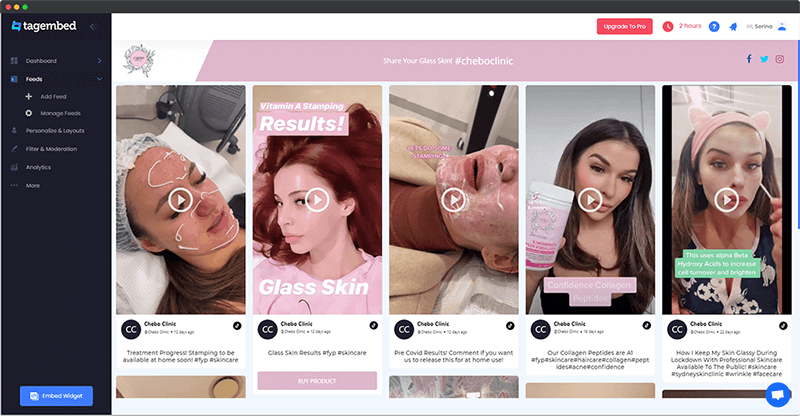
After aggregating the content, the users can customize the widget exactly how they want. You can select from various styling options, fonts, templates, layouts, themes, etc.
Tagembed offers a content moderation panel that can be used to maintain the topmost quality content. Furthermore, the users can also analyze the performance of the content by getting details like engagement level, likes, clicks, and other important statistics.
Collect, moderate, and embed TikTok Video on Shopify Store
Try NowThe active back support team assists the users if they encounter any technical glitches or other issues while using the platform!
Keep reading as we shall be telling you about the best methods to embed TikTok videos on your Shopify website.
Method 1 – Add TikTok Video on Shopify using Tagembed Shopify App
1. Start by downloading the Tagembed Shopify App in the Shopify App Store
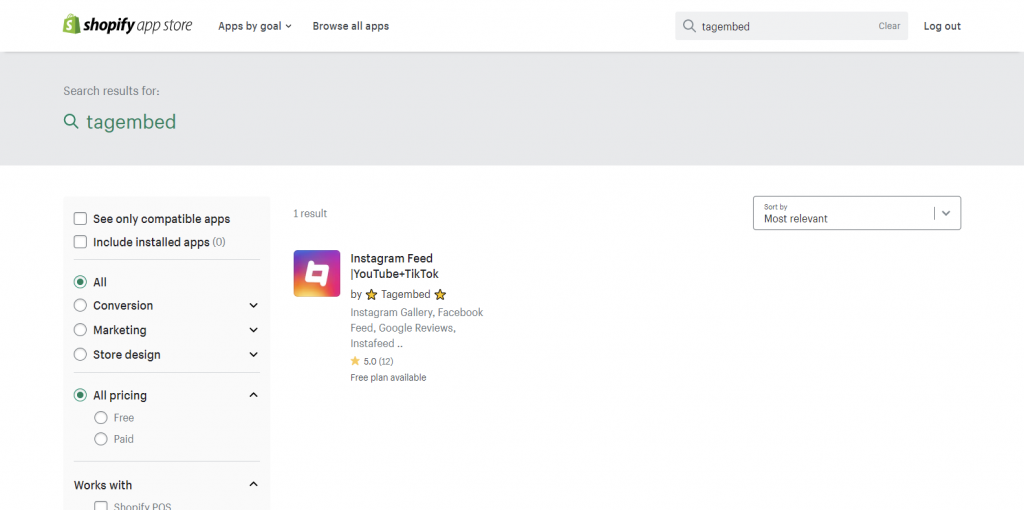
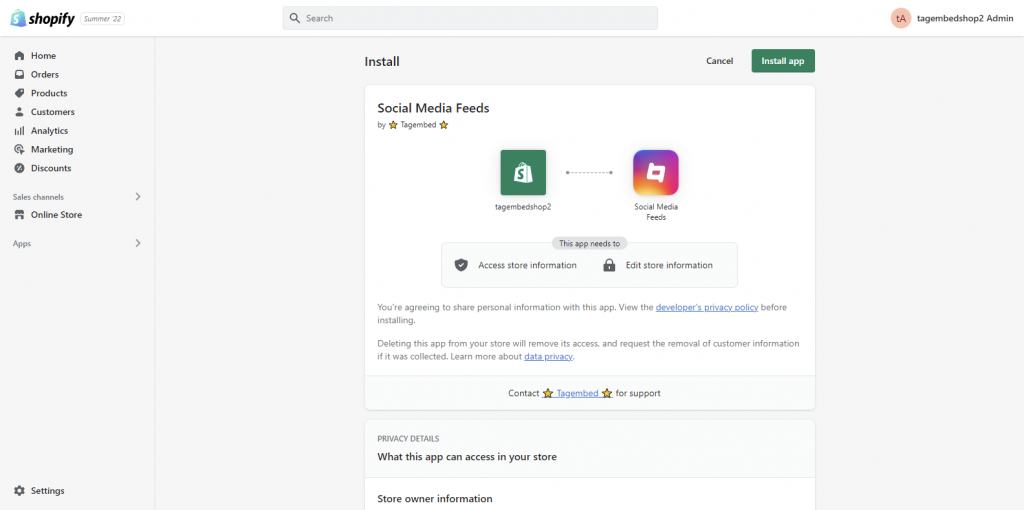
2. Once you are done with the downloading, Install an app, and you will be redirected to the Tagembed dashboard.
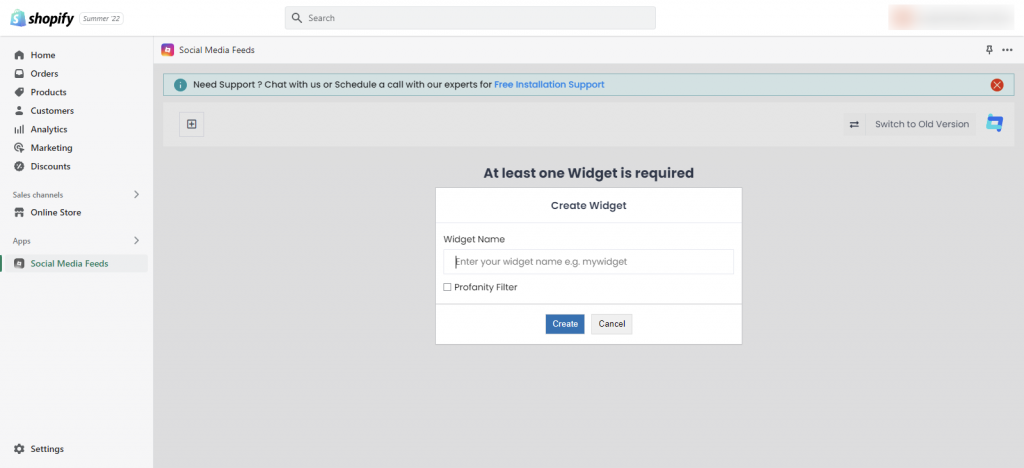
3. Click on the Create Widget option. Give an interesting name to the widget and click on Create widget button
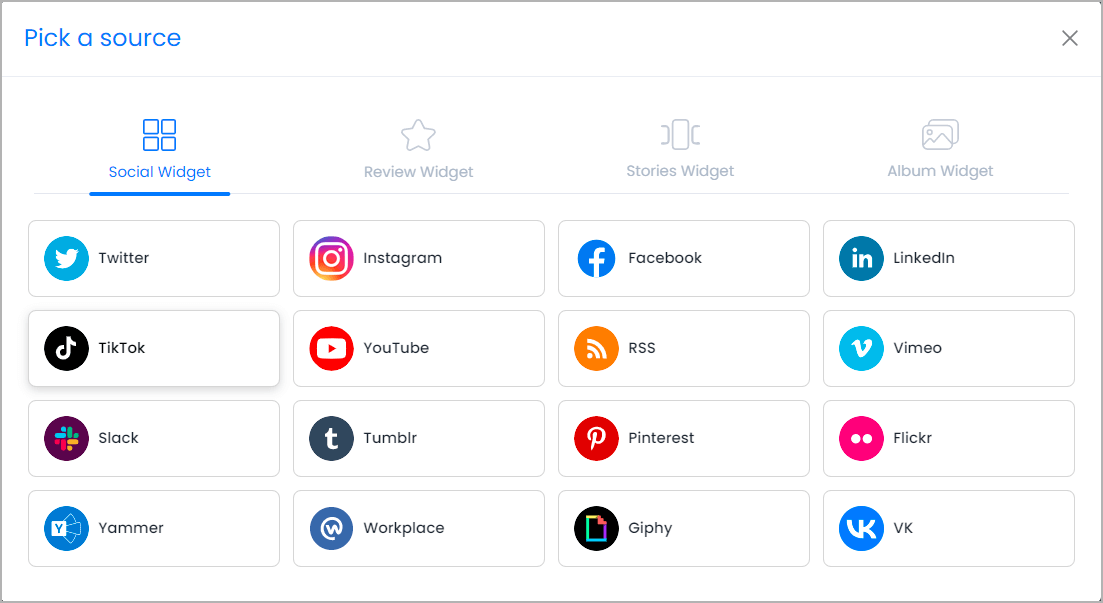
4. From the pop-up, select TikTok as your content aggregation source.

5. Connect your TikTok account and click on the Create feed button, once done.
6. After you are done customizing the widget as per your requirements and preferences, click on the next bottom right.
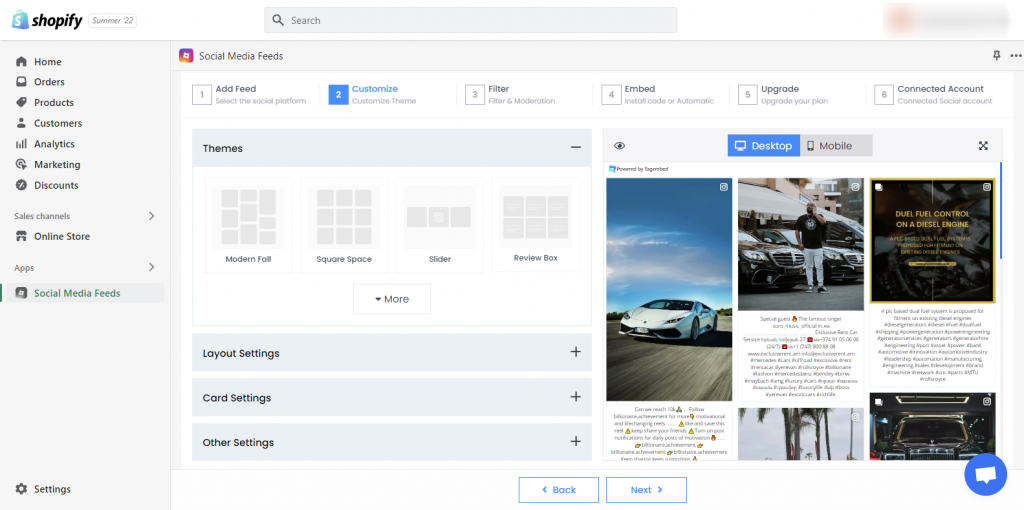
7. If you think some feeds are not cool to display then you can use the Filter feature by Tagembed to customize widget content Manually or Automatically.

8.Now choose the Embed option from the below three and select the page where you want to add Instagram reels to Shopify and the widget’s location.
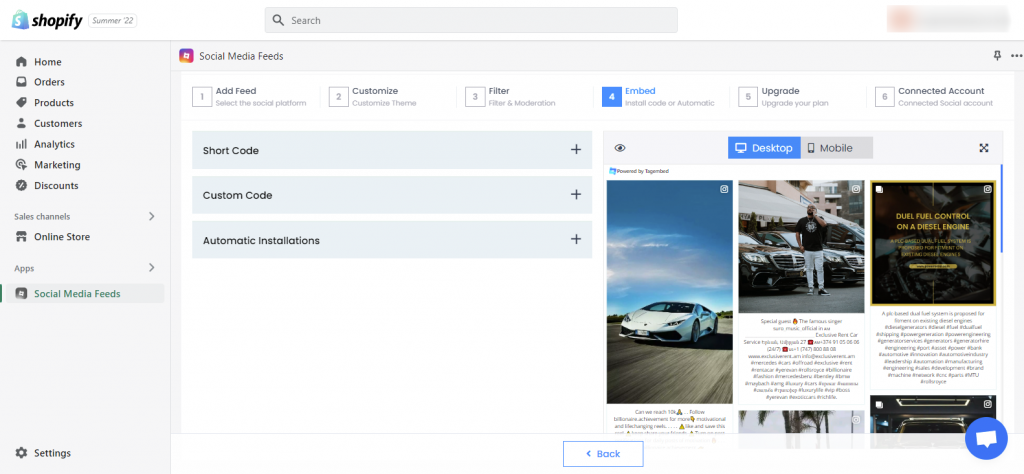
Save the changes made and you are done! You have successfully embedded TikTok videos on Shopify website.
Steps to Add TikTok Hashtag Video on Shopify Store
1. Download Tagembed Shopify App and install in your store.
2. Open the app and create your first widget to collect TikTok Hashtag Feed
3. Choose your source as TikTok and select your connection method as Hashtag.
4. Enter the hashtag you wish to collect TikTok Videos from and click on the Create Feed button.
5. Your TikTok Hashtag Videos will be collected in sometime.
6. Now, click on the embed widget button and choose Shopify as your CMS and copy the TikTok embed code.
7. Login to the backend of your Shopify store and paste the embed code in the custom HTML section.
8. Finally, save the changes made and reload your webpage to view the live embedded TikTok Hashtag Video on Shopify Store.
Collect, moderate, and embed TikTok Video on Shopify Store
Try NowMethod 2 – Embed TikTok Video Using Social Media Aggregator Tool
If you do not wish to adopt the above-mentioned method and embed the feeds using the app, you can follow the steps mentioned below and embed TikTok videos using the Tagembed tool and embed TikTok videos in a couple of minutes.
1. Start by registering for a Free Tagembed account (Multiple Themes) or log in if you already have an existing account.

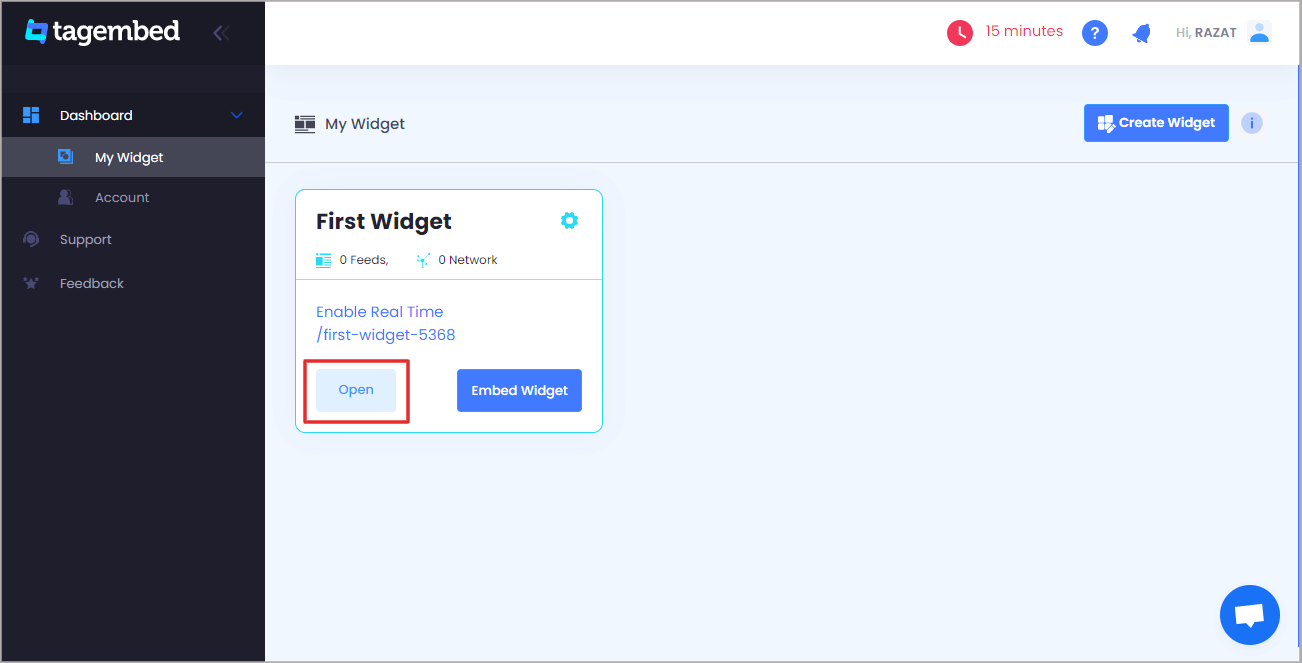
2. You will be navigated to the dashboard. Click on the Open button to open the widget and start aggregating the content.
3. From the pop-up, select TikTok as your content aggregation source
4. Choose the connection type from where you want to aggregate the content. You can select from the mentioned options:
- Handle – Connect your TikTok profile to collect TikTok handle feeds.
- Hashtag – Enter the hashtag that you wish to collect and embed TikTok Videos.
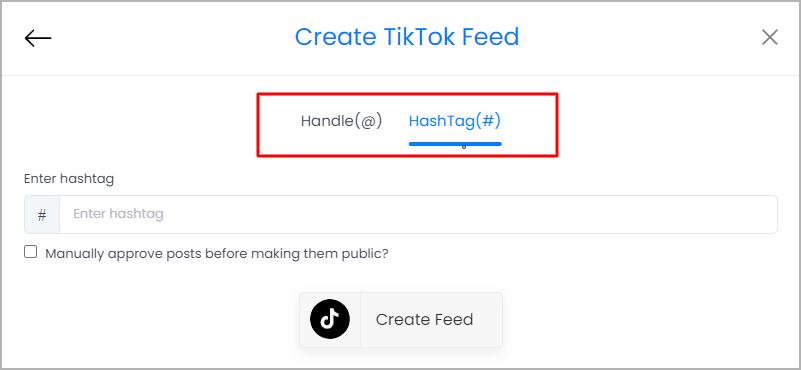
5. Once done, click on Create feed button
6. You can customize & moderate the feeds exactly how you want them to look. Once done, click on Embed Widget on the bottom left corner of the widget editor.
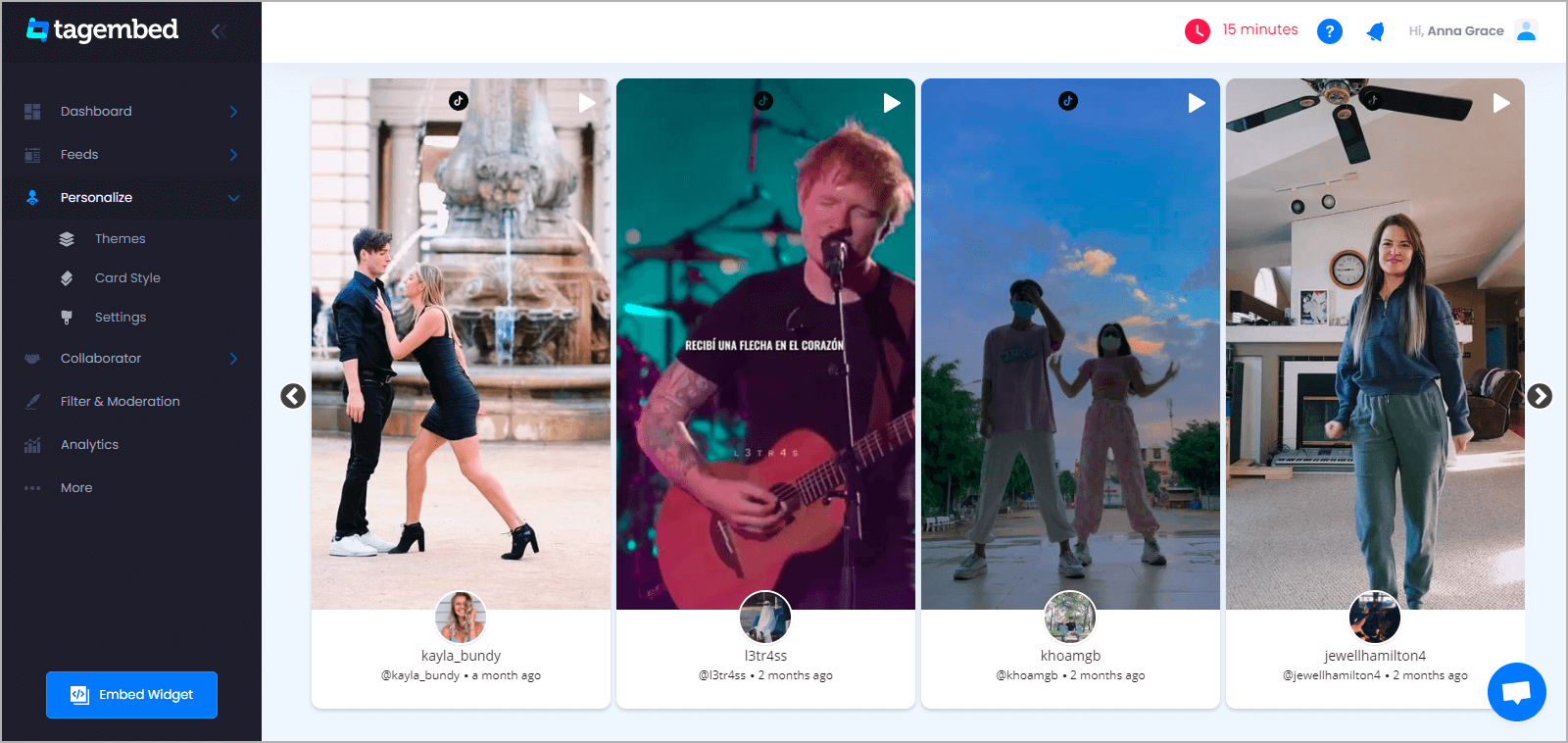
7. From the pop-up, click on Shopify as your website building platform.

8. Click on the copy code button to copy the embed code on the clipboard.
Collect, moderate, and embed TikTok Videos on Shopify Store
Try For FreeSteps to Embed TikTok Video on Shopify Store
9. Login in to your Shopify account, and under the sales section, click on the Online store option
10. Select Themes in the drop-down menu
11. Click on Action and select Edit code from the options
12. Choose the section/layout where you want to embed the TikTok feeds
13. Paste the generated embed code into the section and save the changes!
Kudos! You will have successfully embedded TikTok videos on your Shopify store
Why Should You Embed TikTok Video On Shopify Website?
1. Collect User-Generated Content To Display Social Proof
With such a massive user base, it is quite highly possible that TikTokers create interesting videos around your brand and its products. It can be about your services or the usage of your product, tutorials, etc. When you embed such content on your website, you build a social proof of your brand.
Your potential users may be apprehensive about trusting your brand. Embedding User-Generated Content would urge and motivate your users to go ahead and purchase your products.
Moreover, it is a fact that around 85% of users go through User-Generated Content before finalizing a brand or purchasing a product!
Also Read – Add Instagram Feeds on Shopify Store
2. More Time On Website = Higher Ranking On SERP
TikTok is a giant pool of extremely captivating content that has the potential to hold on to your users on your website for a longer duration.
Additionally, more dwell time, traffic, and low bounce rate would ultimately help you rank higher on the Search Engine Ranking Pages.
3. Boost Engagement Of Website Visitors
Your website visitors’ engagement determines how likely they are to show interest in your brand and purchase your products.
Embedding fun content from TikTok on your website using TikTok Widget would increase the stay time, leading to more engagement levels.
Key Takeaways
And we call it a wrap! It brings us to the end of the post, and we are positive that you will be completely pumped up and motivated to embed TikTok videos on website right away!
Nine out of Ten TikTok users use the app multiple times a day, and if, as a brand, you are not leveraging this to your advantage, then you are missing out on a lot.
What are you waiting for now? Start the process right away and reap the aforementioned benefits and more!
FAQ
You can add TikTok Feed to shopify using the Tagembed Shopify App or Tagembed web application.
– Just visit your shopify app store and install Tagembed app.
– Create your first widget and select TikTok as your source
– Connect your handle or enter the hashtag to collect TikTok videos.
– Finally, click on the embed widget button and copy the embed code of the tiktok video widget.
Paste the TikTok embed code on the backend of your shopify store and save the changes made.
Reload your webpage to view live TikTok feed added to your Shopify store.
Yes, you can embed TikTok videos using Tagembed with two different methods:
1. Handle (Profile) – Connect your TikTok account to collect and embed TikTok videos from your profile.
2. Hashtag – Enter the hashtag you wish to collect TikTok videos from.
Then, curate & customize the collected TikTok videos and generate the embed code for your tiktok videos. Copy and paste the embed code on the backened of your website and save the changes made.
Your TikTok videos will be live on your website.
Embed social feed from Facebook, YouTube, Instagram, Twitter on your website, like a PRO
Invalid Email Address Multiple Themes
