Instagram Feed Examples: 15+ Ways to Display Instagram on Your Website
Your Instagram may be full of great content, but how much of it do website visitors actually see? Someone browsing your products could miss a customer’s experience, while a person exploring your services might leave without seeing the work you share on Instagram. That’s a missed opportunity to show people what your brand is all about.
The right Instagram feed examples can show you how to bring that content onto your website in a way that fits your design and gives visitors more to explore. In this guide, you’ll discover 16 Instagram feed layouts, real-world Instagram post examples across different industries, and practical tips to help you choose and display a feed that works for your website.

Instagram
Hashtag

Instagram
Handle

Instagram
Stories

Instagram
Reels

Instagram
Mentions & Tag
| Multiple Themes |
15+ Instagram Feed Examples for Websites
An Instagram content feed can display photos, Reels, and customer posts in several ways, depending on the layout you choose. The following Instagram feed examples explain how each theme presents content and where it fits best on a website.
1. Instagram Modern Card
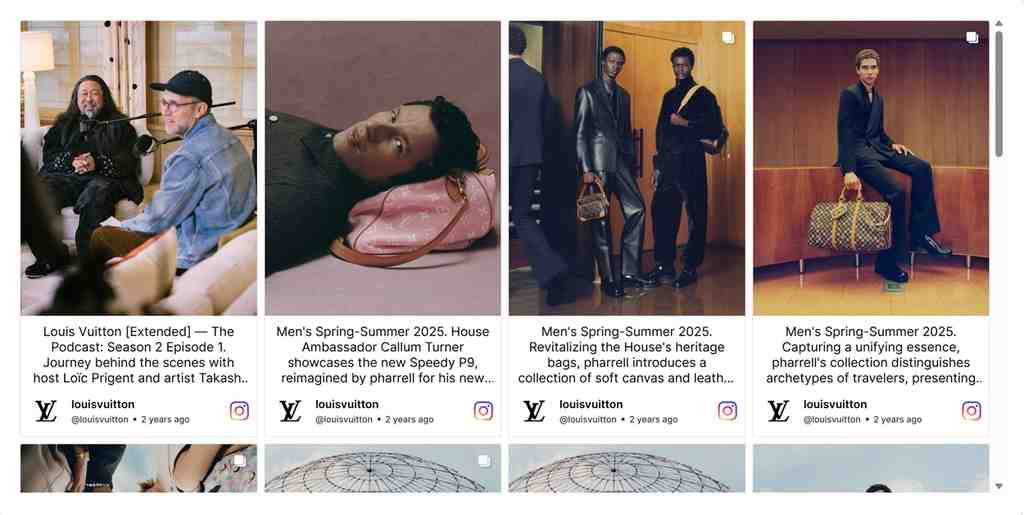
Each post has its own space in the Modern Card theme, creating a clear visual order that helps visitors browse the content. This structured style works well for business websites that want to showcase updates, products, or customer posts without cluttering the page. Explore different Instagram feed layouts and display your favorite Instagram post examples using the Instagram Feed Widget.
2. Gallery Slider Theme

The Gallery Slider presents Instagram posts in a horizontal row so that visitors can browse them without the page being filled with a large grid of images. For various examples of Instagram feeds, this arrangement is appropriate for websites that are rich in images and wish to display their visual content in an organized manner. You can find out about other options by looking at Instagram Feed Templates.
3. Instagram Reels Layout

Short videos can show products in action, capture travel moments, or give visitors a peek behind the scenes. The Reels theme puts this video content at the center of your feed, making it a natural fit for brands with plenty to share. These Instagram feed examples show how Instagram posts can bring video to your website. Learn how to embed Instagram Reels.
4. Classic Card Theme
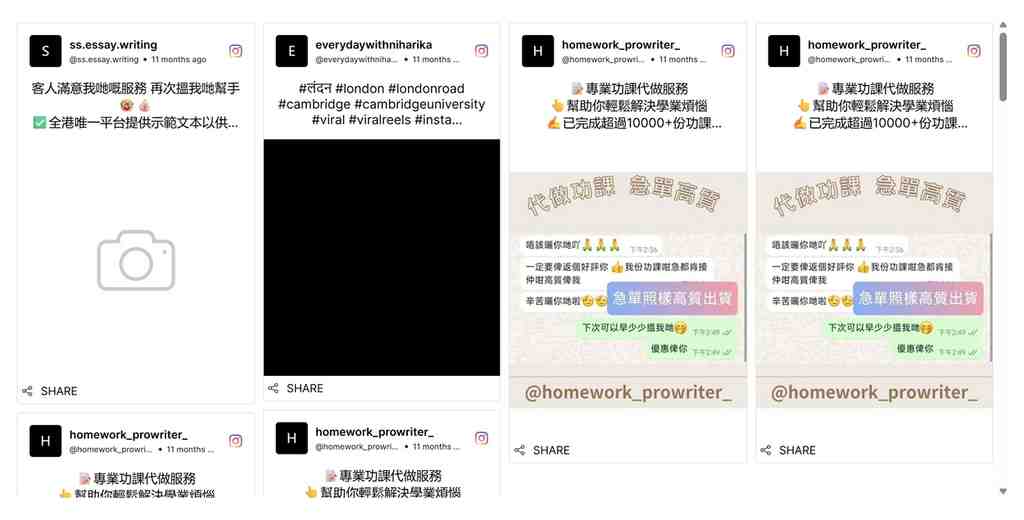
The Classic Card theme shows Instagram posts in a well-organized grid, assigning individual space to each post in a familiar and professional manner. This kind of Instagram post example is appropriate for business pages, blogs, and landing pages that require a clean way of displaying content. Businesses can apply this structured appearance to their websites using the Instagram Feed Widget.
5. Instagram Horizontal Slider
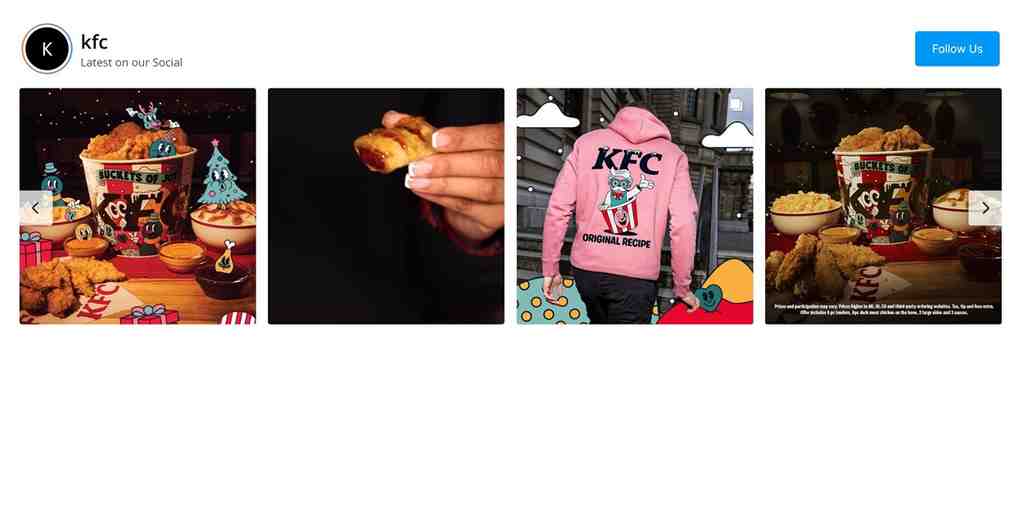
If you want to include a number of Instagram posts without reserving a large space for a grid, the Horizontal Slider is a good option since it displays the content in a row and is suitable for small sections of a website. For further information on different Instagram feed layouts, you can refer to the Instagram Feed Templates, which offer alternatives to the usual Instagram feed grid layout.
6. Square Photo Theme

If you base your Instagram content on strong visuals, the Square Photo theme ensures that the images maintain a consistent shape, giving your Instagram grid a neat and balanced appearance. It is well suited to photography portfolios and product galleries in cases where the images are meant to be noticed. You can bring these examples of Instagram posts to your website using the Instagram Feed Widget.
Create Instagram Feed Examples Yourself
Choose your layout, customize your feed, and publish it on your website.
Try It Free7. Instagram Widget Theme
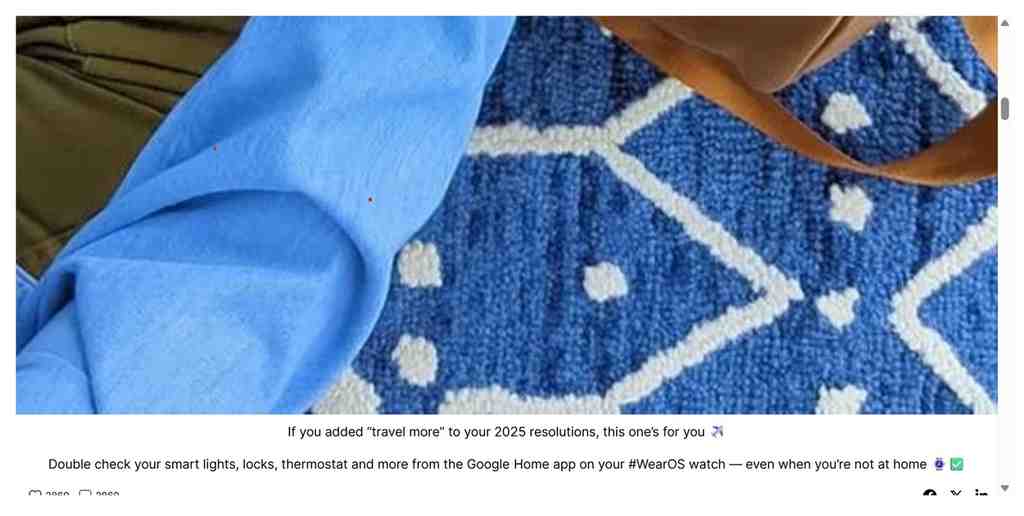
For websites that want a simple method of displaying their Instagram content, the Widget Theme provides a straightforward and flexible way of doing so. It blends in well with blog pages, business websites, and sections that include recent social media posts. When looking at these various Instagram post examples, the layout of the Instagram theme should be examined together with the other options available in Instagram Feed Templates.
8. Instagram Collage Theme

A mix of photos can tell a richer story than a single image. The Collage theme brings Instagram posts together in one display, creating a varied visual collection that works well for portfolios, lifestyle brands, and image-led websites. These Instagram feed samples offer an example of an Instagram feed on a website that makes several posts visible together. Explore more styles in Instagram content templates.
9. Single Post Theme

Sometimes, one post deserves more attention than an entire feed. The Single Post theme puts an individual Instagram post in focus, making it a natural choice for customer highlights, product features, campaign messages, or announcements. These Instagram post examples show how selected content can stand out. WordPress users can explore Instagram Feed plugins to feature posts on their websites.
10. Instagram Story Theme
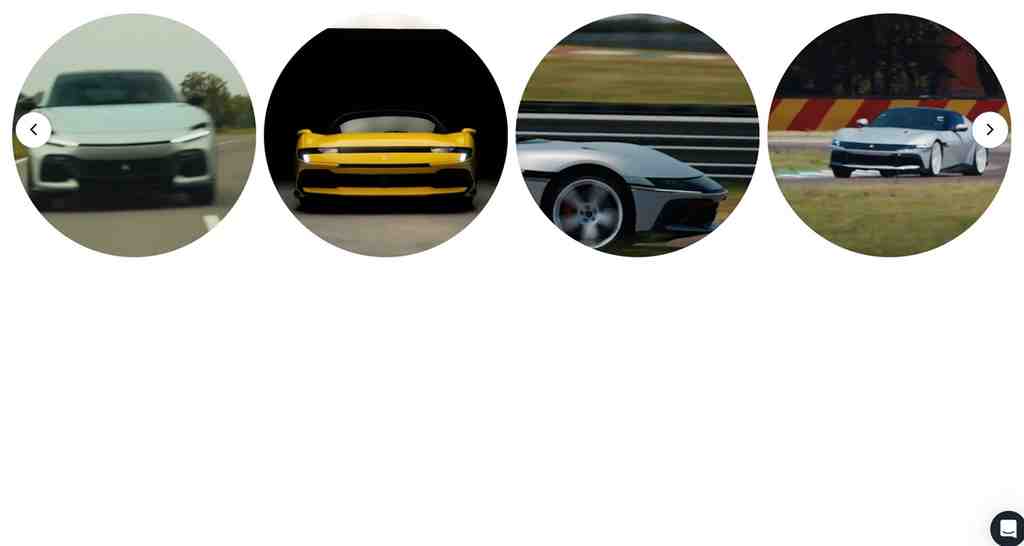
Some content works best when visitors can explore it one piece at a time. The Story theme offers a story-focused presentation for visual content, making it suitable for brands sharing product moments, customer experiences, or campaign highlights. When comparing Instagram feed samples, consider this Instagram theme layout alongside other styles in Instagram post templates to find the right fit.
11. Instagram Slider Style

Slider theme gives visitors a closer look at your content with a sliding display that brings Instagram posts into view one after another. Unlike the Gallery Slider’s horizontal gallery-style strip, this format offers another way to explore Instagram post examples without crowding the page. Add it to your site with the Instagram Feed Widget and compare it with other Instagram feed layouts.
12. Instagram Vivid Theme

Bright colors and a lively post presentation give the Vivid theme its distinct look. It suits creative brands, lifestyle businesses, and websites that want their Instagram content to feel energetic rather than understated. When browsing Instagram feed examples, consider whether this Instagram theme layout complements your website’s colors and style. Explore more options in Instagram post templates.
13. Instagram Reel Shop Style
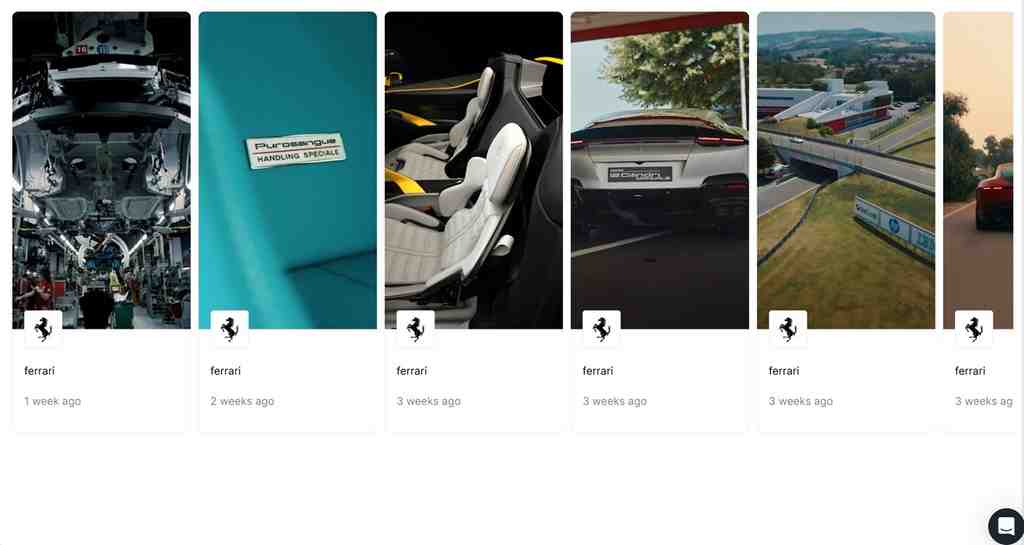
Product videos can help shoppers see how an item looks or works before they buy. The Reel Shop theme presents Instagram Reels in a scroll-friendly, shopping-focused display, making it useful for product discovery and visual merchandising. These Instagram post examples show how an example of Instagram feed on a website can bring product inspiration closer to the shopping journey.
14. Instagram Social Card Theme

Captions and post details sit alongside visuals in a card-based design, giving each post a clear place in the feed. This makes the Social Card theme a practical choice for brands that want to pair Instagram content with product information or website messaging. These Instagram post samples offer an alternative to a traditional Instagram feed grid layout. Add social content using a Social Media Feed Widget.
15. Instagram Classic Photo Style

The Classic Photo theme ensures that photography portfolios, travel blogs, and product pages stay centered on the images. By using a photo-based approach, it allows visitors to look at each picture without having to contend with other design elements fighting for their attention. The examples of Instagram posts here demonstrate how a simple Instagram grid arrangement can be used to display visual content. For more examples of image-oriented styles, see the Instagram Feed Templates.
16. Instagram Horizontal Columns Theme

Horizontal Columns is a useful solution when a website wants to display a number of Instagram posts without the page appearing overcrowded. By using multiple columns, the layout keeps the content in order and at the same time shows several posts together. This kind of Instagram feed grid layout is appropriate for business pages, blogs and service websites. You should compare it with other Instagram feed layouts in order to decide which one is best for your site.
Bring Instagram Feed to Your Website
Explore Instagram feed layouts that fit your website.
Try It FreeInstagram Feed Layouts Compared
| Instagram feed layout | Best for | Main advantage |
| Instagram Modern Card | Business websites | Organizes posts into distinct cards |
| Gallery Slider Theme | Image-heavy websites | Displays visual content in a horizontal gallery |
| Instagram Reels Layout | Video-focused brands | Highlights short-form video content |
| Classic Card Theme | Blogs and landing pages | Gives each post a structured presentation |
| Instagram Horizontal Slider | Compact website sections | Displays posts in a single horizontal row |
| Square Photo Theme | Photography and product galleries | Maintains a consistent image shape |
| Instagram Widget Theme | Business websites and blogs | Offers a straightforward feed presentation |
| Instagram Collage Theme | Portfolios and lifestyle brands | Combines multiple images in one display |
| Single Post Theme | Campaigns and featured content | Gives one post more attention |
| Instagram Story Theme | Campaigns and customer stories | Presents content in a story-focused format |
| Instagram Slider Style | Pages with limited space | Lets visitors browse posts one at a time |
| Instagram Vivid Theme | Creative and lifestyle brands | Adds a bright, energetic visual style |
| Instagram Reel Shop Style | eCommerce websites | Combines product discovery with video content |
| Instagram Social Card Theme | Brands sharing posts with captions | Pairs post visuals with supporting details |
| Instagram Classic Photo Style | Photography and travel websites | Keeps the focus on images |
| Instagram Horizontal Columns Theme | Business pages and blogs | Displays multiple posts in an organized grid |
Real-World Instagram Post Examples on Websites
Instagram content can show visitors what a brand, destination, or community looks like in everyday life. The following examples explore how different industries embed Instagram feeds on websites and make them relevant to visitors.
Instagram Posts on eCommerce Websites
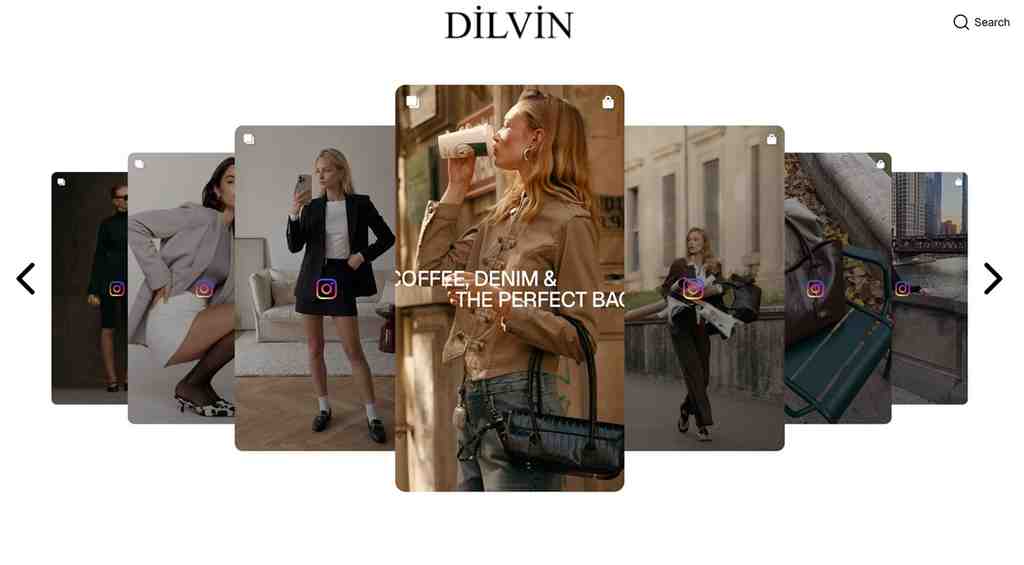
Fashion brands can use customer photos to show how products look outside a studio shoot. For example, DILVIN invites customers to tag the brand on Instagram to get featured. This gives shoppers a chance to see real outfits and styling ideas. A Social Media Aggregator can collect customer content from different platforms, while an Instagram feed widget can display selected photos on product or category pages.
Instagram Posts on Wellness, Lifestyle, and Community Websites
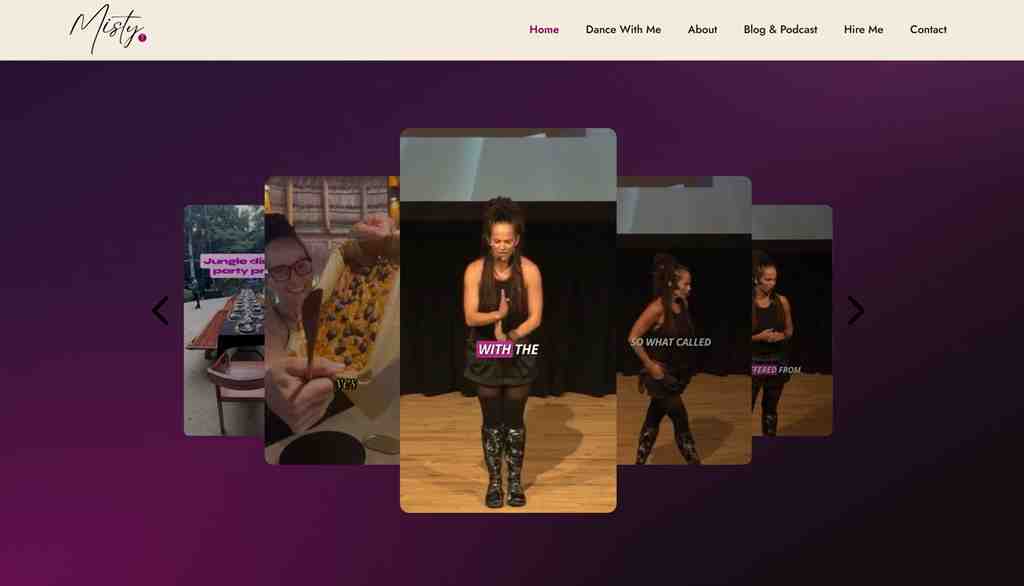
Prior to attending a retreat, individuals want to experience the atmosphere of the community. On her website, Misty Tripoli includes Instagram content that gives visitors an honest look at actual movement sessions. The examples from the feed illustrate how live photos enhance the homepages, whereas video clips are more appropriate for landing pages. A social media feed widget adds vivid social proof to the site, and embedded Instagram Reels display the energy of the workshops and the experiences of the participants right on the screen.
Instagram Posts on Corporate, Manufacturing, and Brand Websites
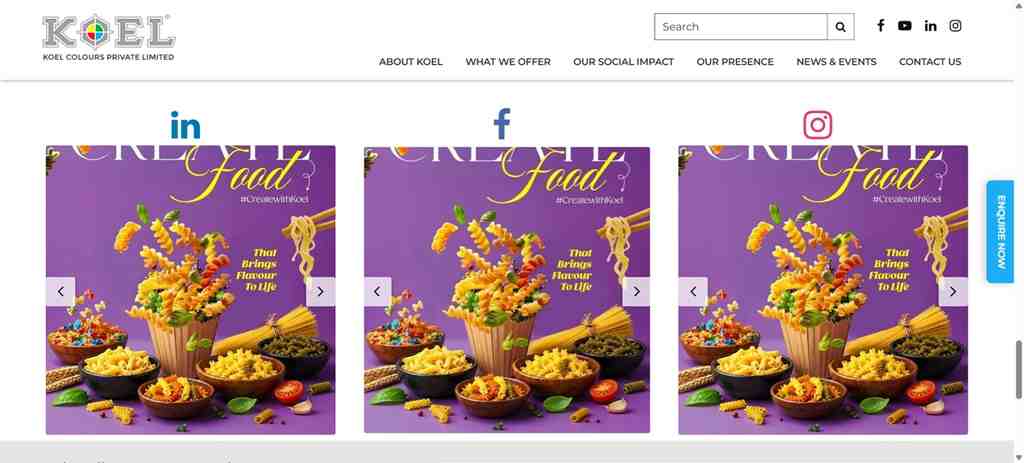
Building trust in the B2B world goes well beyond product datasheets. Clients want an insider’s look at your team, workplace culture, and hands-on production quality. Koel Colours brings this to life by pulling live Instagram content onto its website, giving potential buyers a fresh way to explore its pigment innovations. These feed examples show how behind-the-scenes snapshots make a corporate homepage feel approachable and genuine. Adding a social media feed widget keeps your site fresh without extra effort, while embedded Instagram Reels give visitors quick, engaging video tours of real color applications and factory processes.
Instagram Posts on Portfolio, Craft, and Automotive Websites
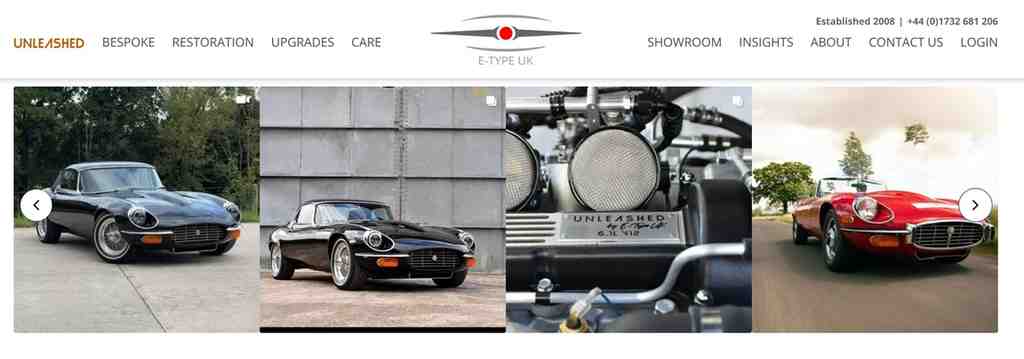
A traditional portfolio displays finished work, but enthusiasts want to see the artistry behind the craft. E-Type UK features Instagram content on its website, giving car lovers a closer look at Jaguar restoration projects. These feed examples show how workshop shots add depth to case studies. A social media feed widget displays real-time build progress, while embedded Instagram Reels highlight road tests and custom projects in action.
How to Choose the Right Instagram Feed Layout for Your Website
The right layout depends on what you want visitors to see and how they use your website. Consider your content, page design, and mobile experience before choosing from these Instagram feed examples.
Choose a Layout That Fits Your Content
Begin with the type of content you wish to highlight. A grid arrangement is suitable for a collection of photos, whereas a display oriented towards Reels is more appropriate for short videos. If you want to make compact updates, you could use sliders or choose the single-post view. Take the time to look at various Instagram Feed Templates in order to compare different Instagram feed layouts.
Match the Feed Design to Your Website
Your feed should feel like a natural part of the page without copying every design detail. Match its colors, spacing, and card styles to your website, then adjust the content density to suit the available space. Browse Instagram Feed Templates to find an Instagram theme layout that complements your site’s Instagram feed grid layout.
Consider Mobile Responsiveness and Visitor Experience
A feed that appears neat on a desktop screen can look crowded on a phone. Be sure to preview your embedded feed on smaller screens and check post visibility, navigation, scrolling, and the amount of space on the page. Compare examples of Instagram posts on different devices, and then try out various Instagram feed layouts on your real website before you publish them.
How to Add an Instagram Feed to Your Website
You can use Tagembed to collect Instagram content and display it on your website without coding. Follow these five steps to get started.
1. Sign up for Tagembed: Create a free account to start building your Instagram feed.
2. Connect Instagram: Choose Instagram as your content source and connect the relevant account or content.
3. Customize your feed: Select a theme, adjust the layout, and match the design to your website.
4. Generate embed code: After you are done with all the other steps, save and generate the embed code.
5. Add it to your website: Paste the code into your website’s preferred embed or HTML section, then preview the feed before publishing.
Choose an Instagram post layout that suits your content and page design, and test the display on both desktop and mobile devices.
Best Practices for Displaying Instagram Posts on a Website
A well-displayed Instagram feed can complement your website and give visitors useful content to explore. Follow these practical tips to keep your feed relevant, engaging, and easy to browse.
1. Choose Relevant Posts: Each page has a suitable feed and the results are best when the feeds are aligned with the relevancy and intent of the page. Hence, display the product photos on the product pages, put customer experiences in the testimonial section, and include behind-the-scenes content on your About page. This ensures that the feed remains relevant to the things visitors want to know.
2. Get Content Permission: Before you reuse the photos and videos of any other creator, you must obtain permission for their promotional content. However, giving credit does not replace the requirement of building brand. You must obtain permission and give credit for a positive brand image.
3. Update and Moderate: To keep the feed updated and sorted, you must review your feed from time to time. Remove irrelevant posts, outdated promotions, and content that does not reflect your brand anymore. You can also use the moderation settings that help filter out unwanted content from showing on your website.
4. Improve Feed Speed: Big images and scripts from third parties can cause a page to load more slowly. For this reason, it is necessary to avoid unnecessary embeds and to use lazy loading when this is supported. After having added the feed, test the page to see whether or not it has an effect on loading performance.
5. Test Mobile Display: After you publish the feed, refresh and check the page on mobile. Look for factors like image visibility, readability, scrolling speed and navigation. Additionally, adjust the layout if it is not adjusting well to the screen. This way, you can ensure the feed is appropriate for the visitors.
Conclusion
Good Instagram feed examples demonstrate how appropriate content and layout can make a website more engaging and relevant to its visitors. If you like a clean grid, a display that focuses on Reels, or an Instagram hashtag feed, select a style that suits your website and your audience. Try out various themes, check how the display looks on different devices, and use Tagembed to include your preferred Instagram content on your website without having to write any code.
Frequently Asked Questions
Instagram feed examples show how websites display Instagram content using different designs, such as grids, sliders, carousels, and single-post layouts. They help businesses choose a format that suits their website, content, and audience.
You can add Instagram posts using an Instagram feed widget with social media aggregators like Tagembed. Choose Instagram as the source, connect your Instagram account or add hashtags, customize it with a relevant theme and generate code. Next, copy that code and paste it on your website at the desired place, refresh the page and there you have an Instagram feed ready.
The best Instagram feed layout depends on your content and website design. An Instagram grid layout suits photo collections, while sliders highlight selected posts and card-based layouts give individual posts more space.
Yes, you can embed an Instagram feed without coding using a no-code tool like Tagembed. Connect your Instagram content, customize the feed, and paste the generated embed code into your website.
Yes, an Instagram hashtag feed can bring relevant posts together around a campaign, brand, or topic. Use a compatible feed tool to collect and display hashtag content, subject to Instagram’s access permissions and available features.
Embed social feed from Facebook, YouTube, Instagram, Twitter on your website, like a PRO
Invalid Email Address Multiple Themes
