We are certain that just like any other brand or business, you too are determined to build a strong presence. Marketers sometimes find themselves in a marketing fix to try out something more creative and effective! However, they fail to find an appropriate solution even when creative thinking is a work in progress.
If you are in a marketing soup and looking for an effective strategy, then displaying an Instagram wall on your website can be your best bet! Alien to what it is and how it can benefit you? Make your way till the end of this post to know more.
What Is An Instagram Wall?
Simply put, an Instagram wall is a collection of Instagram posts that can get added on your website easily. Depending on your personal preference, you can aggregate your brand posts from Instagram, an exclusive selection of your favorite posts, or even User-Generated Content.
The best part is that you can aggregate the Instagram feeds from your selected source. It can be from your brand’s hashtag, from your mentions, etc. If you are wondering about the embedding process, you can easily complete the process using a responsive social media aggregation tool.
In the next section, we will be guiding you through the steps, following which you can easily collect, curate, and display an Instagram wall ona website using Tagembed.
Hook visitors. Build trust. Drive clicks.


Detailed Guide To Display an Instagram Wall On a Website
Before we get on to the embedding steps, here’s a brief about Tagembed.
Tagembed is a leading social media aggregation platform that enables users to aggregate & embed social media feeds from various social media networks, including Instagram.
Using the features of the platform, Tagembed users can make the Instagram widget more impactful and appealing. Tagembed comes with a customization panel, a content moderation panel to monitor the content, advanced analytics, and a back support team for anytime assistance.
Let’s get going with the steps now.
1: Sign Up for Tagembed
- Visit Tagembed and create your Tagembed account for free.

2: Set Up Your Instagram Gallery
- After the sign-up, from the given choices on your window, select “Social feeds on Website.”

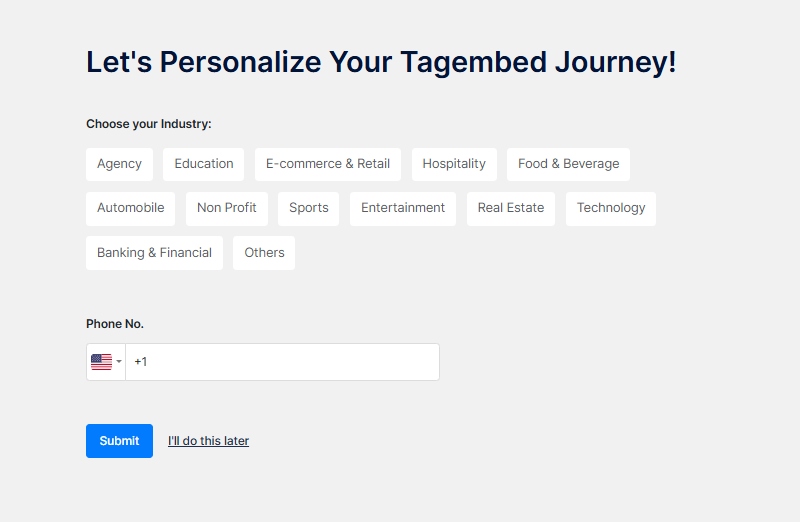
- Choose Your Industry Type to Get a Personalized Feed
3: Choose your source as Instagram
- Once the email is verified, you will be redirected to your gallery. The “Choose Source Network” window will appear on your screen.
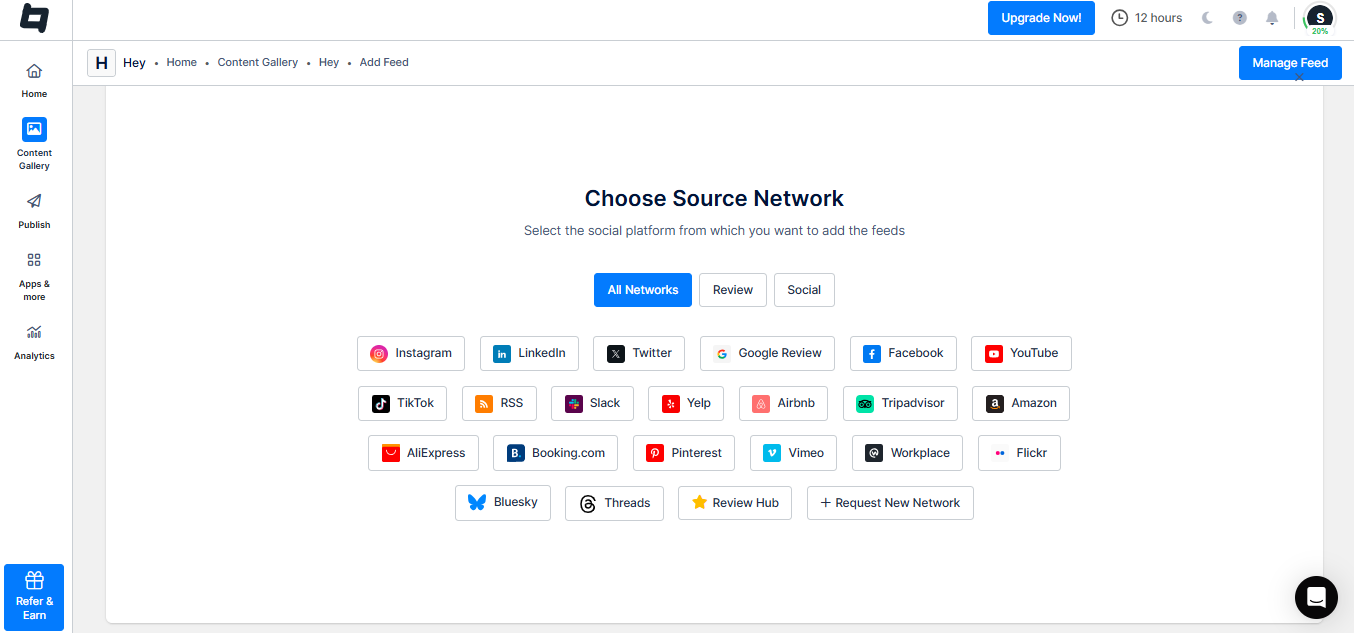
- From the given options, select “Instagram” as your source, pick a connection type from the provided options, and connect your Instagram account.

- Hit “Create Feed” to get started.

4: Customize and Publish
- Click the “Publish” option in the left sidebar.
- To change the gallery’s look, click on the “Theme” tab and choose the desired layout.
- You can also personalize your gallery; click on the “Customization” tab to change font style, font size, card color, and more.

5: Embed on Website
- Once you are happy with your customization, click the “Generate Code” button. Through the embedded Instagram code generator, you will then obtain the Code.

- Select your “Gallery Type” and select your platform.
- Adjust the width and height of your Gallery, then copy and paste the code on the backend of your website.
And you’re done; your website will now showcase an Instagram gallery.
Features To Consider While Selecting An Instagram Wall Tool
Wasn’t the process super simple to follow?
However, if you wish to go ahead with any other tool, then the following are a few features that you need to consider before shortlisting it.
1. Ability To Moderate The Content
Content is King and plays a major role in creating an Instagram wall as well. Just like any other social media platform, Instagram caters to many trolls who like to troll brands unnecessarily by posting abusive and rude posts.
Hence, you need to shortlist a tool that enables you to moderate the content by removing any unwanted content from the Instagram wall.
2. Ample Customization Options
Another feature that you need to pay attention to is the customization panel. Make sure that your tool allows you to style the Instagram wall and offers a wide range of options.
There should be ample options including fonts, colors, themes, templates, and much more to make the Instagram wall visually appealing.
3. Automatic Content Updates
The last but one of the most important features that you need to consider while selecting an Instagram wall too is that it must be able to update content from the platform to your Instagram wall automatically.
Sure, you can perform the task manually but it is quite time-consuming and requires you to monitor the Instagram feeds constantly.
Hook visitors. Build trust. Drive clicks.
Benefits Of Displaying an Instagram Wall On a Website
If you are still unconvinced and need more reasons to leverage this strategy, this section will give you better clarity and push.
1. Elevated Engagement Rates
Website engagement is vital to identify and analyze how interested the website visitors are in your brand and its products. On average, a social media user spends more than 2 hours daily, reflecting their engagement with their Instagram feeds.
Further aggregating and embedding Instagram content on your website would push your website visitors to stay more which would lead to more engagement.
2. Increase Followers On Instagram
Displaying an Instagram wall on your website gives your users an insight into the content that your brand posts on Instagram. If they find it engaging, there is a high chance that they might feel the need to check your Instagram profile and follow you if interested.
3. Build Your Brand’s Social Proof
Creating and displaying social proof of a brand has become a much-followed trend to improve the marketing game. User-generated content holds the potential to engage and convert potential customers seamlessly.
Here’s a fun fact for you – More than 85% of prospective customers utilize User-Generated Content before making a purchase, and embedding it on your website would push your prospects to make a purchase!
Final Thoughts
We have finally concluded and are positive that you must be convinced to use an Instagram wall in your marketing efforts.
Go on now, since you are aware of the best tool and the process of embedding, sign up and start your for free to reap benefits like no other strategy before!
Embed social feed from Facebook, YouTube, Instagram, Twitter on your website, like a PRO
Invalid Email Address Multiple Themes
