TikTok and Google Sites are a dynamic duo for short, viral video content. TikTok thrives on quick, engaging clips, while Google Sites offers easy, code-free website building. I’ve used this combination for fun personal pages, educational resources, brand mood boards, and even quick marketing landing pages.
The big hurdle? TikTok is frequently blocked on school, work, or public networks, and Google Sites’ built-in embed tools are basic and often unreliable in restricted environments, making TikTok-unblocked Google Sites setups especially valuable.
The good news: There are completely free ways to display TikTok posts on Google Sites, embed TikTok profile feed on Google Sites, or add a TikTok video to Google Sites, and many bypass standard blocks. Let’s get into it.


Why Add TikTok Feed To Google Sites?
Plain pages just don’t cut it anymore. Adding TikTok videos transforms everything. I’ve seen engagement soar and visitors stay longer. Here’s why adding a TikTok feed on Google Sites will be helpful:
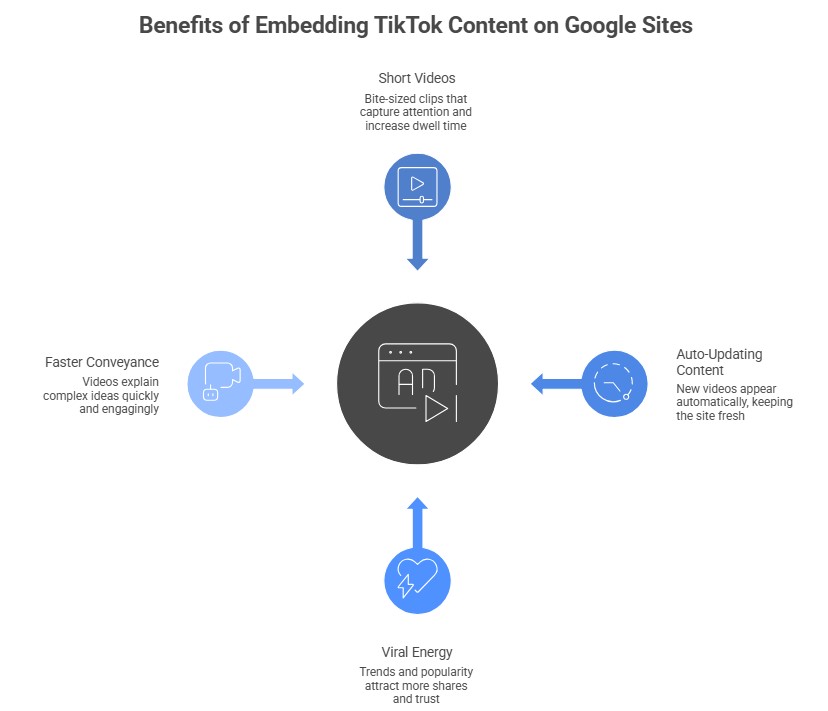
a) Short videos skyrocket engagement and dwell time
TikTok’s bite-sized clips (15–60 seconds) are addictive by design. Visitors hit play, and suddenly they’re watching three, four, five in a row. I’ve seen average session times double overnight after embedding a feed. People don’t just scroll, they pause, watch, react, and stay. Higher dwell time signals quality to search engines and indirectly boosts SEO. In classrooms or portfolios, short-form videos keep attention where long text loses it fast.
b) Your site stays fresh with auto-updating content
Nothing kills a site faster than stale content. With a live TikTok post, new videos appear automatically, no manual uploads needed. Post a clip on TikTok, and it’s on your Google Site minutes later. This keeps returning visitors coming back for more, perfect for brands, creators, or teachers sharing ongoing series. You look active and consistent without extra work. It’s effortless freshness that makes your site feel alive year-round.
c) Viral energy and social proof draw in more shares
TikTok thrives on trends and virality; embedding that energy brings the same buzz to your site. When visitors see trending sounds, challenges, or popular creators, it triggers FOMO and excitement. Likes, comments, and view counts act as instant social proof, building trust fast. People are more likely to share a page with dynamic, relatable videos than static text. I’ve seen share rates jump as visitors want their networks to see the duplicate engaging content.
d) Videos convey fun, tutorials, or trends faster than text
A 30-second TikTok can explain a makeup hack, dance move, life tip, or product feature better than paragraphs ever could. Visual, audio, and text overlays make complex ideas more engaging and easier to understand. Learners grasp tutorials quicker, customers understand products better, and casual visitors get hooked by pure fun. In education or marketing, this speed turns passive readers into active viewers, improving comprehension and retention while making your Google Site more memorable and effective.
Native Ways To Add TikTok Posts To Google Sites
Google Sites has a simple embed feature that handles the basics for free.
Method 1 – Add a Single TikTok Video
Great for spotlighting one standout clip.
How to do it:
- Open your Google Site → Edit page
- Click Insert → Embed → Embed code
- On TikTok, tap Share → Embed → Copy the code
- Paste into Google Sites and insert
Best for:
- Hero videos
- Quick highlights
Limitations:
- One video only
- Basic sizing
- Often fails to load on restricted networks (pulls directly from TikTok)
Method 2 – Embed Multiple Videos Manually
Repeat the single-video process for a “feed” look.
Downsides:
- Manual updates required
- No auto-sync
- Clunky on mobile and blocked networks
Method 3 – Profile or Hashtag Links
Some try simple URLs or iFrames, but these rarely work reliably and are often blocked quickly.
Limitations of Native TikTok Embeds On Google Sites:
Native TikTok embeds on Google Sites seem convenient at first glance. However, they have significant drawbacks that limit their usefulness, especially when you need reliable, TikTok-unblocked access to Google Sites.
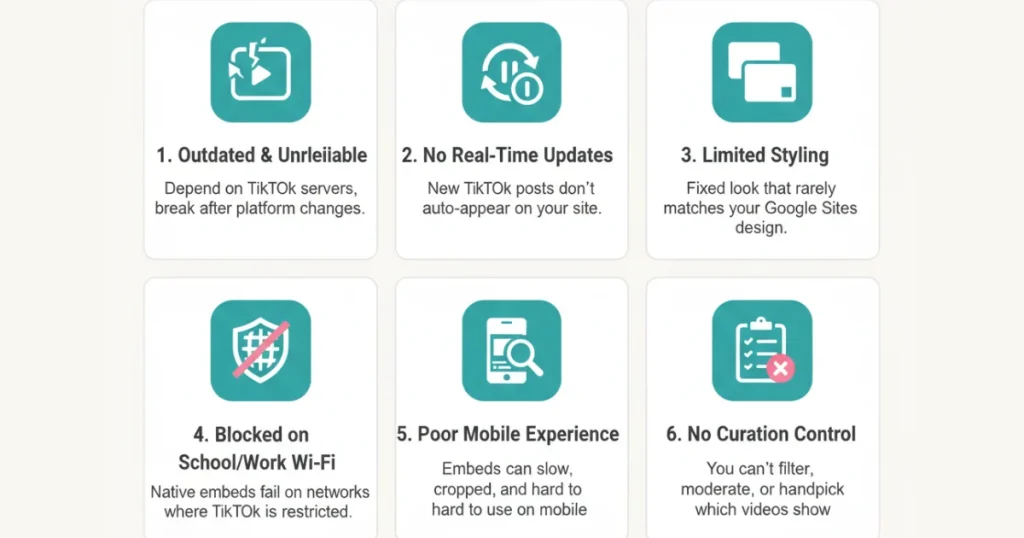
1) Native methods are quick but outdated
While copying and pasting a TikTok embed code may seem simple, these official methods still rely on TikTok’s servers. This makes them vulnerable to changes in TikTok’s policies or platform updates. Many users find that older embeds suddenly stop working after platform tweaks. For anyone seeking stable TikTok unblocked Google Sites solutions, native embeds often fall short because they do not adapt well to evolving restrictions or technical shifts. Over time, they become less reliable than modern third-party alternatives, which offer better longevity and consistent performance.
2) No real-time auto-updates
One major downside is the lack of automatic refreshing. Once you embed a TikTok feed or profile using native TikTok tools, the content stays static unless you manually replace the embed code. New posts from the creator will not appear automatically on your Google Site. This defeats the purpose of showcasing dynamic TikTok content. Teachers, marketers, and creators who want fresh, visible video content ideas need better options. Reliable TikTok unblocked Google Sites methods with third-party tools solve this by syncing content in real time without extra effort.
3) Limited styling to fit your design
Native embeds have fixed dimensions, colors, and layouts set by TikTok. You cannot easily adjust borders, backgrounds, or sizes to match your Google Sites theme perfectly. This often results in embeds that look out of place or clash with your overall design. Customization options are minimal at best. For professional-looking pages, this restriction frustrates users who prioritize aesthetics. Advanced TikTok unblocked Google Sites approaches using TikTok widgets provide full CSS control and seamless integration that blend naturally with your site’s style and branding.
4) Frequently blocked on school/work networks
This is the biggest issue for many users. Most educational and corporate networks block TikTok domains for security or productivity reasons. Native embeds load directly from TikTok servers and therefore fail to display when filters are active. Students and employees may see blank spaces or error messages instead of videos. True TikTok unblocked Google Sites functionality requires workarounds that route content through different servers. Third-party TikTok aggregators bypass these standard blocks effectively and ensure content loads reliably in restricted environments.
5) Poor responsiveness on mobile
With most web traffic now coming from phones, mobile compatibility matters hugely. Native TikTok embeds often struggle on smaller screens. They may not resize properly, cause horizontal scrolling, or load slowly on mobile data. Videos can appear cropped or require excessive zooming to view controls. This results in a poor user experience and higher bounce rates. Modern TikTok unblocked Google Sites solutions prioritize responsive design from the start. They adapt smoothly across devices and deliver fast, touch-friendly viewing without compromising quality or accessibility.
6) No curation or filtering options
Native embeds display all content from the linked video or profile without controls. You cannot hide specific posts, moderate comments, or filter out unwanted videos. If a creator posts something off-brand later, it appears automatically on your site. This lack of control poses risks for educational or professional use. Effective TikTok unblocked Google Sites integrations include built-in moderation features. Users can handpick videos, set approval rules, or create custom feeds that display only relevant, appropriate content every time.
Add TikTok Feed To Google Sites
Collect, moderate, and add TikTok videos on Google sites
Try For FreeThird-Party Tools To Add TikTok Posts To Google Sites:
This is where I (and most users) end up. Third-party widgets fetch content from their servers, often bypassing direct blocks and adding premium features.
Top free-friendly options:
- Tagembed (generous free plan)
- Taggbox
These provide:
- Full profiles, TikTok hashtags, or video feeds
- Auto-sync for new posts
- Custom designs, moderation, and layouts
- Better success on restricted networks
How To Add TikTok Feed To Google Sites Using Tagembed (Step-by-Step)
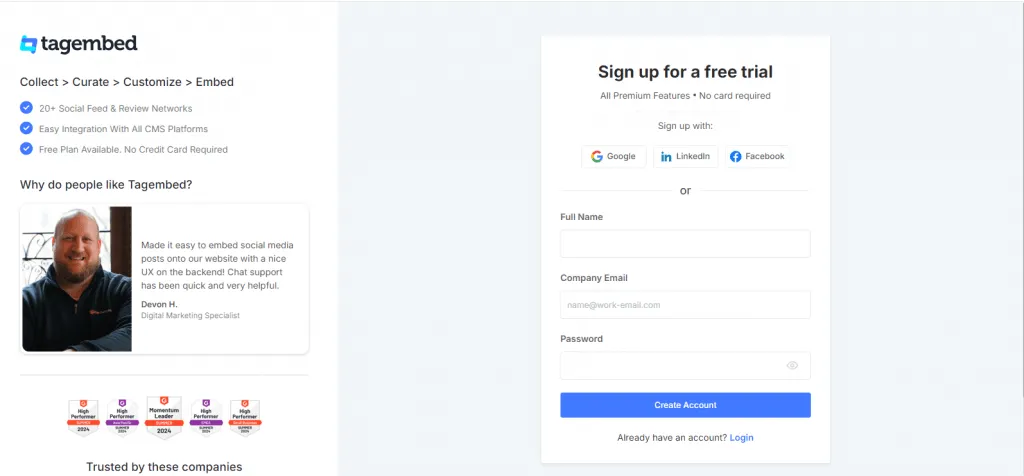
1: Sign Up or Log In To Tagembed
Head to Tagembed → Sign up free or log in
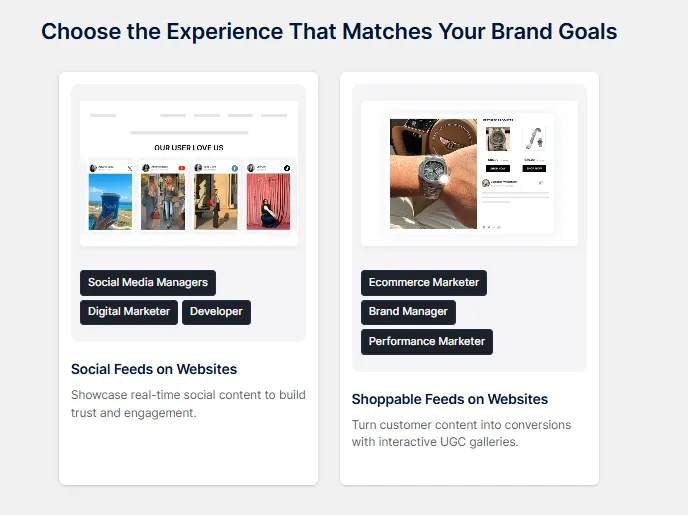
Choose “Social Feeds on Website”. And verify your email, then click Create Feed.
2: Create TikTok Feed
Select TikTok as the source
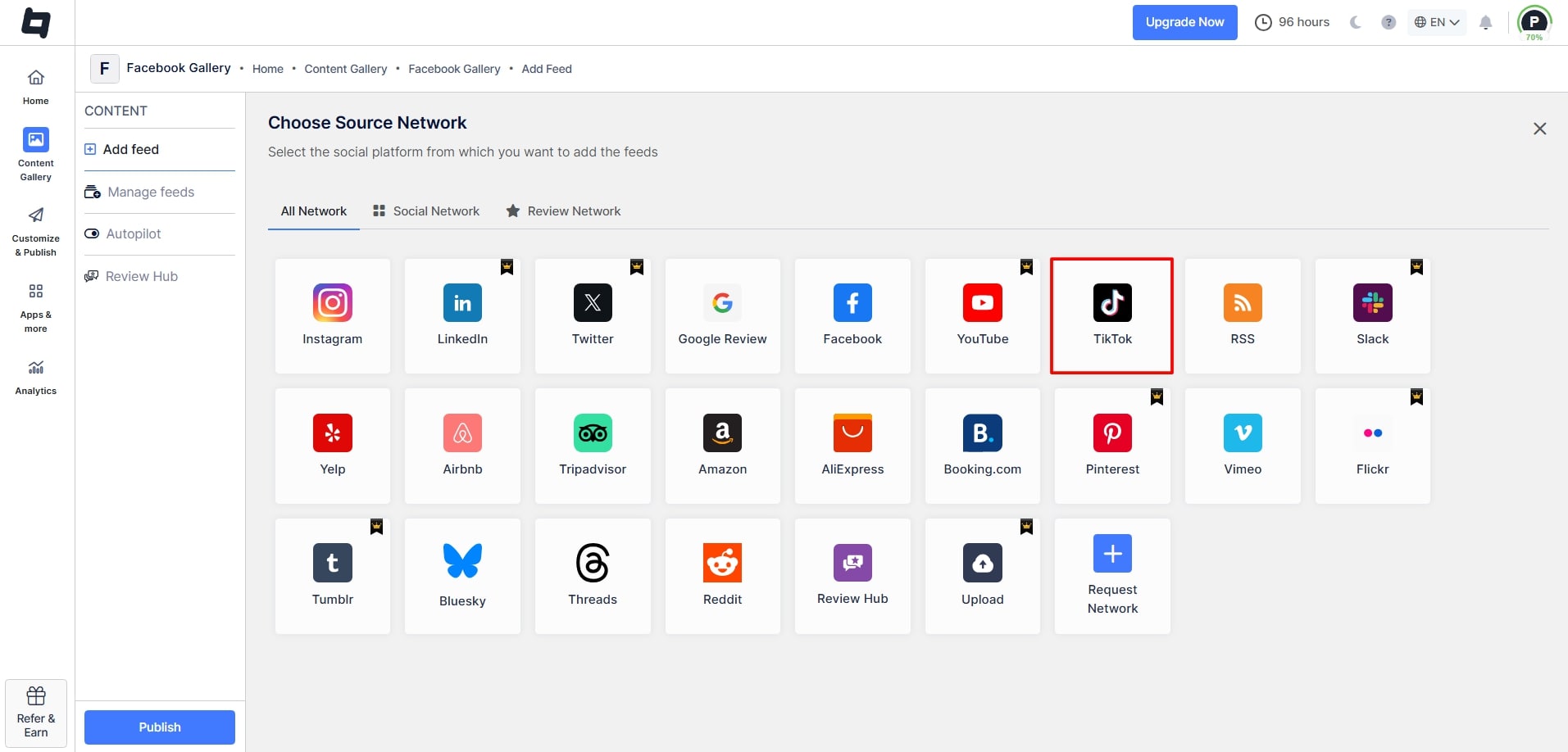
Choose connection (Handle/@username) and enter your TikTok username → Connect and aggregate videos, then click on “Create Feed.“
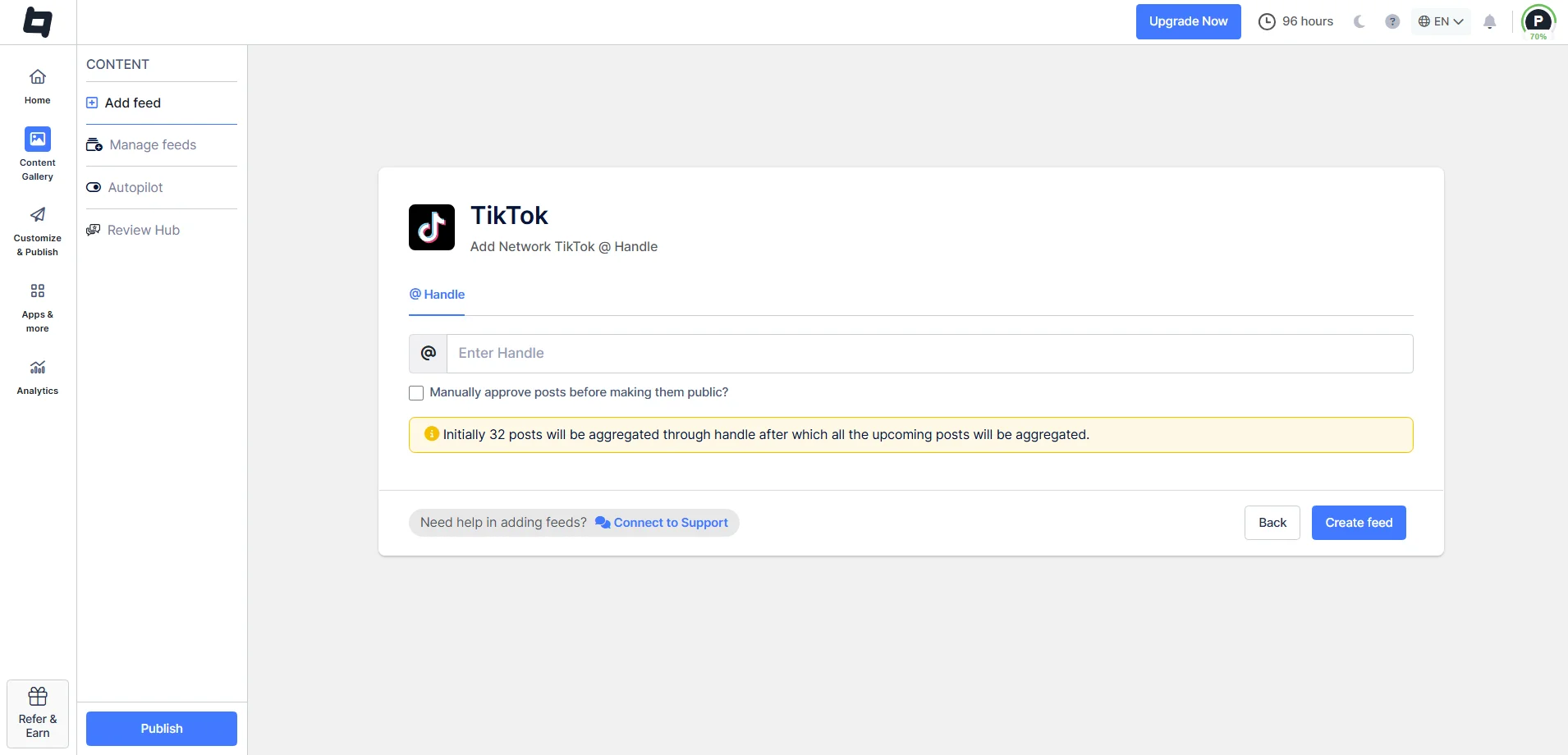
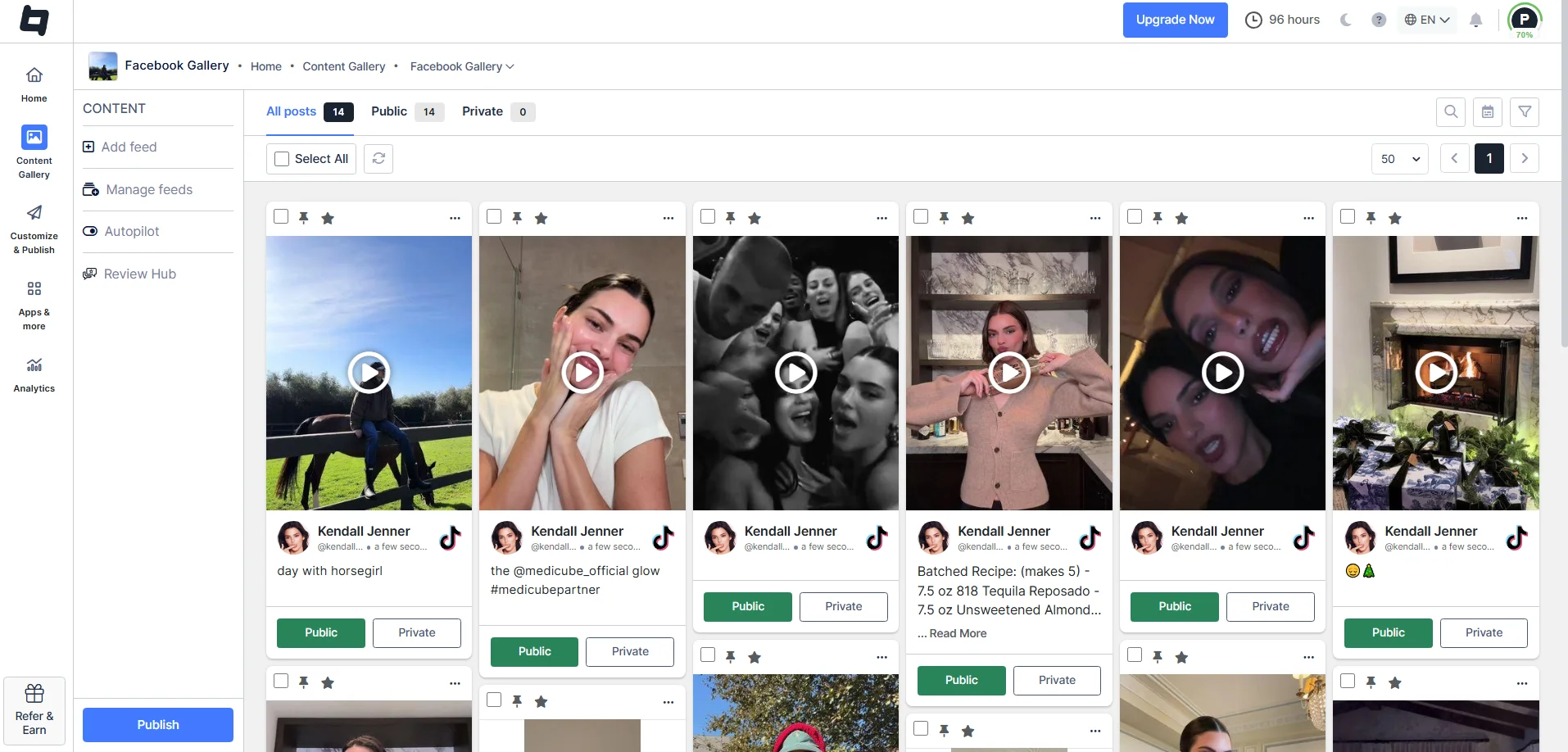
3: Customize & Moderate
- Videos appear instantly. Use moderation to filter/remove unwanted clips.
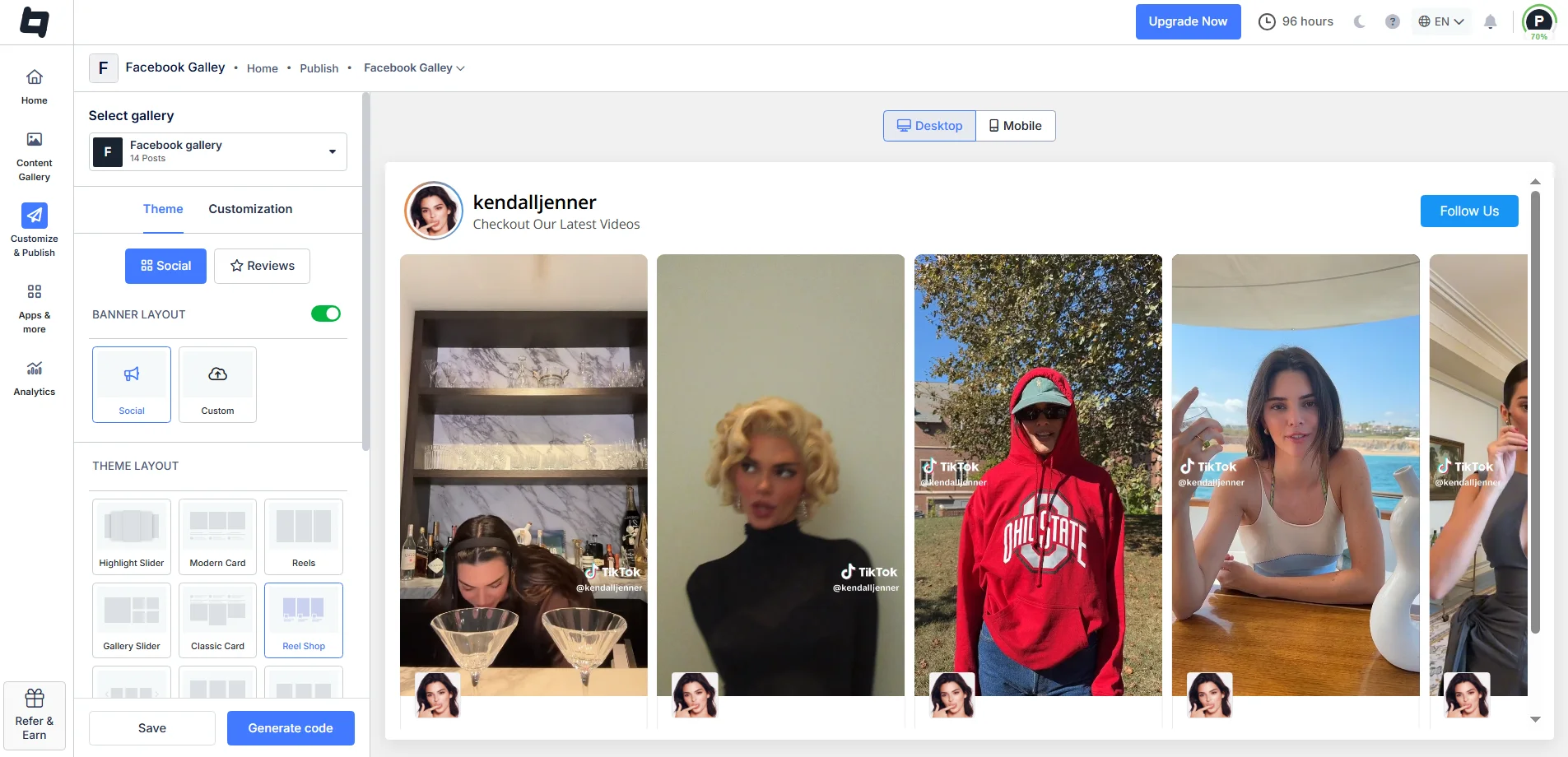
- Click “Customize & Publish,” then select the website as the gallery.
- Choose layout (grid, carousel, masonry, etc.)
- Adjust themes, colors, fonts, and spacing, and optimize for mobile-first.
4: Generate TikTok Embed Code for Google Sites
- Once you are done, click “Generate Code.” Adjust height & width if needed, then copy the generated code.
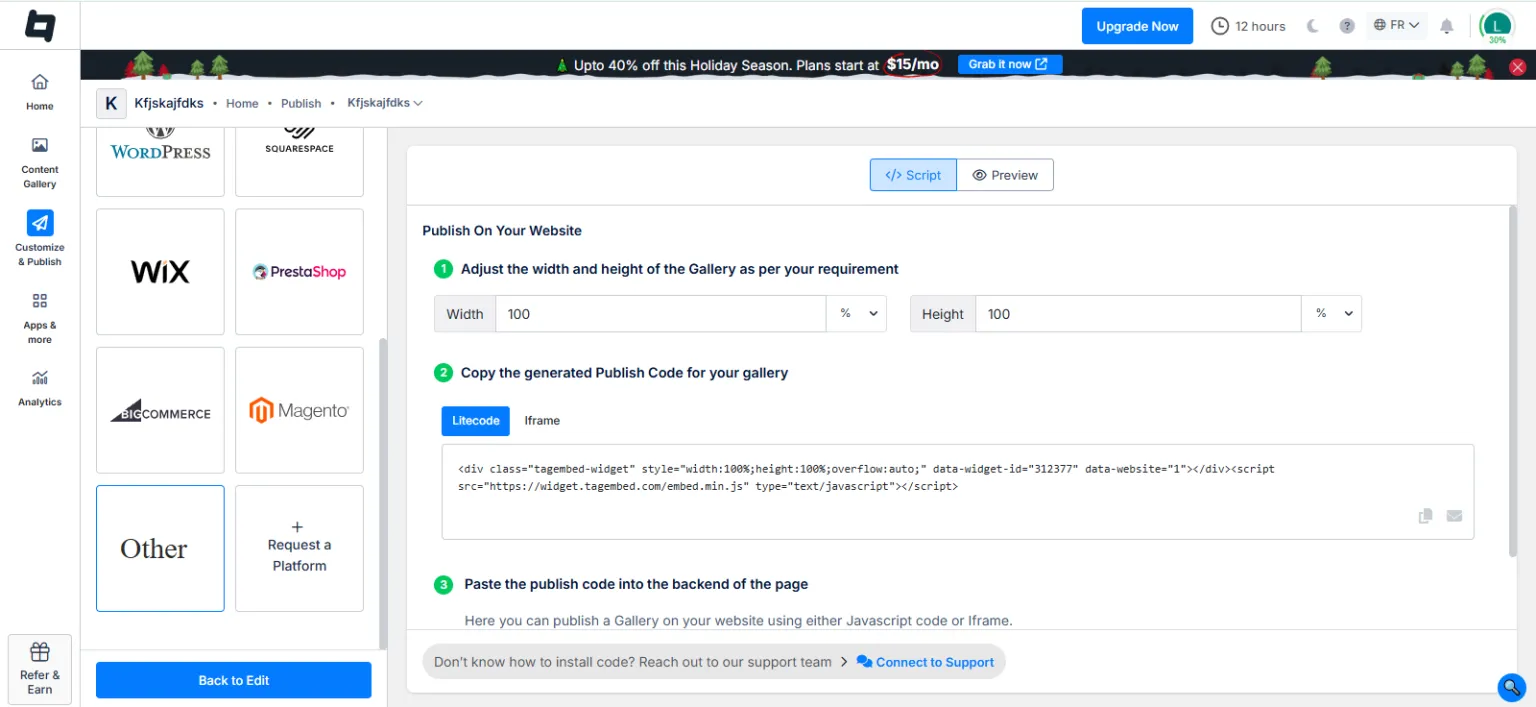
5: Add TikTok Feed To Google Sites
Now Go to your Google Site and Log in.

Click the + ‘Blank‘ button in the ‘Start a new site‘ section to create a new site or locate your existing website in the ‘Recent sites‘ area.

Create a new blank page or edit your existing one. In the right sidebar, locate the ‘Embed‘ button and click on it.

Now, copy the embed code, and then click the ‘Insert‘ button on the right.

Your TikTok feed is live, auto-updating, and often viewable even on blocked networks.

Why Tagembed Is The Smarter Choice For TikTok On Google Sites?
I switched because I needed reliability, customization, and something that loads even when TikTok is blocked, all without hassle.
Tagembed excels with:
- Seamless Google Sites support (free plan fully compatible)
- TikTok profiles, hashtags, and videos
- Real-time auto-updates
- Modern, responsive layouts that feel current
- Built-in moderation for clean feeds
- Zero coding needed
It’s designed for creators, educators, and marketers, not just tech pros.
Best Practices For Adding TikTok Posts To Google Sites
Pro tips to sidestep issues:
- Keep it light: 3–6 videos per section to avoid slow loads
- Put key videos above the fold for immediate impact
- Always mobile-preview (TikTok’s audience is mobile-heavy)
- Add descriptive text boosts TikTok SEO since engines can’t watch videos
- Curate carefully, only feature content that fits your page’s purpose
- Testing on your network with third-party tools usually solves block problems
Final Thoughts
For one-off videos with full TikTok access, native embeds work okay. But for a vibrant TikTok feed on Google Sites, auto-updates, professional looks, or bypassing restrictions (schools, anyone?), third-party tools dominate.
Tagembed delivers effortless control, stunning results, and a solid free plan. Try it, you’ll feel the upgrade right away.
Frequently Asked Questions
Use Insert → Embed → Embed code and paste TikTok’s official embed code for singles. For better results and feeds, use tools like Tagembed for auto-updating, customizable options.
Third-party widgets are best: Connect your profile in Tagembed, customize, copy code, paste into Google Sites Embed section. Handles full profiles with auto-updates.
Google Sites doesn’t natively host uploaded videos well for TikTok formats. Embedding (via code) is the way native or third-party tools ensure compatibility.
Optimal via tools like Tagembed or Taggbox: Aggregate videos by profile/hashtag, customize layout, embed code into Google Sites. Free plans available, with responsive designs and potential unblocking.
Embed social feed from Facebook, YouTube, Instagram, Twitter on your website, like a PRO
Invalid Email Address Multiple Themes
