Smash Balloon Instagram Feed Plugin vs Tagembed: Which Is Better for WordPress?
Is your Instagram feed plugin limiting how you collect, customize, and display content on your WordPress website? Choosing the right tool can make a difference to how much control you have over your website’s Instagram content. The Smash Balloon Instagram Feed Plugin offers a WordPress-focused solution, while the Tagembed Instagram Feed Plugin provides more flexibility through supported collection methods, customizable layouts, and content moderation. This Smash Balloon vs Tagembed comparison examines their features, WordPress integration, content collection, customization, pricing, and performance to help you choose an Instagram feed plugin that meets your website’s needs.

Instagram
Hashtag

Instagram
Handle

Instagram
Stories

Instagram
Reels

Instagram
Mentions & Tag
Smash Balloon vs Tagembed: Quick Comparison
| Comparison point | Smash Balloon Instagram Feed Plugin | Tagembed Instagram Feed Plugin |
| Primary purpose | Collect and display Instagram feeds on WordPress | Collect, customize, and display Instagram feeds on WordPress |
| Content collection | Account feeds, hashtag feeds, and tagged feeds, depending on plan | Eligible accounts, hashtags, and mentions, depending on permissions and plan |
| Feed management | Manage feeds through the WordPress dashboard | Create and manage feeds through the Tagembed dashboard |
| Feed layouts | Grid, carousel, masonry, and highlight layouts, depending on version | Multiple themes and layouts, including grid and slider |
| Feed customization | Adjust columns, image sizes, spacing, colors, and headers | Customize themes, layouts, colors, spacing, and other display settings |
| Content moderation | Visual moderation and post filtering in paid plans | Manual moderation, Auto Pilot, and plan-dependent AI moderation |
| Feed updates | Scheduled updates through caching settings | Automatic updates based on plan refresh intervals |
| WordPress publishing | Blocks, widgets, and shortcodes | WordPress plugin, shortcode, and supported embedding options |
| Pricing structure | Free plugin and paid annual licenses | Free and paid plans with feed, view, and feature limits |
| Best suited for | WordPress websites needing Instagram-focused feed publishing | WordPress websites needing flexible Instagram collection, customization, and moderation |
Both plugins help WordPress users display Instagram content, but they differ in how much control they offer over its collection and presentation. Smash Balloon provides account feeds with additional collection features in its paid plans. The Tagembed Instagram Feed Plugin supports eligible accounts, hashtags, and mentions, along with customizable layouts and content moderation. This makes Tagembed a stronger choice for websites that need more control over the Instagram content they publish.
What Is a Smash Balloon Instagram Feed Plugin?
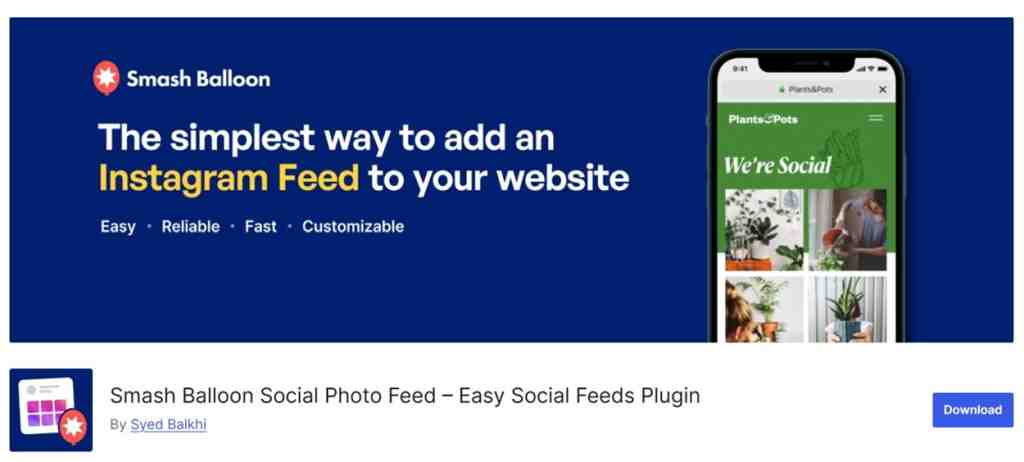
The Smash Balloon Instagram Feed Plugin is a WordPress plugin that connects an eligible Instagram account and displays its posts in a customizable feed, so site owners don’t have to upload each post manually. It is available as the free Smash Balloon Social Photo Feed and as a paid Pro version. As a Smash Balloon WordPress plugin, it is built around Instagram-specific functionality inside the WordPress dashboard. Its wider product ecosystem includes separate plugins for other social networks, rather than one aggregation tool for all of them.
Smash Balloon Instagram Feed Free vs Instagram Feed Pro
| Feature | Free | Basic | Plus | Elite |
| Instagram account feeds | Yes | Yes | Yes | Yes |
| Multiple feed layouts | Limited | Yes | Yes | Yes |
| Feed templates | No | No | Yes | Yes |
| Hashtag feeds | No | No | Yes | Yes |
| Visual moderation and post filtering | No | No | Yes | Yes |
| Tagged feeds | No | No | No | Yes |
| Shoppable feeds | No | No | No | Yes |
Free Smash Balloon covers basic Instagram account feeds. Hashtag feeds, visual moderation and post filtering start at the Plus plan. Tagged and shoppable feeds are available in Elite. Instagram Feed Pro pricing starts at $49 for the first year (the regular price is $98) on the Basic plan with the higher tiers adding on additional features and sites. Hashtag and tagged feeds also require an eligible Instagram connection.
Smash Balloon’s paid plans unlock additional Instagram collection and moderation features as you move up the tiers. Tagembed offers these capabilities through its own plan structure, with different limits for feed views, refresh frequency, and advanced moderation. Its wider social media aggregator platform also supports other content sources. If you’re comparing Smash Balloon alternatives, consider how much Instagram content you need to collect and how frequently your website feed should update.
Key Features of Smash Balloon
The Smash Balloon Instagram feed plugin includes these core features for WordPress users:
- Instagram integration: Connect eligible Instagram accounts and display their posts, including feeds from multiple connected accounts.
- Multiple layouts: Choose grid, carousel, masonry, or highlight layouts, depending on the version.
- Feed customization: Adjust columns, image sizes, spacing, colors, and headers.
- Content moderation: Hide or show selected posts and apply keyword or hashtag filters in paid plans.
- Automatic updates and responsive display: New posts are pulled via scheduled checks and caching. The feeds are then responsive to desktop, tablet and mobile. The timing of the updates can be dependent on WordPress Cron, Instagram connections and site caching.
Pros of Smash Balloon
The Smash Balloon WordPress plugin has these practical advantages:
- WordPress-native management: Create and edit feeds from the WordPress dashboard.
- Instagram-specific functionality: Features are built around Instagram content and account connections.
- Multiple placement options: Add feeds with blocks, widgets, or shortcodes.
- Familiar WordPress publishing workflow: Connect an account, build a feed, and add it to a page or post.
Cons of Smash Balloon
A fair Smash Balloon review notes these limitations:
- WordPress-focused: The plugin is designed for WordPress, not other website builders.
- Other networks: Other social networks may require additional plugins or Social Wall.
- Paid advanced features: Hashtag feeds and moderation require paid plans.
- Collection limits: Feed collection depends on account eligibility and API permissions.
A website that needs Instagram content alongside customer reviews, YouTube videos, and other social feeds may need a wider content aggregation workflow beyond an Instagram feed plugin for website use. This is where evaluating Smash Balloon alternatives becomes relevant.
Switch to Tagembed for WordPress Plugin
Create, customize, and publish your Instagram feed on WordPress website
Try Tagembed for freeWhat Is Tagembed Instagram Feed Plugin?
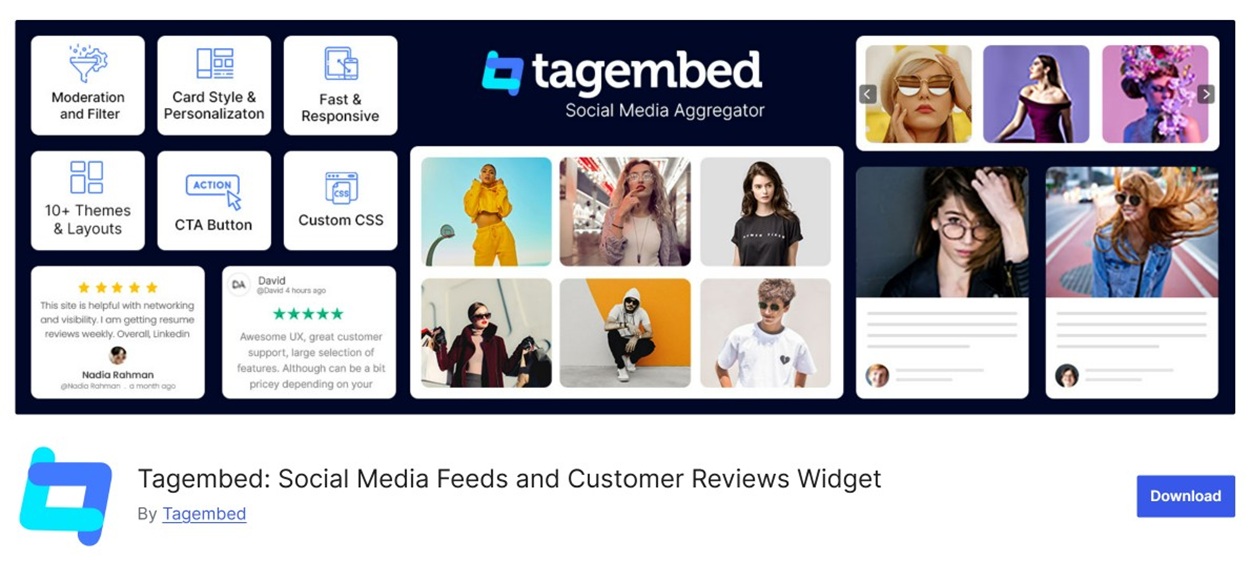
The Tagembed Instagram Feed Plugin is a WordPress plugin that lets users collect, customize, and display Instagram content on their websites. Working as an Instagram aggregator, it collects posts through supported methods such as eligible handles, hashtags, and mentions, depending on your plan and Instagram permissions. You create and manage your feed in the Tagembed dashboard, customize its themes, layouts, and styling, moderate which posts appear, and publish it with the plugin as an Instagram widget for WordPress. Unlike a conventional Instagram feed plugin for website use that runs entirely inside WordPress, Tagembed manages the feed in one place. Its wider platform also supports other content sources when you need them.
Key Features of Tagembed Instagram Feed Plugin
As an Instagram feed plugin for website use, it covers six core capabilities:
- Instagram content collection: Collect posts through supported handles, hashtags, and mentions, subject to source eligibility and permissions. This lets you show your own posts as well as campaign content, without copying images by hand.
- Instagram feed customization: Adjust themes, layouts, and display settings so the feed matches your brand colors and page design instead of looking like a separate add-on.
- Multiple display layouts: Present posts as a grid for a clean gallery, a slider for compact spaces such as a homepage banner, or another supported layout. Choose the format that suits the section.
- Content moderation: Review collected posts and decide which appear on your site, keeping the feed relevant and on-brand. Automated moderation options depend on your plan.
- WordPress publishing: Build your Instagram feed widget in Tagembed, then publish it on WordPress through the plugin and its embedding workflow.
- Feed management and updates: Manage your feed from the Tagembed dashboard while new content refreshes automatically, so the display stays current without manual uploads. Refresh intervals depend on your plan.
Pros of Tagembed Instagram Feed Plugin
As an Instagram feed plugin for website use, Tagembed offers these practical advantages:
- Flexible collection: Source posts through handles, hashtags, and mentions, useful for pairing your brand posts with campaign content.
- Customizable presentation: Adjust Instagram layouts and themes so the feed fits a homepage, footer, or product section.
- Content moderation: Filter posts before they go live, keeping off-topic content away from key pages.
- WordPress publishing: Add an Instagram widget for WordPress through the plugin workflow without custom coding.
- Automated updates: Fresh posts appear automatically, subject to plan refresh limits, so visitors see recent activity.
- Website-ready displays: Use supported layouts on product pages, landing pages, and other sections where social proof helps.
Cons of Tagembed Instagram Feed Plugin
- Plan-dependent features: Some advanced Instagram feed customization and moderation options require eligible paid plans.
- Collection requirements: Collection depends on supported methods, account permissions, and source eligibility.
- Plan limits: Feed limits, monthly views, and refresh intervals vary by plan.
- Dashboard workflow: Feeds are managed and customized in the Tagembed dashboard rather than entirely within WordPress.
Compare your Instagram publishing needs, expected traffic, and required features against the available plan limits before choosing.
Smash Balloon vs Tagembed: Detailed Feature Comparison
The way a plugin collects Instagram content determines which posts you can feature and how much control you have over your feed. Let’s compare how Smash Balloon and Tagembed handle content collection and supported sources.
1. Instagram Feed Collection and Sources
Smash Balloon’s free plugin shows Instagram account feeds. The paid plans add in hashtag feeds from Plus and tagged feeds from Elite. Availability of these features will vary depending on your license, account type and Instagram permissions. Tagembed is an Instagram aggregator which pulls content from eligible accounts, hashtags and mentions. It’s a broader platform which also pulls in content from other social networks and review sites. That’s important as many businesses will need more than just their own account feed. Customer-tagged content, campaign hashtags and reviews all build trust in a different way.
Which should you choose? A Smash Balloon Instagram feed suits Instagram-focused collections. Tagembed is more useful when Instagram collection is part of a broader content strategy.
2. Supported Website Platforms
Smash Balloon’s Instagram feed WordPress plugin is built for WordPress, placing feeds through blocks, widgets, and shortcodes. Tagembed also offers an Instagram WordPress plugin, and its widgets can be published on builders such as Shopify, Wix, Squarespace, Webflow, and Weebly, or on HTML sites, making it a flexible Instagram feed plugin for website projects. That flexibility helps agencies and businesses with several websites: manage widgets from one dashboard and publish them wherever each site is built. For a single WordPress site, either approach works.
Which should you choose? Tagembed offers greater publishing flexibility when your website strategy extends beyond WordPress.
3. Feed Customization and Display Layouts
Smash Balloon offers Instagram-specific layouts, including grid, carousel, masonry, and highlight depending on the version, with controls for columns, spacing, image sizes, and colors. Tagembed applies themes and layouts across different widget types, so you can create separate displays for social feeds, user-generated content, and customer reviews. Custom CSS is available on paid plans for further Instagram feed customization. Tagembed’s advantage is not necessarily more styling controls for a single Instagram feed widget. It is consistent customization across a wider range of content widgets.
Which should you choose? Smash Balloon suits Instagram styling inside WordPress. Tagembed suits websites that need several widget types.
4. Content Moderation and Filtering
Smash Balloon’s Plus plan adds visual moderation for hiding or showing posts, along with filtering by words or hashtags. Tagembed offers manual moderation and Auto Pilot automated moderation on paid plans from Starter, while AI moderation is available on the Advanced plan. Moderation matters more when a website displays content from several platforms, because off-brand posts, irrelevant comments, or unwanted reviews can appear from any source. Reviewing them in one place saves time.
Which should you choose? Among Smash Balloon alternatives, Tagembed offers a broader moderation use case when its social media aggregator brings in content from several supported platforms.
5. Social Media Platform Integrations
Smash Balloon covers other networks through separate plugins, such as its YouTube Feed, and its Social Wall product brings supported feeds together. Tagembed works as a social media aggregator, supporting sources such as Instagram, Facebook, YouTube, TikTok, LinkedIn, and X, plus review sites such as Google and Yelp, depending on the plan. Consider a store that wants Instagram posts, a YouTube video, and Google reviews on one landing page. Tagembed’s Instagram aggregator, video source, and review feed can be managed from one dashboard instead of separate displays. This means fewer tools and settings to maintain.
Which should you choose? In Smash Balloon vs Tagembed, Tagembed offers a more centralized multi-source workflow for businesses wanting different types of social proof.
6. Feed Management and Automatic Updates
Smash Balloon retrieves new posts on the schedule set in its caching settings, with a backup cache that keeps the feed up if Instagram has an issue. Expired access tokens, server cron problems, or site caching can delay updates. Tagembed refreshes according to the plan. Manually once a day on Free, every 2 hours on Starter, every 30 minutes on Growth, and every 15 minutes on Advanced. Both act as Instagram automation tools that reduce manual uploads. If you see an Instagram couldn’t refresh feed message, check the account connection and caching first.
Which should you choose? Both automate updates, but Tagembed adds centralized management across supported content sources.
7. Ease of Setup and Embedding
Smash Balloon’s setup is all done in WordPress: install the plugin, connect an account, create a feed and add it via a block, widget or shortcode. Tagembed is an Instagram feed plugin for use on your website, and you set it up via the Tagembed dashboard. This feature centralizes the whole process and makes it easier for you to create your Instagram feed widget, customize and moderate it. Then publish it via the WordPress plugin shortcode, a supported integration or the Instagram embed code. You build the widget first so you can preview and tweak it, and that same process applies to other widgets such as reviews.
Which should you choose? Smash Balloon is direct for WordPress-only Instagram management. Tagembed offers a centralized creation and publishing workflow for broader website requirements.
8. Pricing and Free Plan Comparison
| Pricing detail | Smash Balloon (Instagram Feed Pro) | Tagembed |
| Free plan | Yes, Social Photo Feed for basic account feeds | Yes: 1 feed, 300 views/month, 100 posts |
| Annual billing | Basic $49 first year, then $98/year (1 site). Plus $99 first year, regular $198 (5 sites). Elite $149 first year, regular $298 (10 sites). | Growth $29/month billed $348 yearly. Advanced $79/month billed $948 yearly. |
| Monthly billing | Not offered; annual licenses | Starter $19. Growth $39. Advanced $99. |
| Feed limits | Unlimited Pro feeds; licenses set the number of sites | 1 Free, 2 Starter, 4 Growth, 10 Advanced |
| Monthly views | No monthly view limits listed | 300 Free, 10K Starter, 50K Growth, 1M Advanced |
| Refresh frequency | Set through caching settings | Manual once a day Free, every 2 hours Starter, 30 minutes Growth, 15 minutes Advanced |
| Branding | Check the selected version and license | Tagembed branding on Free; removed on paid plans |
| Premium features | Hashtag feeds and moderation (Plus); tagged and shoppable feeds (Elite) | Moderation, Auto Pilot, custom CSS, CDN (Starter+); shoppable feeds (Growth+); AI moderation (Advanced) |
Smash Balloon is a simple annual license which is appropriate for a single WordPress site that just needs Instagram. Tagembed’s plans are scalable to your requirements, ranging from a free plan through to faster refresh, moderation and higher view limits. If you’re looking at Smash Balloon alternatives, then you should check out both of their pricing pages before you commit to anything as the prices and limits are liable to change.
9. Website Performance and Mobile Responsiveness
Page speed depends on more than the feed tool. Image sizes, displayed post counts, hosting, caching, and other plugins all affect loading. Smash Balloon is responsive and includes post caching with a backup cache. Tagembed offers responsive widgets and CDN delivery on paid plans from Starter. Before choosing an Instagram widget for WordPress, test the page on desktop and mobile and use Google PageSpeed Insights to measure the effect on your site.
Which should you choose? Tagembed offers responsive widgets and CDN delivery on paid plans from Starter, giving you additional options to manage feed delivery across devices.
Choose a Flexible Instagram Solution
Embed and customize social media feeds with Tagembed.
Try Tagembed for freeSmash Balloon vs Tagembed: Pros and Cons
Use this summary to check the main trade-offs from the sections above before deciding. The table below covers where each platform is strongest and what to weigh before committing. Compare the paid features, plan limits, and publishing needs of your own website against these points, rather than choosing based on the length of a feature list.
| Comparison point | Smash Balloon | Tagembed |
| Primary strength | Instagram-focused WordPress feed publishing | Flexible Instagram content collection and display |
| Collection methods | Account, hashtag, and tagged feeds, depending on plan | Eligible accounts, hashtags, and mentions |
| Feed management | WordPress dashboard | Dedicated Tagembed dashboard |
| Customization | Multiple layouts and Instagram styling controls | Customizable themes, layouts, and eligible custom CSS |
| Moderation | Visual moderation and filtering in paid plans | Manual moderation, Auto Pilot, and plan-dependent AI moderation |
| Feed updates | WordPress caching and scheduled update settings | Plan-based refresh intervals |
When Should You Choose Smash Balloon?
A fair Smash Balloon review would call the Smash Balloon WordPress plugin a sensible option for websites primarily focused on Instagram. It may suit you if you:
- Run a WordPress website and use Instagram as your main content source.
- Want blocks, widgets, or shortcodes for placing feeds.
- Need Instagram-specific layouts, filtering, or moderation.
- Do not need to combine several social networks or reviews in one widget.
When Should You Choose Tagembed?
If you are considering Smash Balloon alternatives, the Tagembed Instagram Feed Plugin is worth considering when your WordPress website needs more control over Instagram content collection and display. It may suit you if you:
- Want to collect Instagram content through eligible accounts, hashtags, and mentions.
- Need customizable themes and layouts for different website sections.
- Want to review and moderate collected posts before publishing them.
- Prefer managing your Instagram feed through a dedicated dashboard.
- Need automatic feed refreshes with plan-based update intervals.
- Want to publish an Instagram widget for WordPress without custom coding.
For example, a business running a branded hashtag campaign can collect eligible posts and feature selected customer content on its website. Tagembed’s Instagram aggregator capabilities help collect and manage this content, while its wider social media aggregator platform supports other content sources when required.
The Tagembed Instagram Feed Plugin is a practical choice when an Instagram feed needs more than basic account-post display.
How to Install the Tagembed Instagram Feed Plugin on WordPress
You can install the Tagembed Instagram Feed Plugin in two ways. Choose the method that works best for your WordPress setup.
Method 1: Install From the WordPress Dashboard
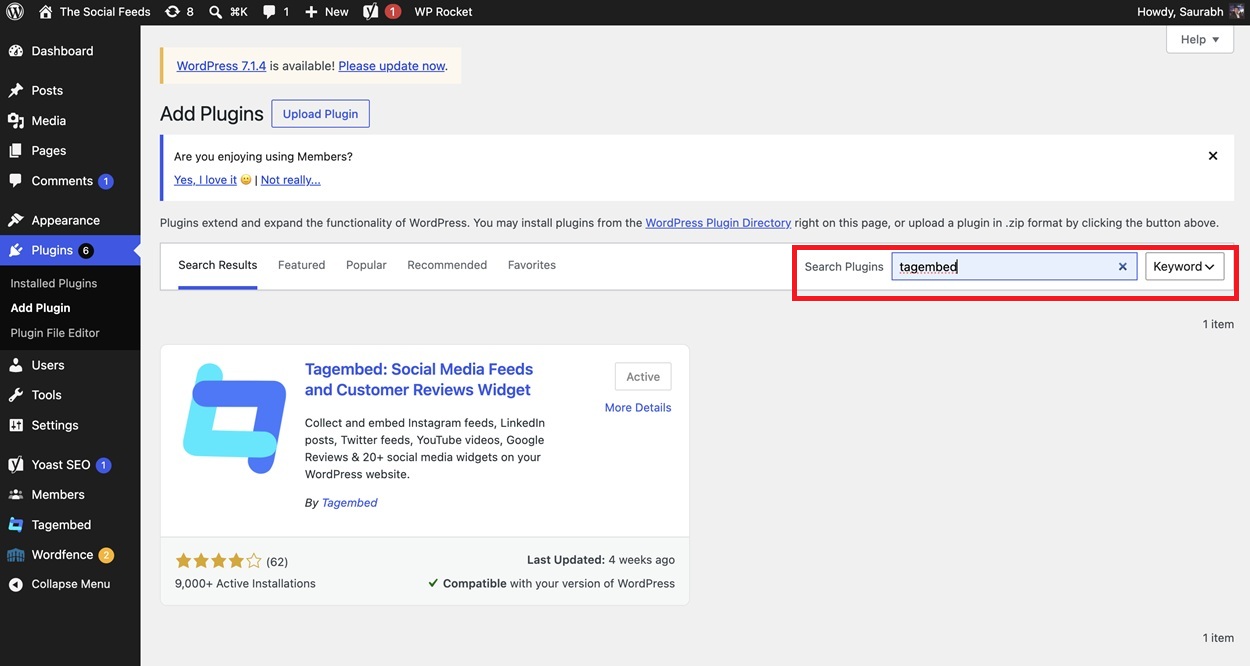
This is the simplest way to install the plugin if you have access to your WordPress admin dashboard. You can find Tagembed in the plugin directory and install it directly.
Step 1: Log in to WordPress
Open your WordPress admin login page and enter your credentials to access the dashboard.
Step 2: Open the Plugin Directory
Go to Plugins → Add New Plugin from the dashboard menu.
Step 3: Search for Tagembed
Enter Tagembed in the search bar and find the plugin in the results.
Step 4: Install the Plugin
Click Install Now next to Tagembed. Wait for WordPress to complete the installation.
Step 5: Activate the Plugin
Click Activate to enable the plugin on your website.
Method 2: Upload the Plugin ZIP File
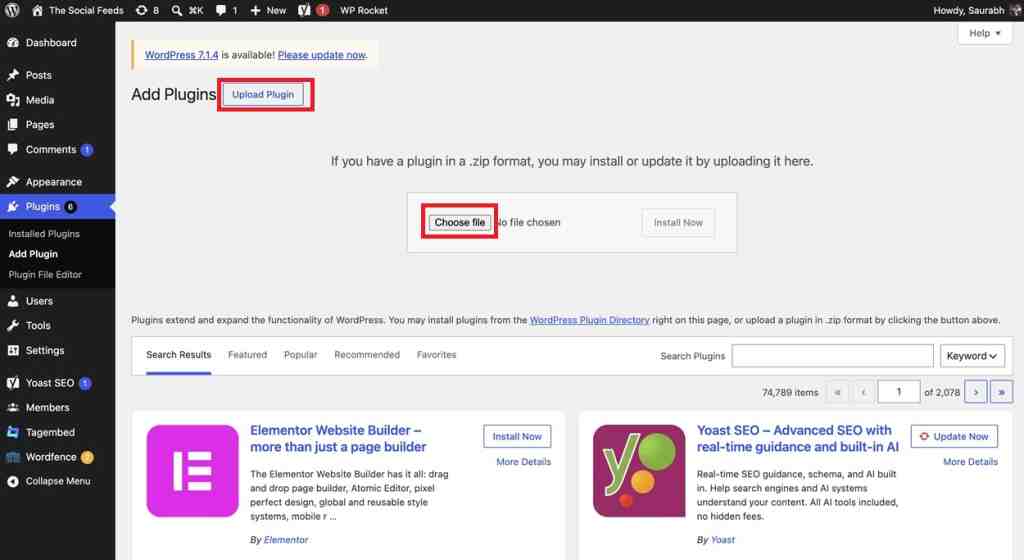
Use this method if you have the Tagembed plugin ZIP file and prefer to install it manually. You will need access to your website’s hosting File Manager or an FTP client.
Step 1: Download the Plugin
Download the Tagembed plugin ZIP file from its official source and save it to your computer.
Step 2: Open Your Website Files
Access your hosting File Manager or FTP client and navigate to the wp-content/plugins directory.
Step 3: Upload the Plugin
Upload the ZIP file to the plugins directory and extract it there.
Step 4: Find Tagembed in WordPress
Return to your WordPress dashboard and open Plugins → Installed Plugins.
Step 5: Activate the Plugin
Find Tagembed in the list and click Activate.
After activation, connect your Tagembed account and set up your Instagram feed. Follow the next steps to embed an Instagram feed on website pages using the WordPress plugin.
Smash Balloon vs Tagembed: Which One Should You Choose?
| Your requirement | Recommended option | Reason |
| Basic Instagram account feeds | Smash Balloon | Free account-feed functionality |
| Instagram hashtag feeds | Both | Available through supported plans and permissions |
| Instagram tagged feeds | Smash Balloon | Available in Elite |
| Instagram mentions | Tagembed | Supports eligible mention-based collection |
| Customizable feed themes and layouts | Tagembed | Offers themes and multiple layout options |
| Visual post moderation | Both | Moderation options in their respective plans |
Smash Balloon works well when Instagram on WordPress is your main requirement and you prefer managing feeds through the WordPress dashboard. The Tagembed Instagram Feed Plugin supports eligible handles, hashtags, and mentions, along with customizable layouts, content moderation, and automatic updates. It also lets you publish your Instagram widget on supported website platforms. Create a free Tagembed Instagram widget to see how it works on your website.
Conclusion
Choosing between the Smash Balloon Instagram Feed Plugin and Tagembed comes down to how much control you need over your website’s Instagram content. Smash Balloon is a straightforward choice for WordPress users who want to display Instagram feeds and manage them directly through the WordPress dashboard.
The Tagembed Instagram Feed Plugin offers more flexibility in content collection, with support for eligible accounts, hashtags, and mentions. It also provides customizable themes, moderation options, and plan-based automatic updates. For businesses looking for an Instagram feed WordPress plugin with more control over collection and presentation, Tagembed is a strong Smash Balloon alternative.
If you’re comparing alternatives to Smash Balloon, consider which plugin gives you the collection methods, customization options, and Instagram automation tools your website needs as it grows.
FAQs
The Tagembed Instagram Feed Plugin is a strong Smash Balloon alternative for WordPress users who need flexible Instagram content collection, customizable layouts, and moderation options. It supports eligible accounts, hashtags, and mentions, subject to Instagram permissions and plan limits.
Yes, Smash Balloon does offer a free Social Photo Feed plugin which will display a basic Instagram feed on a WordPress site. For more advanced collection and customization options, you need to go with their paid Instagram Feed Pro plan. Users should definitely compare the Smash Balloon pricing with the features available in the other plugins out there before making a decision.
The main difference is how the plugins collect and manage Instagram content. Smash Balloon supports account feeds, with hashtag and tagged feeds available in paid plans. Tagembed supports eligible accounts, hashtags, and mentions, along with customizable themes, layouts, and moderation options.
Yes, Tagembed does support Instagram hashtag-based content collection along with eligible handles and mentions. This is a useful way for businesses to source content for their website feeds. Availability of collection will be dependent on Instagram permissions, source eligibility and the plan you’re on.
Tagembed is a stronger choice for WordPress users who need flexible Instagram content collection, customizable layouts, and automated moderation options. Smash Balloon suits users who prefer managing their Instagram feed through native WordPress blocks, widgets, and shortcodes. The right choice depends on your collection, customization, and feed management requirements.
Embed social feed from Facebook, YouTube, Instagram, Twitter on your website, like a PRO
Invalid Email Address Multiple Themes