If you are not able to see updated social media feeds (Instagram feeds, Facebook feeds, Twitter feeds, Google Reviews) on your website, there are 3 possible reasons :
1. Access Token Expired
Sometimes your account automatically gets disconnected due to the expiration of social media tokens. Don’t worry, you can easily and quickly reconnect your account
a. Login into Tagembed. From the Content Gallery, click on Edit button of your widget
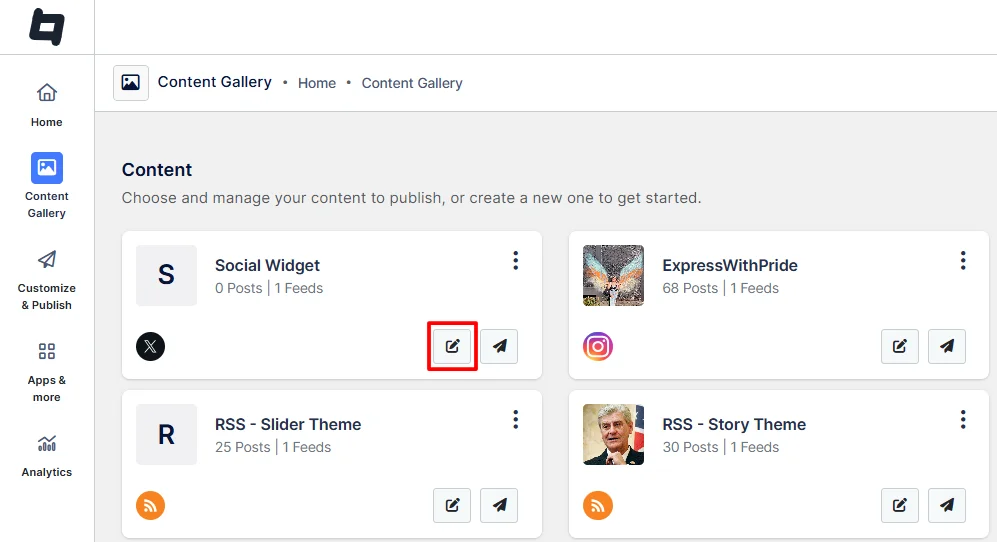
b. Go to “Manage Feeds” in the left sidebar of the dashboard.
c. Click on “Reconnect” and follow the prompts.
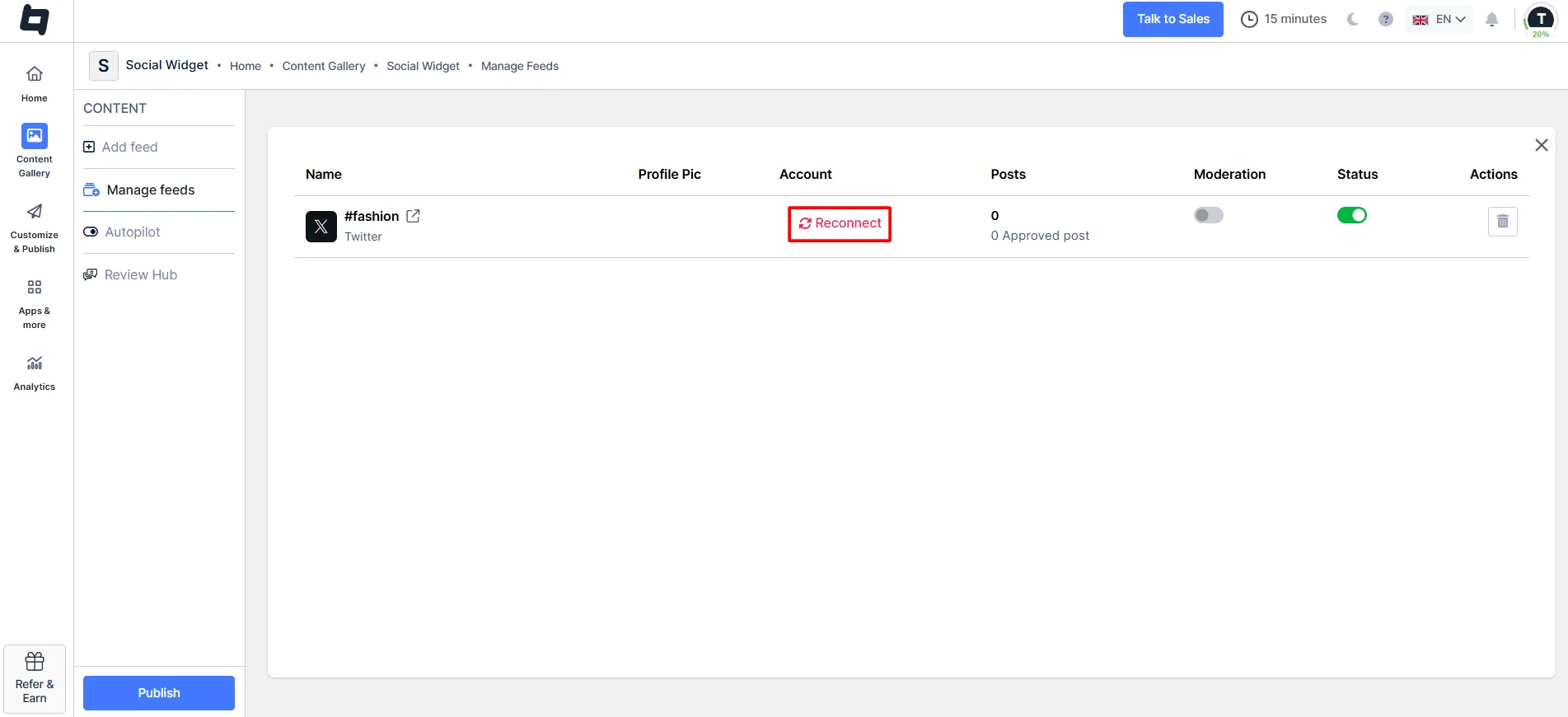
Sometimes, due to Reconnect Issues, Images get expired or Display “No Image”. Once reconnected, your feeds or posts will be updated according to the plan’s update time.
2. Moderation Enabled
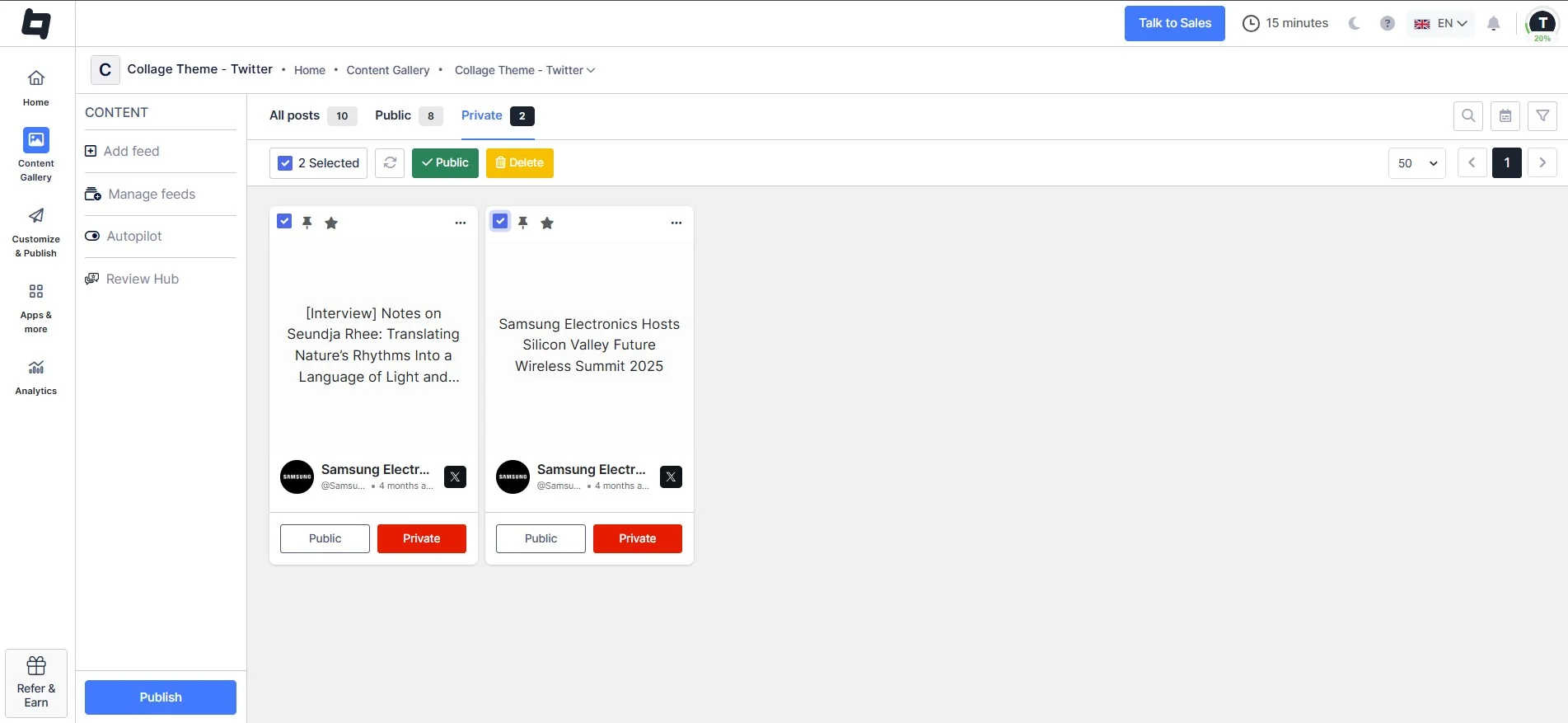
Go to Moderation & check if some of your posts are in Private. If you need to make them public, simply click on the switch.
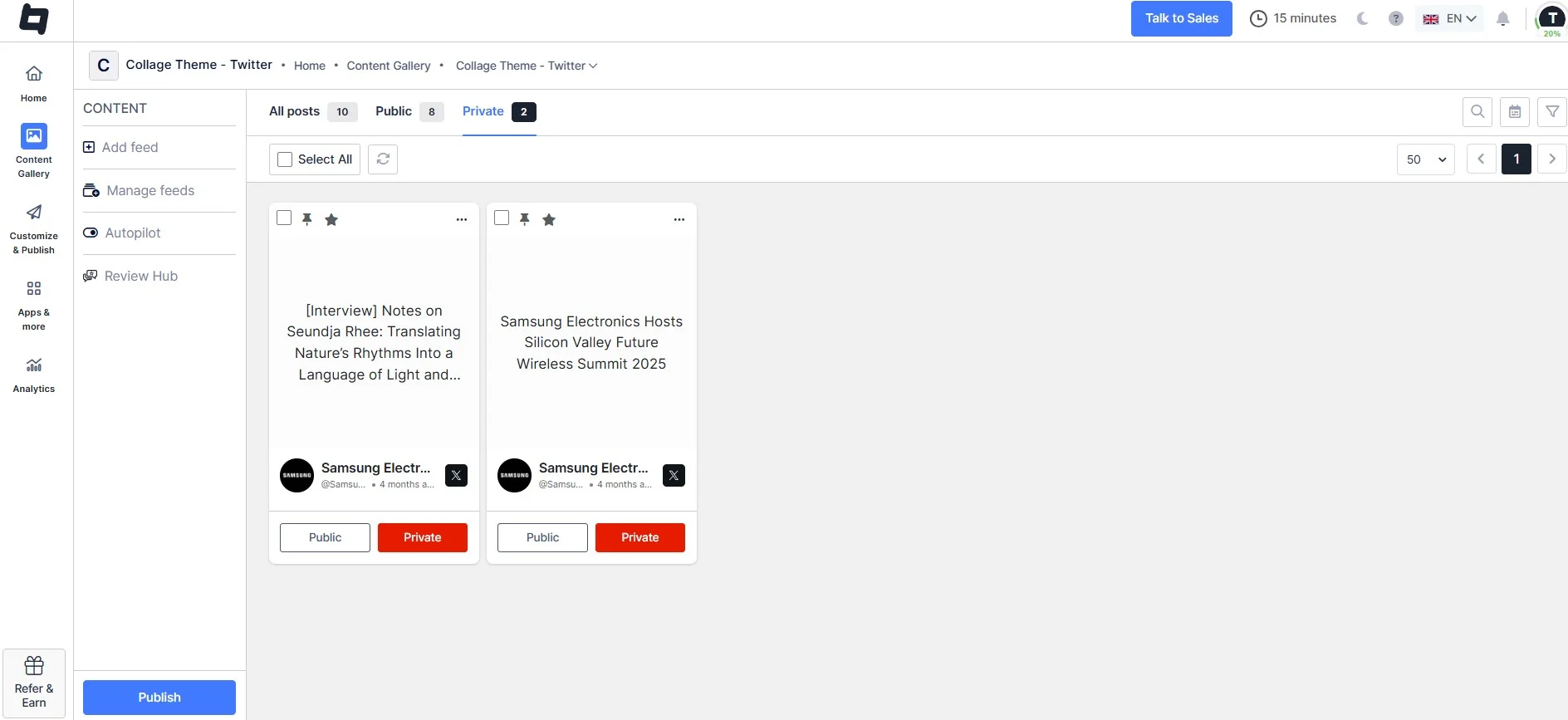
Moderation is a feature that lets you control which feeds appear on the website, making them public or private. If you want your posts to be public, select them and click the Public button.
3. Auto-update Off
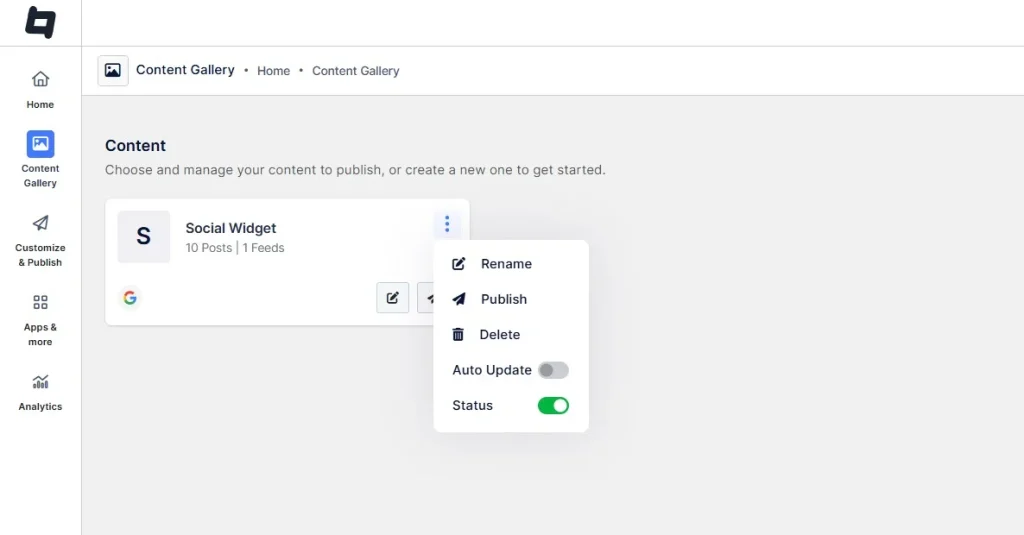
Go to the content gallery, click on the three dots on the right side of the widget, and check whether auto-update is turned OFF. It will stop updating your feed.
Feel free to contact us or email us at support@tagembed.com if you face any issues.