 Pinterest Widget
  Pinterest
Shoppable For Product Tag | No Coding Required
Pinterest
Shoppable For Product Tag | No Coding Required
The Pinterest Widget Built To Drive Inspiration And Discovery
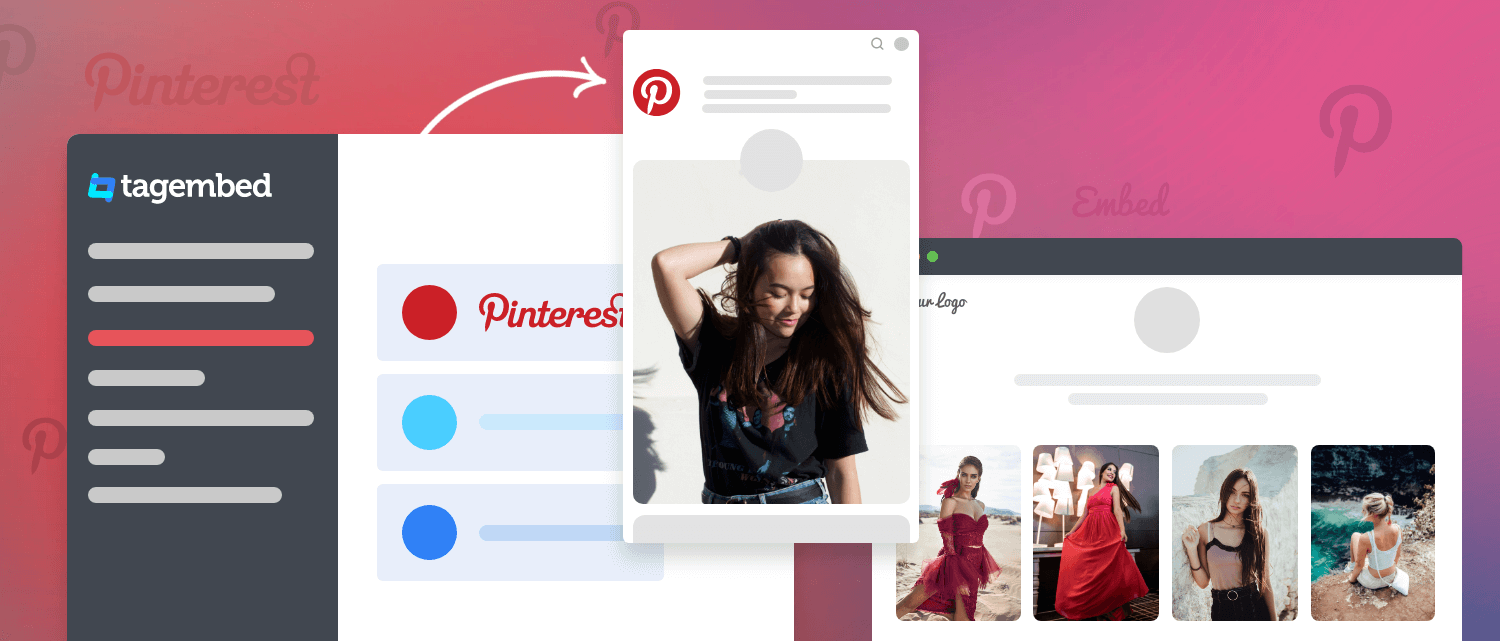
Embed Pinterest boards, pins, and profiles on your website with a fully customizable Pinterest widget that automatically update content and boost engagement.
 By continuing you agree to Tagembed terms
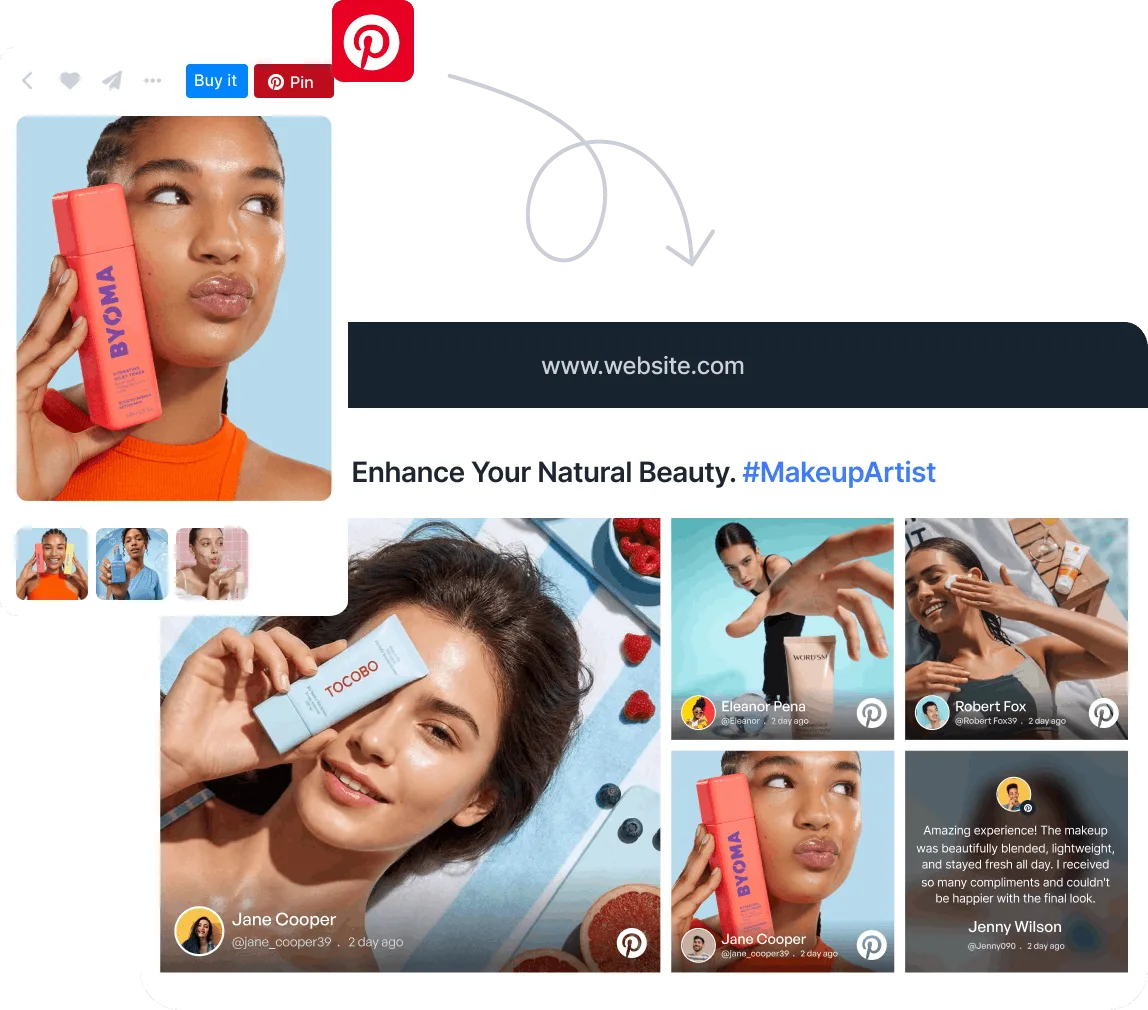
Pinterest Widget Layouts That Inspire Every Click
Choose from a variety of customizable Pinterest widget layouts that transform ordinary website sections into inspiring visual experiences.
Why Smart Brands Are Embedding Pinterest Widgets?
Bring your Pinterest presence directly to your website and create a more engaging experience that inspires visitors and encourages them to explore further.

Boost Website Engagement
Visitors naturally spend more time exploring visual content, helping increase engagement and encouraging them to discover more of what your brand has to offer.

Keeps Website Updated
The Pinterest widget automatically displays your latest pins, board activity, ensuring your website always features relevant, up-to-date content while saving valuable time & effort.

Strengthens Brand Presence
By showcasing curated boards, inspiring pins, you can highlight your expertise, reinforce your visual identity & build trust with visitors who are discovering your brand for the first time.
Increase time on site
Increase conversion rate
Increase AOV
Impact on site speed
Trusted by 3,00,000+ Businesses Worldwide
Now it’s your turn. Launch your Pinterest Feed Widget for free today.
Create Your Pinterest Widget in Four Easy Steps
No technical skills required. Connect your Pinterest content, personalize the design, and publish your widget in just a few clicks.
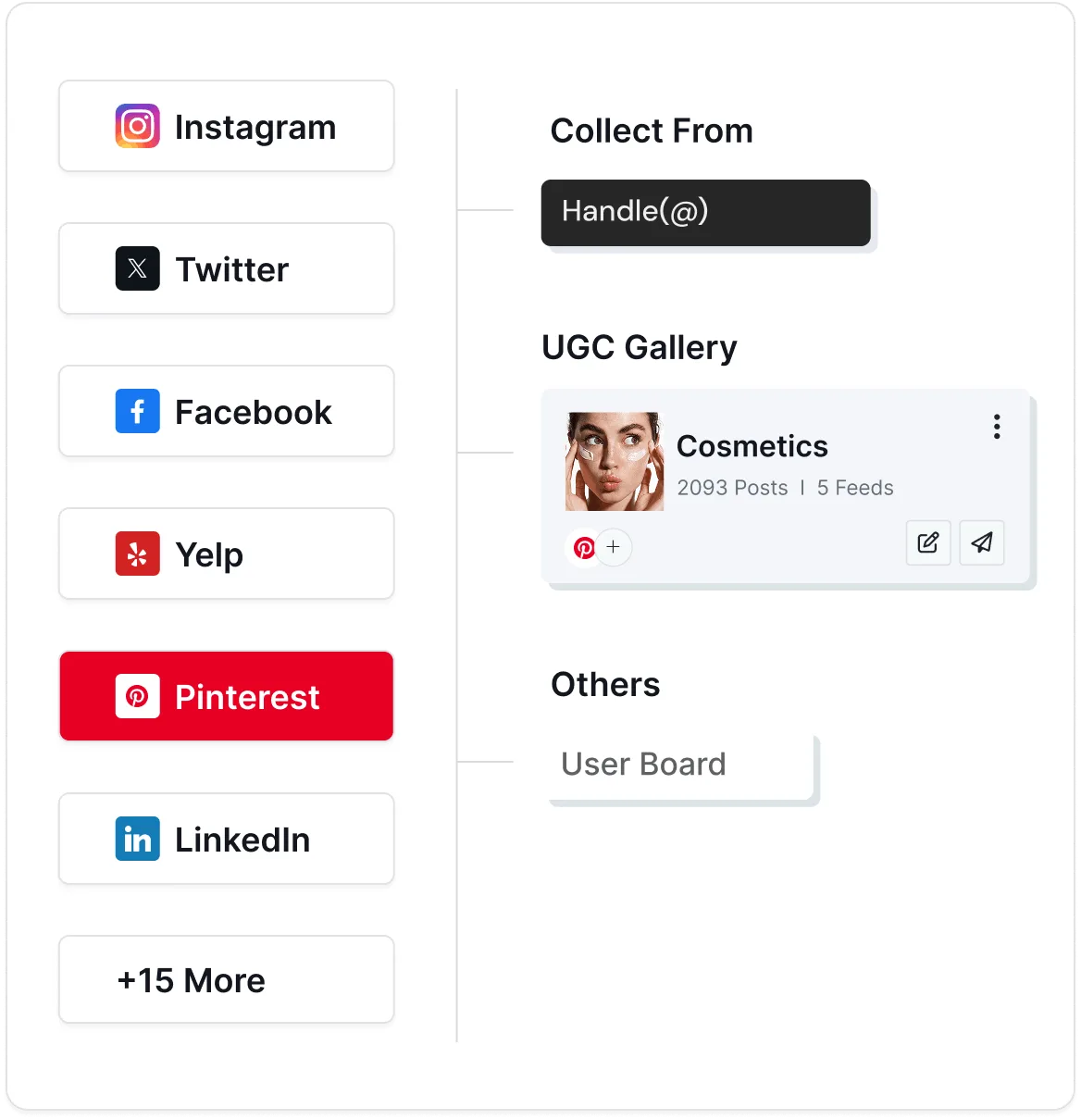
1. Collect
Log in to Tagembed and select Pinterest as your source. Connect your Pinterest profile, board, or specific pins to start gathering content for your widget instantly.
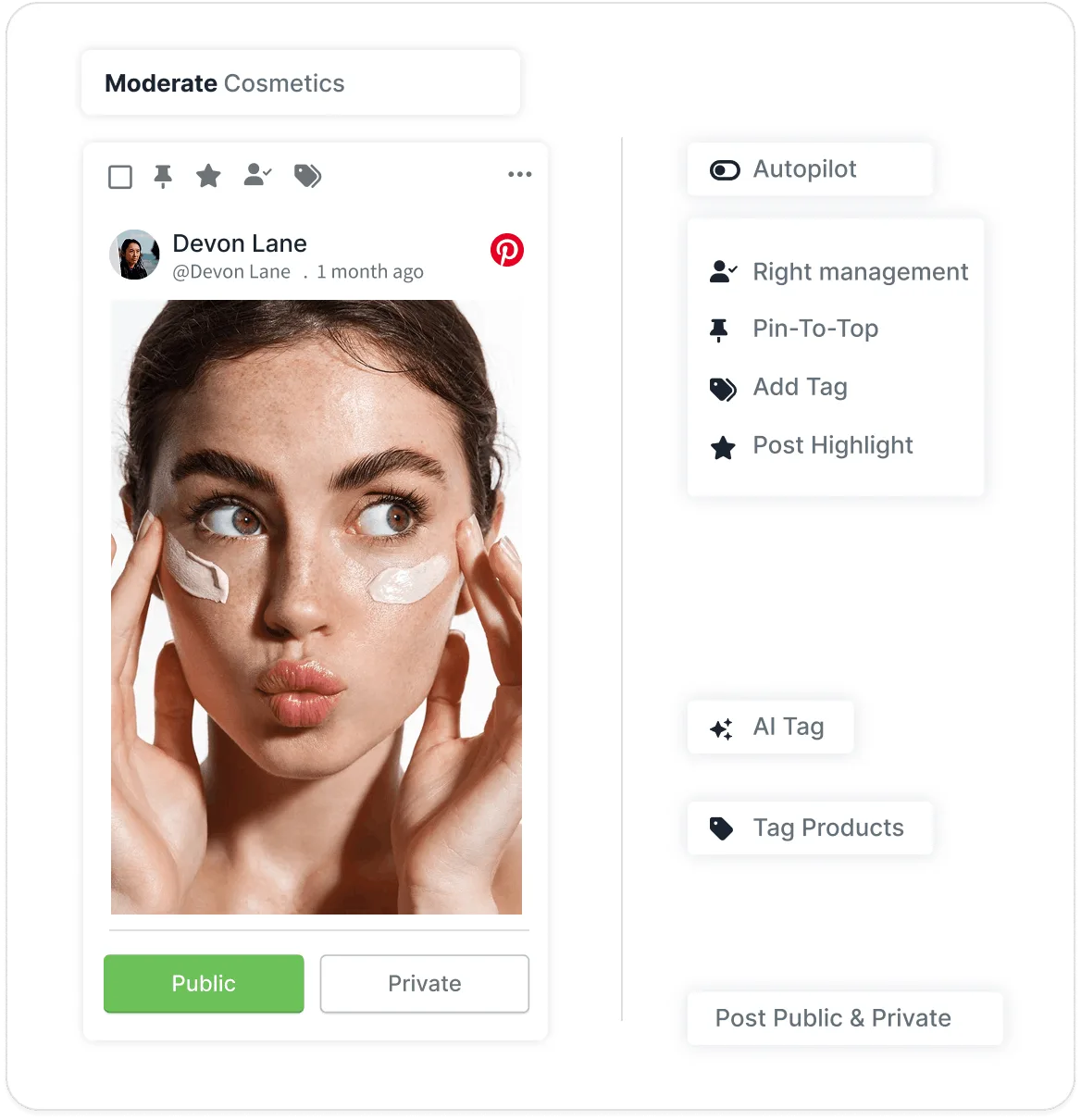
2. Moderate
Choose exactly what appears on your website with AI-powered moderation and manual controls. Keep your Pinterest widget aligned with your brand and audience preferences.
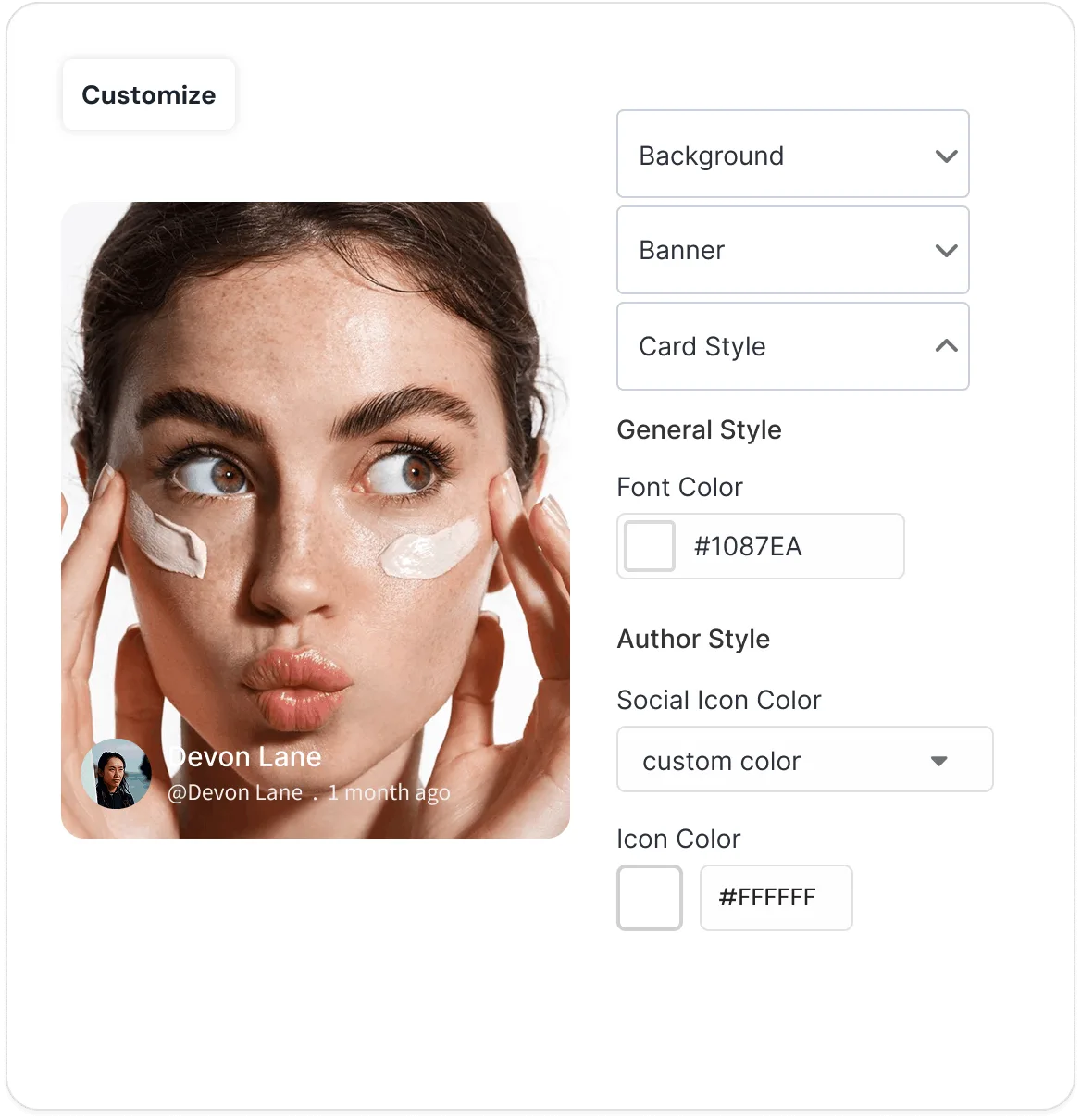
3. Customize
Make the Pinterest widget truly yours with customizable layouts, colors, fonts, card styles, spacing, and design settings that seamlessly match your website.
4. Publish
Copy the generated embed code and paste it onto any page of your website. Your Pinterest widget will go live instantly and update automatically as new content is added.
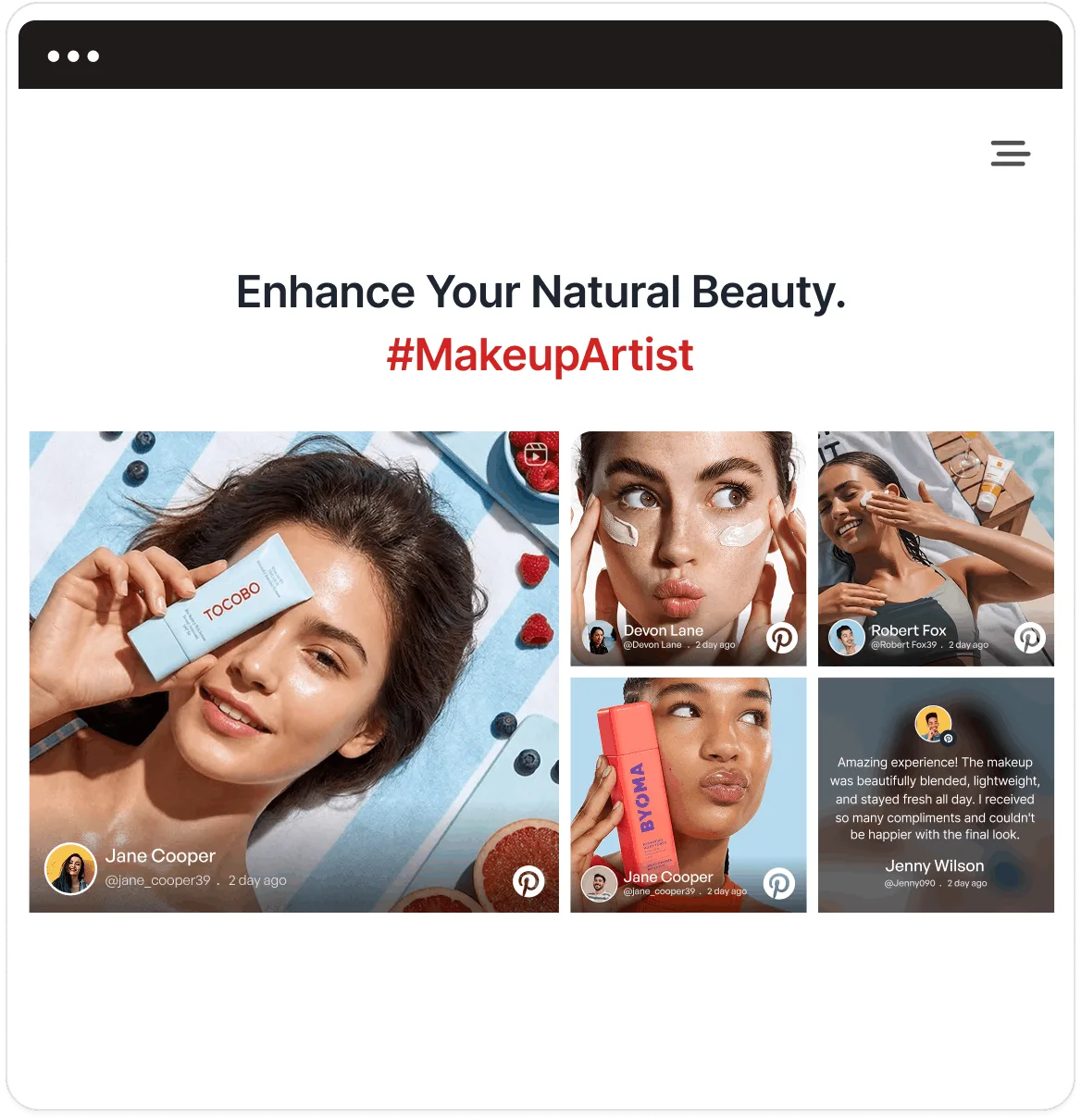
Everything You Need To Create The Perfect Pinterest Widget
From AI moderation to shoppable experiences, explore the tools that transform your Pinterest widget into a high-performing website asset.
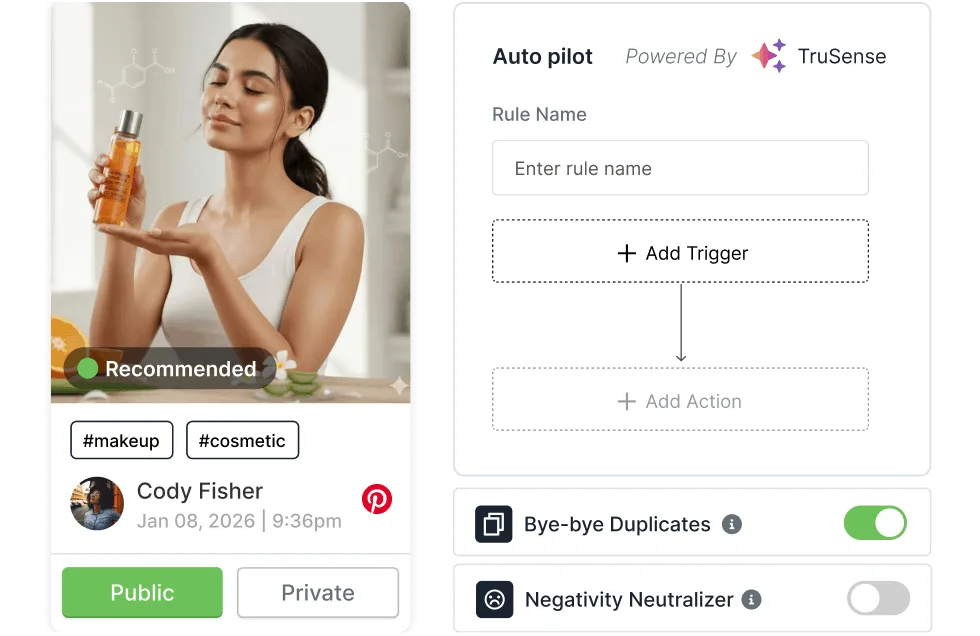
AI Moderation
Stay in complete control of what appears on your website. Use AI-powered moderation and manual filtering tools to ensure every pin aligns with your brand guidelines and messaging. Automatically remove irrelevant content and maintain a polished Pinterest experience that reflects your brand values.
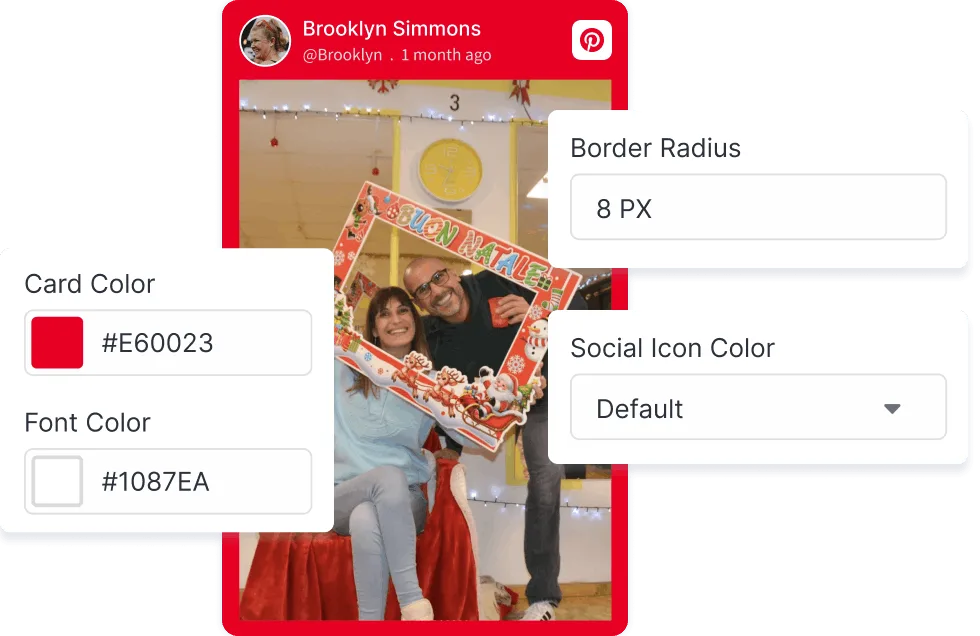
Widget Customization
Create a Pinterest widget that feels like a natural extension of your website. Choose from multiple layouts, adjust fonts and colors, customize card styles, and fine-tune the overall appearance. From subtle refinements to complete redesigns, tailor every detail to match your unique visual identity.
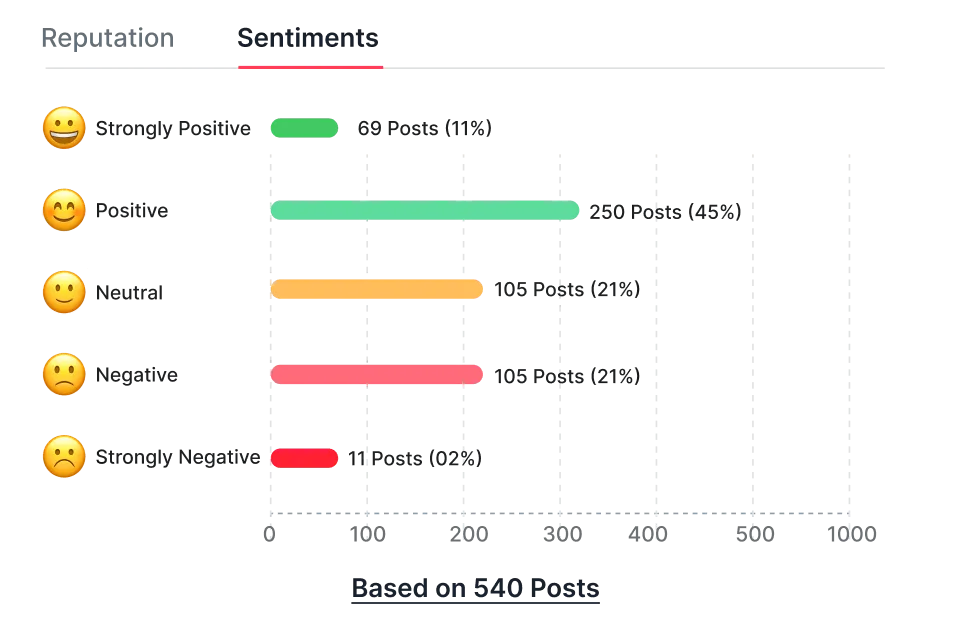
Content Performance Insights
Identify high-performing pins and trending themes using actionable insights that help you refine your content strategy and maximize engagement. Develop understanding, which Pinterest content drives the most interest and optimize your approach for better results.
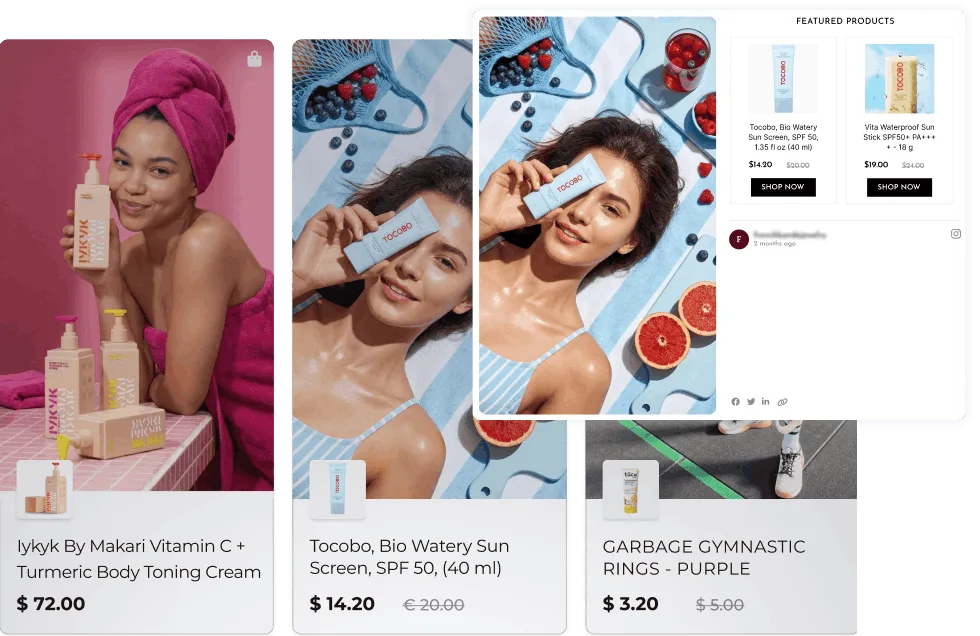
Shoppable Widget
Tag products directly within your Pinterest widget and guide visitors from discovery to purchase through a seamless shopping experience. Turn Pinterest inspiration into sales by making it easier for visitors to explore and buy the products they love.
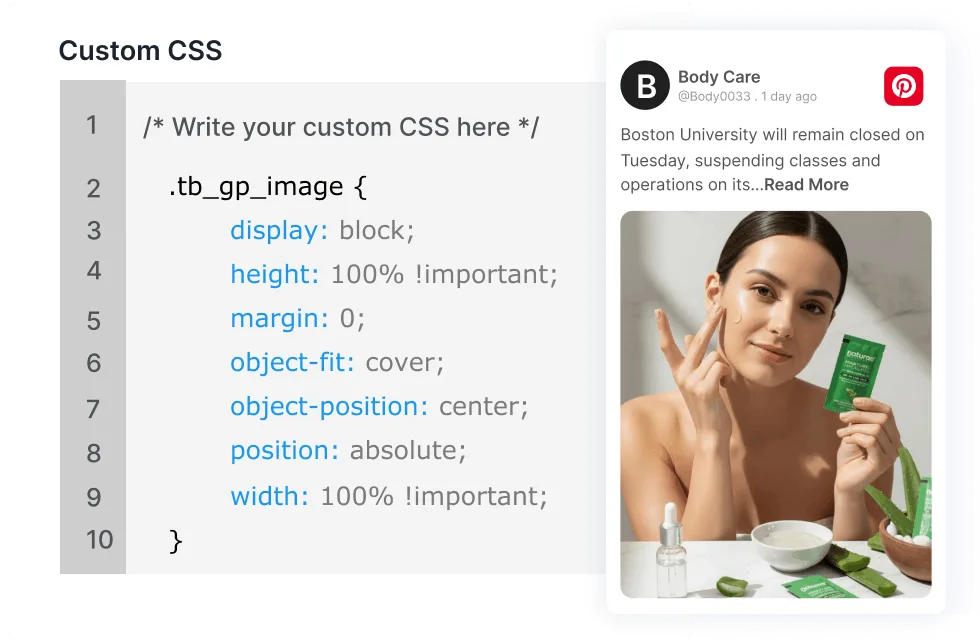
Custom CSS
Take customization a step further with Custom CSS. Modify spacing, animations, hover effects, typography, and design elements to achieve a truly personalized look. Achieve pixel-perfect integration by adapting every element to complement your website's existing design.
Ready To bring Pinterest Inspiration To Your Website
Showcase boards, pins, and ideas that keep visitors engaged and exploring.
Find The Pinterest Layout That Fits Your Brand
Choose from a collection of beautifully designed Pinterest widget layouts that seamlessly blend with your website and transform pins into engaging visual experiences.
Horizontal Columns
Display Pinterest pins in clean, organized columns that make it easy for visitors to browse through large collections. Ideal for inspiration galleries, lookbooks, and content-rich websites.
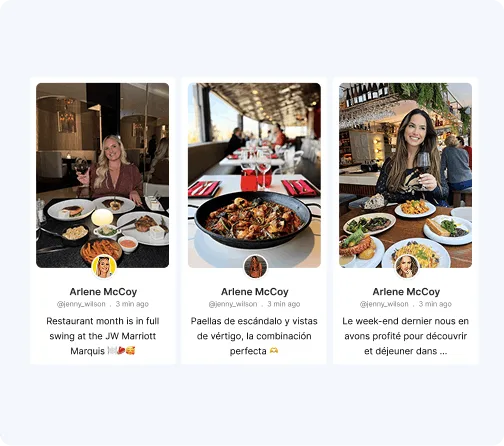
Classic Photo
Put visual storytelling front and center with a layout that highlights images beautifully. Perfect for brands that want their Pinterest content to create a lasting impression.

Collage
Create an eye-catching Pinterest display by combining multiple pins into a vibrant mosaic. This layout is designed to maximize visual appeal and encourage exploration.

Classic Photo
Present Pinterest content in structured cards that balance aesthetics with readability. Showcase images alongside descriptions in a format that feels polished and professional.
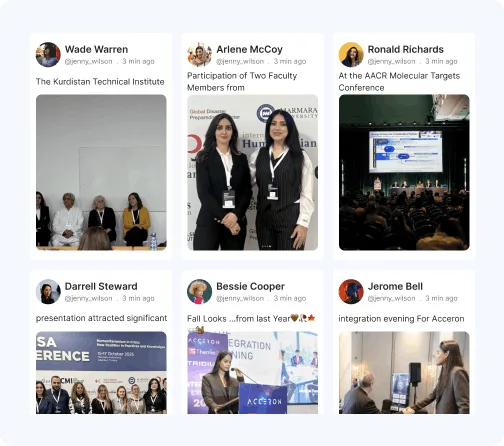
Horizontal Slider
Let visitors discover Pinterest content one pin at a time through a sleek carousel experience. A great choice for modern websites looking to add movement and interactivity.

Modern Card
Blend contemporary design with functionality using stylish cards that seamlessly integrate Pinterest content into your website while maintaining a clean, sophisticated look.

How Tagembed Stands Out Against All?
Discover how Tagembed out performs all other platforms available in the market.
Other Platform
-
 Limited Pinterest display options
-
Basic customization capabilities
-
Manual content monitoring
-
Static Pinterest embeds
-
No shopping functionality
-
Limited or no reporting and insights
-
Complex setup processes
 Limited Pinterest display options


-
Multiple Pinterest themes and layouts.
-
Extensive design customization with Custom CSS.
-
AI-powered moderation and filtering.
-
Automatic real-time Pinterest updates.
-
Shoppable Pinterest widget experience.
-
Detailed analytics and content performance tracking.
-
Fast, no-code implementation.
 Multiple Pinterest themes and layouts.
Everything You Need, At A Price You'll Love
-
 24/7 Customer Support
-
Social Media Analytics & Reporting
-
Brand Tracking

Free
Best For Small Sites, Testing.
$ 0 /mo
Try For Free-
1 Feed

-
500 Views/Month
-
Updates every 4 Days
-
Manual Moderation
-
500 Posts
-
Unlimited websites
-
Custom CSS
-
Video Walkthrough & Guide


Starter
Best For Small Businesses.
$ 19 /mo
Get Started-
2 Feeds
-
10K Views/Month
-
Updates every 2 Hours
-
Manual Moderation
-
5000 Posts
-
Unlimited websites
-
Custom CSS
-
Email Support
Growth
Best For Growing Brands.
$ 29 /mo
Get Started-
4 Feeds
-
50K Views/Month
-
Updates every 30 Mins
-
Automatic Moderation
-
30,000 Posts
-
Unlimited websites
-
Custom CSS
-
Live Chat
Advanced
Best For Enterprises and Agencies.
$ 79 /mo
Get Started-
10 Feeds
-
1M Views/Month
-
Updates every 15 Mins
-
AI Moderation
-
1,00,000 Posts
-
Unlimited websites
-
Custom CSS
-
Chat & Call
Why Customers Love Tagembed?
Empowered thousands of brands worldwide to collect and display content effortlessly.


These folks are the best!!!
I have been an avid user of this product for several years. Occasionally, I have needed to contact their support through their online chat, including over weekends. Initial responses are almost instantaneous, with each issue quickly resolved. Their team members are friendly, informative, and knowledgeable. Their collaboration with other team members is also streamlined, ensuring that more technical questions are quickly addressed. We use many applications for our business, and these folks are truly the best! Thank you, and please keep up the great work!
James Eglin
Co-Founder - VP of Sales and Marketing
Great support for product review
I'm testing out the service to see if its suitable for my requirements, the support ive received so far has been really helpful. Setting up feeds has been very easy and support is always quick to respond. I highly recommend so far.
Hayden Brown
Creative and UI Designer
Simple to use and highly effective!
It was simple to configure on my website and looks great on my website.
Ray Todd
CEO & Founder - Forever Beauty Hair & Nails
tagembed had fantastic quick support
Easy to use platform and it just works. Easily customizable for my Wordpress sites.
Lucas Hanyok
Front End Developer - Hanyok & Co.
Smooth to set up and friendly support!
The customer service is excellent and they solved my issue within 24 hours!
Judie Östling
Graphic Designer
Upgraded succesful
Its flexibility to find solutions. So it was great for them to do that.
Michael Kril-Mathres
Co-Founder - ITMO Ltd
Unique service and great support
Its flexibility to find solutions. So it was great for them to do that.
Leonardo Chan
Web Designer - designup.com.auFrequently Asked Questions
Pinterest Widget allows you to display Pinterest boards, profiles, and individual pins directly on your website. It helps you showcase inspiring content, increase visitor engagement, and keep your website visually appealing with automatically updated Pinterest feeds.
Simply sign up with Tagembed, choose Pinterest as your content source, connect your Pinterest board or profile, customize the widget design, and copy the generated embed code to your website. No coding knowledge is required.
You can embed Pinterest boards, individual pins, and profile feeds using Tagembed. This flexibility allows you to display curated collections, product inspiration, tutorials, and other visual content that aligns with your brand.
Yes. Tagembed's Pinterest Widget is compatible with popular website platforms, including WordPress, Shopify, Wix, Squarespace, Webflow, HTML websites, and many others.
Yes. Tagembed offers a free plan that allows you to create and test your Pinterest Widget. You can upgrade to premium plans to access advanced features such as customization, analytics, moderation, and additional widget capabilities.
Built To Work With Every Website Platform
Display Pinterest content across CMS platforms with a hassle-free setup process.









More Related Blogs
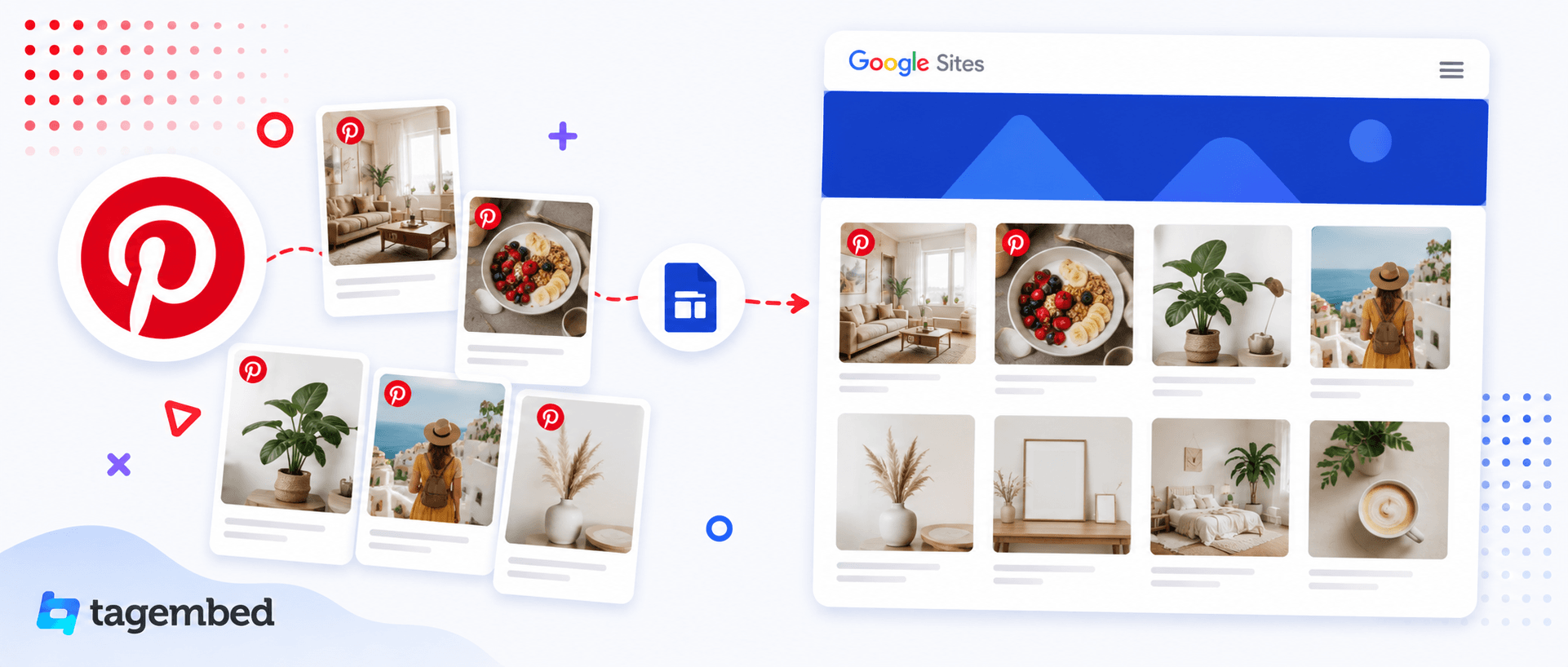



Publish inspiring Pinterest content on any website builder without writing a single line of code.


