How To Embed Social Media Reels On Website?
Social media reels have transformed how people consume content across platforms like Instagram, TikTok, YouTube, and Facebook. That’s why embedding social media reels on your website is becoming essential for brands that want to capture attention and keep visitors engaged.
Think of reels as a discovery engine helping users find new content and brands effortlessly. By bringing this dynamic format to your website, you can replace static experiences with engaging, real-time content that encourages visitors to stay longer and explore more.
Now that we understand the importance of adding social media reels, let’s understand the why.


Why should you embed social media reels on your website?
Integrating social media reels on your website reduces bounce rates and turns visitors into followers. Here are a few other notable benefits:
- Increases Dwell-Time
The short-form vertical video format, in the form of a reel, catches attention instantly, encourages visitors to stay longer, and thereby reduces bounce rates.
- Builds Trust & Social Proof
Displaying social media reels, such as UGC and customer-created content, helps visitors trust your brand and enhances its credibility and authenticity.
- Keep Content Constantly Fresh
When using a plugin like Tagembed, it updates your site 24*7 with new content uploaded across all apps. This way, Embedding reels keeps your site consistently updated.
- Turns Visitors into Buyers
Showcase social media reels to turn casual visitors into customers using UGC and real user experiences.
Now, we have covered the two W’s: the ‘What’ and the ‘Why’. It’s time to talk about embedding social media reels and which platforms offer you this opportunity.
Social Platforms that Provide the Reels Option
Several platforms permit the making of “Reels”. These videos follow a 9:16 vertical, short-form format, primarily associated with Meta-owned platforms, with several other competitors offering similar functionality. They are designed to capture attention quickly, deliver results faster, and simplify content into engaging short-form stories.

Here are the primary social platforms that provide the Reels option:
- Instagram Reels: Instagram gave birth to the “Reels” industry. Instagram Reels offers dedicated tools to create, edit, and share 15-to-90-second vertical videos, including an Edits app designed for this purpose. The app is a different ballgame altogether, offering music, the ability to upload personal audio, effects, and even editing tools.
- Facebook Reels: Facebook officially integrated Reels, allowing users to share short-form videos that can appear on user feeds, in groups, and on the Facebook watch tab. They often offer a broader public reach than Instagram.
- TikTok: The app that has been the flagbearer for spreading content via short-form videos. While not branded as “Reels,” TikTok is the primary platform that popularized this format. Following trends and popularizing the creation and sharing of short, lip-syncing, and entertaining videos, this platform tops the list for embedding social media reels.
- YouTube Shorts: YouTube didn’t want to be left behind in the line where other platforms were preferred. Hence, this feature was YouTube’s equivalent to Reels, a short-form vertical video format designed to help creators reach new audiences on the platform. The best part is that these videos are quick to watch. Many creators repurpose reels from other platforms to build credibility on YouTube.
There are two ways to go about Embedding Social Media Reels, and let’s learn these two. First, starting with the manual method.
Manual Method to Embed Social Media Reels (Instagram, YouTube Shorts, Facebook & TikTok)
1. Select a Reel
Go to Instagram, YouTube Shorts, Facebook, or TikTok and choose the exact video you want on your site.
2. Copy the Embed Code
Each platform has an “embed” option. Grab that code for the specific post. Mostly, it’s found on the three dots above or below the videos.
3. Paste It on Your Website
Paste the code into your website backend wherever you want to display social media reels, homepage, product pages, landing pages, etc.
4. Repeat for Each Reel
Want more videos? You’ll have to repeat the same steps every time you integrate social media reels. This method is fine if you’re embedding just a couple of posts and don’t plan to update them often.
Step-by-Step Guide: How to Embed Social Media Reels Using Tagembed
Getting reels from Instagram, YouTube Shorts, Facebook, or TikTok onto your website doesn’t have to be as complicated as it is when done manually. With Tagembed, you can embed social media reels in just a few steps and keep everything up to date without constant effort.
Here’s how to do it:
1) Create an Account on Tagembed
Go to Tagembed and sign up, or if you’re already registered, just log in. It’s quick. Pick your industry if prompted, verify your email, and you’re set.

2) Add Social Media Reels
Head to the content section from the left sidebar and choose your platform: Instagram, YouTube Shorts, Facebook, or TikTok.
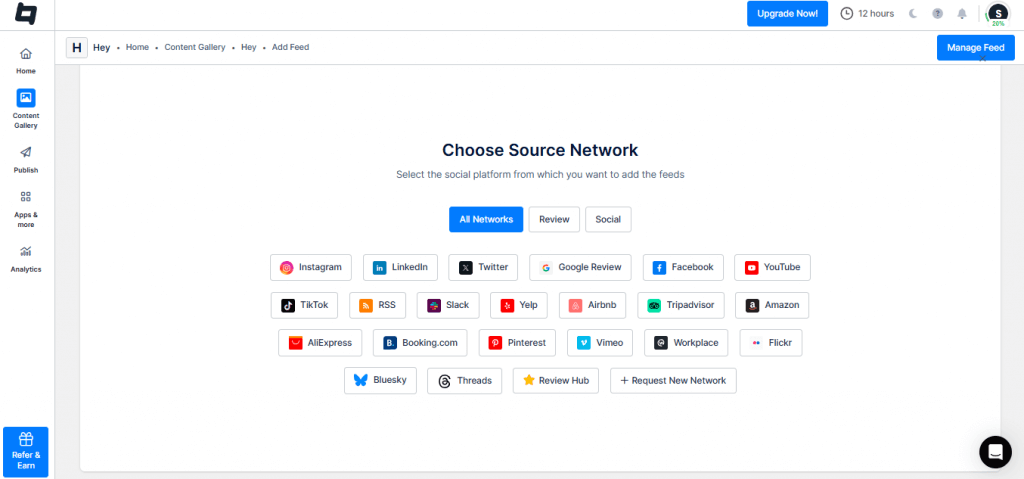
Now select how you want to pull content:
(a.) For Instagram
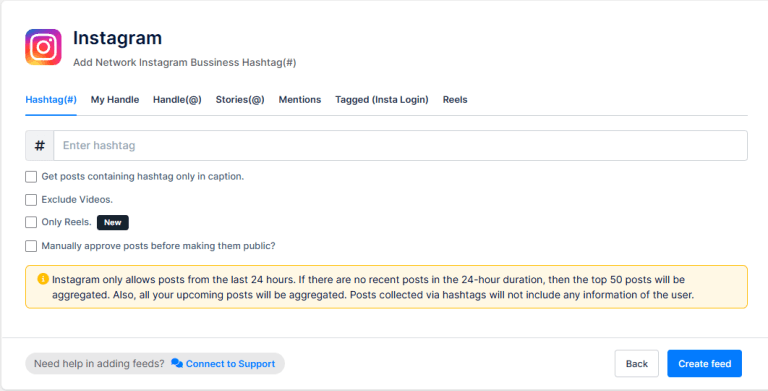
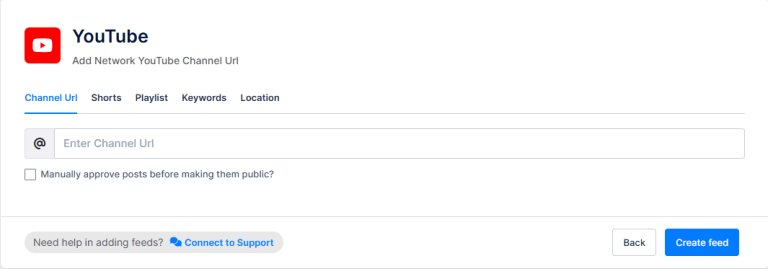
(b.) For YouTube
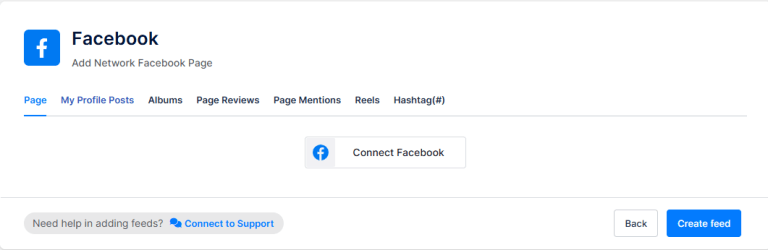
(c.) For Facebook
(d.) For TikTok
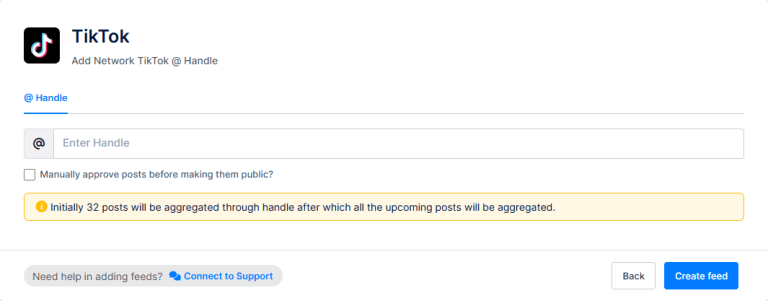
Once connected, your feed will start populating automatically. This is where you actually add social media reels without having to do it manually every time.
3) Moderate the Content
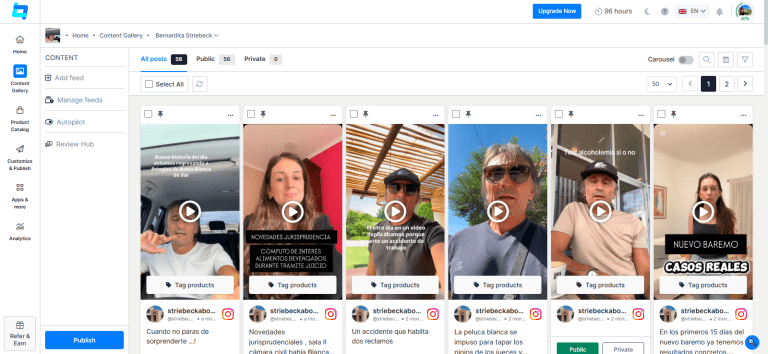
Before you display social media reels, take a minute to filter what shows up with our AI-powered features that help you set up your own rules and remove duplicate and negative posts.
Approve the reels that fit your brand and hide anything that doesn’t. This keeps your website clean and relevant.
4) Customize the Layout
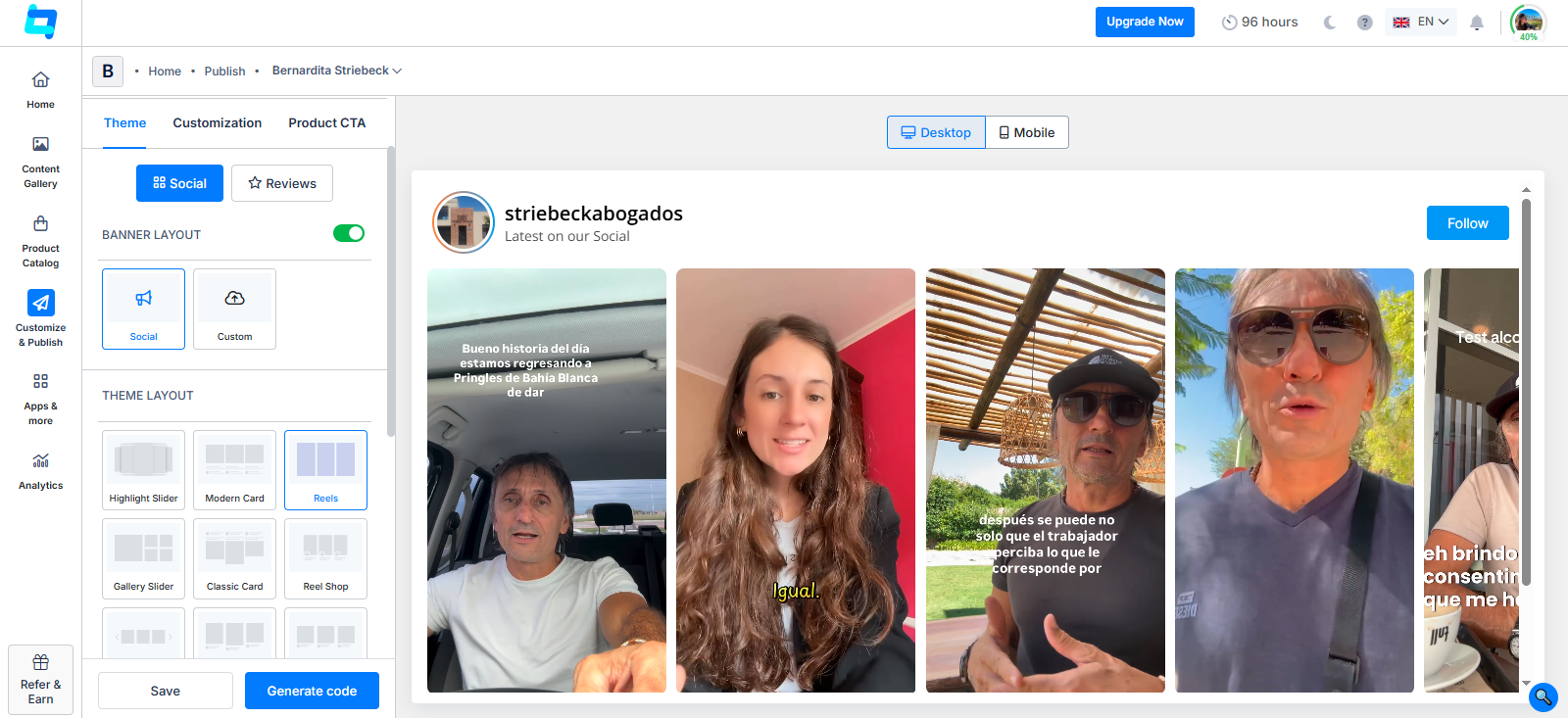
Move to the customization section and decide how you want to integrate social media reels into your site.
You can choose:
- Grid for a structured look
- Carousel for a scroll feel
- Slider for something more dynamic
Adjust colors, spacing, and layout so your social media widget blends with your website rather than looking out of place.
5) Generate the Embed Code
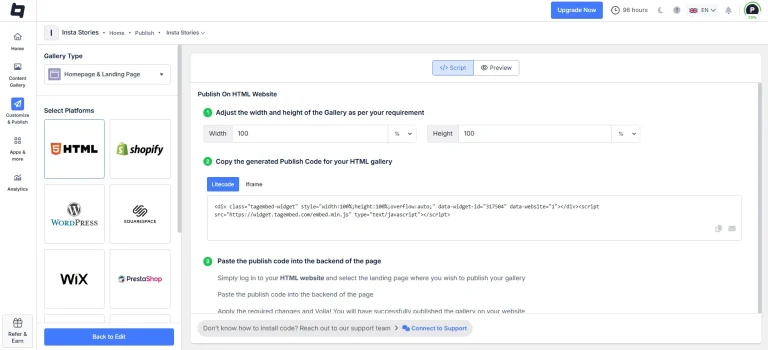
Once everything looks right, click on “Generate Code.”
Choose your platform (WordPress, Shopify, Wix, Elementor or HTML), adjust the size if needed, and copy the code.
6) Display Social Media Reels on Your Website
Paste the code wherever you want the feed to appear: homepage, product pages, landing pages, or even a testimonials section.
Once it’s live, your website will automatically embed social media reels and keep them up to date as new content comes in.
That’s it. You set it up once, and your site keeps showing fresh content without you having to constantly go back and update it.
Where to Embed Social Media Reels on Your Website?
Once you start to embed social media reels, placement matters more than most people think. Randomly adding them won’t do much; putting them in the right spots will.
Here are a few places where it actually makes sense to display social media reels:
1) Homepage
This is your first impression.
Adding a reel section here helps instantly integrate social media reels as social proof. Visitors don’t just read about your brand, they see it in action.
2) Product Pages
This is where decisions happen. Instead of static images, you can add social media reels showing:
- Real usage
- Reviews
- Quick demos
It makes the product feel more real.
3) Landing Pages
If you’re running campaigns, this is a no-brainer. When you embed reels here, you reduce friction. People can see proof without leaving the page.
4) Testimonials Section
Text reviews are fine. But video? Even better. Replace or support written reviews by using reels to display social media reels that show actual customer experiences.
5) Checkout or Pre-Checkout Pages
This is underrated. A few well-placed reels can build last-minute trust and reduce drop-offs when you integrate social media reels right before purchase.
The Final Note
Reels have always carried a theme, and that theme has always been movement; it’s attention-moving, people-moving, decision-making. And decisions, these decisions get placed on your website. So instead of letting your best content sit on Instagram, TikTok, or YouTube Shorts, bring it where it matters.
When you add social media reels to your pages, you’re not just improving how your site looks; you’re improving how it performs. You’ve seen both ways to do it. The manual route works, but it doesn’t scale. The better approach is to integrate social media reels effortlessly without constantly updating, using platforms like Tagembed to put you miles ahead in the game.
Embed social feed from Facebook, YouTube, Instagram, Twitter on your website, like a PRO
Invalid Email Address Multiple Themes
